
caelen109 - Minecraft Skins & Skin History
Current Minecraft skin of the player caelen109, loaded from the official Mojang API. Rotate the 3D model with your mouse or finger, then download the skin as a PNG file and use it in Minecraft: Bedrock Edition or Java Edition for free. When caelen109 changes their skin, this page updates automatically and the old skin stays in the history below.
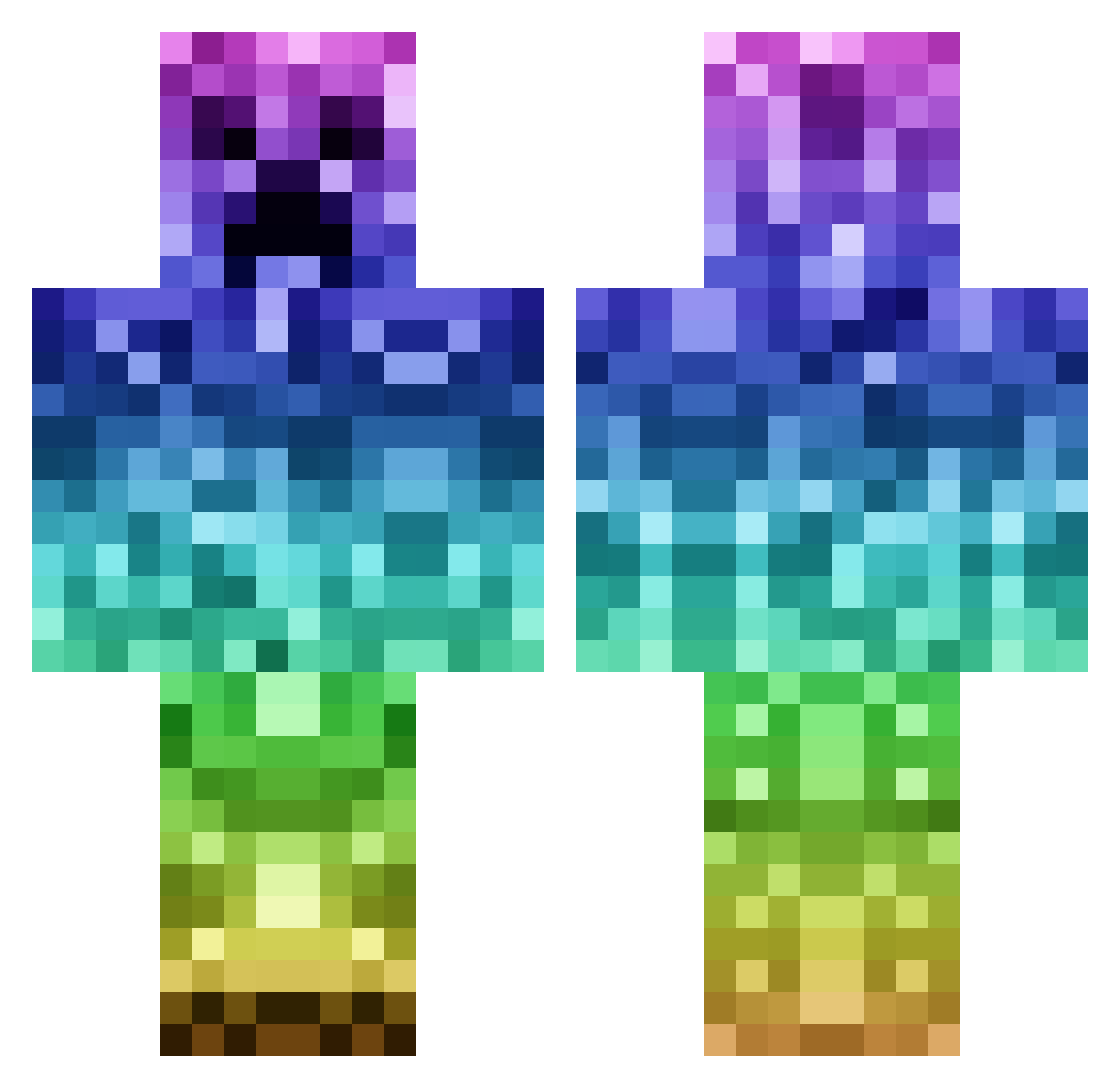
Other players with this skin (1144)
caelen109 was the 751st player we have seen with this skin, first spotted on 07.10.2026. The same skin was seen on these players. Open a nickname to see their current skin and skin history.
 _Swagg101_ Musique9 _Nightfires_ PresidentNoel26 TurtleBoy050 SpodgeyQuoff trevor_martinez _L1J legoboy1124 MrChaosZwerg SiJunior aklos7 SafariMan7 kacpermi08 SavSunGuy Mr_SmartyCreaper rhys845 Imawildone tottoko221 Holzwein Disneylovers SorteP dakota2024 GdiSeer ShadowWave ranasack3 chewy_panda ilegend987 es1741 Crunchy_TACO49 SweetPea823 joseph_everton W33wacko Supreme_2K castawaysole KingOfAllQuentin JamessssxD zakj2012 jdub1231 dylansor MinonCrafter thatweirdguy97 vindiesel4444444 Markyby xBasketballx DARK212345 Ettienne Carl_smart Drew00K clearboys Folke2006 Izper sdv_1994 darrel_duch14 batmany flamingtornado39 corbinalaska historyhoney REDHEF2 Sauhusakke
More Rainbow Minecraft skins
How to install the caelen109 skin
- Press the Download button above to save the skin as a PNG file.
- Minecraft: Bedrock Edition (PE): open the Dressing Room from the main menu (or tap your character → Edit Character), go to Classic Skins → Owned, press the + (new skin) button, choose the downloaded PNG and pick the Classic (Steve) model. Works on PC and mobile; consoles cannot import custom skins.
- Minecraft: Java Edition: open the Minecraft Launcher, go to the Skins tab, click New Skin, load the PNG, pick the Classic (Steve) model and press Save & Use. You can also upload it at minecraft.net → Profile → Change Skin.
The skin does not show up after import - what should I do?
Restart Minecraft and open the Dressing Room again - imported skins sometimes appear only after a restart. Also make sure you selected the imported skin and picked the Classic (Steve) model.
Which model should I choose, Classic or Slim?
This skin is designed for the Classic (Steve) model. If you pick the wrong model, the arms of the skin will look stretched or squeezed.
Is the skin of caelen109 free to download?
Yes. Press Download, save the PNG file and use it in Minecraft: Bedrock Edition or Java Edition - no payment or registration needed. The skin also works on multiplayer servers and Realms.
More skins
Looking for more? Go back to all Minecraft skins and check the top skins of the week, month and all time, or find any player's skin by nickname.