
c0pe7 - Minecraft Skins & Skin History
Current Minecraft skin of the player c0pe7, loaded from the official Mojang API. Rotate the 3D model with your mouse or finger, then download the skin as a PNG file and use it in Minecraft: Bedrock Edition or Java Edition for free. When c0pe7 changes their skin, this page updates automatically and the old skin stays in the history below.
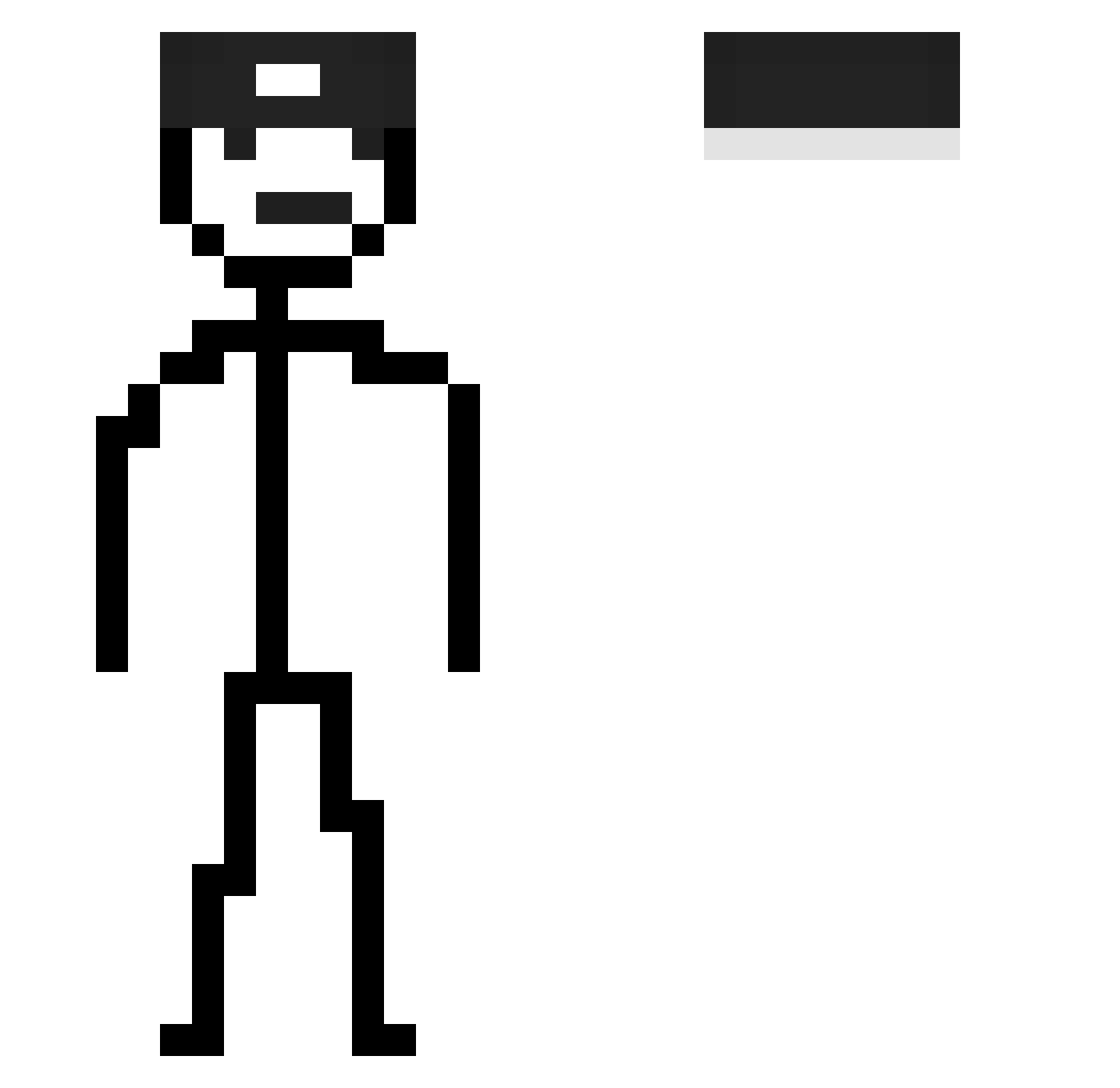
Other players with this skin (122)
c0pe7 was the 17th player we have seen with this skin, first spotted on 08.08.2026. The same skin was seen on these players. Open a nickname to see their current skin and skin history.
 SingularCafe61
 Mixiax wezuwiusz1000 Southrdl DEF___06 twizzyeat lolpuppy01 Gamerkeif 2s0ma
 eunByuLoia theQuestkiller Sturmhorst13 JPBIO9 shortmalteser_ ianngc27 solomiya333
 Wembuu67 wezzxd bre4dfrog
 A4nityu MINMIN_TV Esteban898989 De_Jong_21
 sarada1205 Luka_maybe iJGUEVARA ndfed
 ultrapro4545 DuBistEinSibbi Sepoop Jaksin87 hatdragun_
 Welharz DiddyUnc Medwedd elsantiago3390 w9pf maximiks changh5252 felipejrg14 m530 BenW_1996 Aussenseiter siquiri FelipeUrizarM EdiFCSB rlqeo toxo52_ Huall sniffo_ Tilyisen zshaonianyou Vekotronas_ Yurny NH_OhSon CeruleanSand71 IceAge8004 sorara123
 MercsNoah jisuho05
How to install the c0pe7 skin
- Press the Download button above to save the skin as a PNG file.
- Minecraft: Bedrock Edition (PE): open the Dressing Room from the main menu (or tap your character → Edit Character), go to Classic Skins → Owned, press the + (new skin) button, choose the downloaded PNG and pick the Slim (Alex) model. Works on PC and mobile; consoles cannot import custom skins.
- Minecraft: Java Edition: open the Minecraft Launcher, go to the Skins tab, click New Skin, load the PNG, pick the Slim (Alex) model and press Save & Use. You can also upload it at minecraft.net → Profile → Change Skin.
The skin does not show up after import - what should I do?
Restart Minecraft and open the Dressing Room again - imported skins sometimes appear only after a restart. Also make sure you selected the imported skin and picked the Slim (Alex) model.
Which model should I choose, Classic or Slim?
This skin is designed for the Slim (Alex) model. If you pick the wrong model, the arms of the skin will look stretched or squeezed.
Is the skin of c0pe7 free to download?
Yes. Press Download, save the PNG file and use it in Minecraft: Bedrock Edition or Java Edition - no payment or registration needed. The skin also works on multiplayer servers and Realms.
More skins
Looking for more? Go back to all Minecraft skins and check the top skins of the week, month and all time, or find any player's skin by nickname.