
bugalugs486 - Minecraft Skins & Skin History
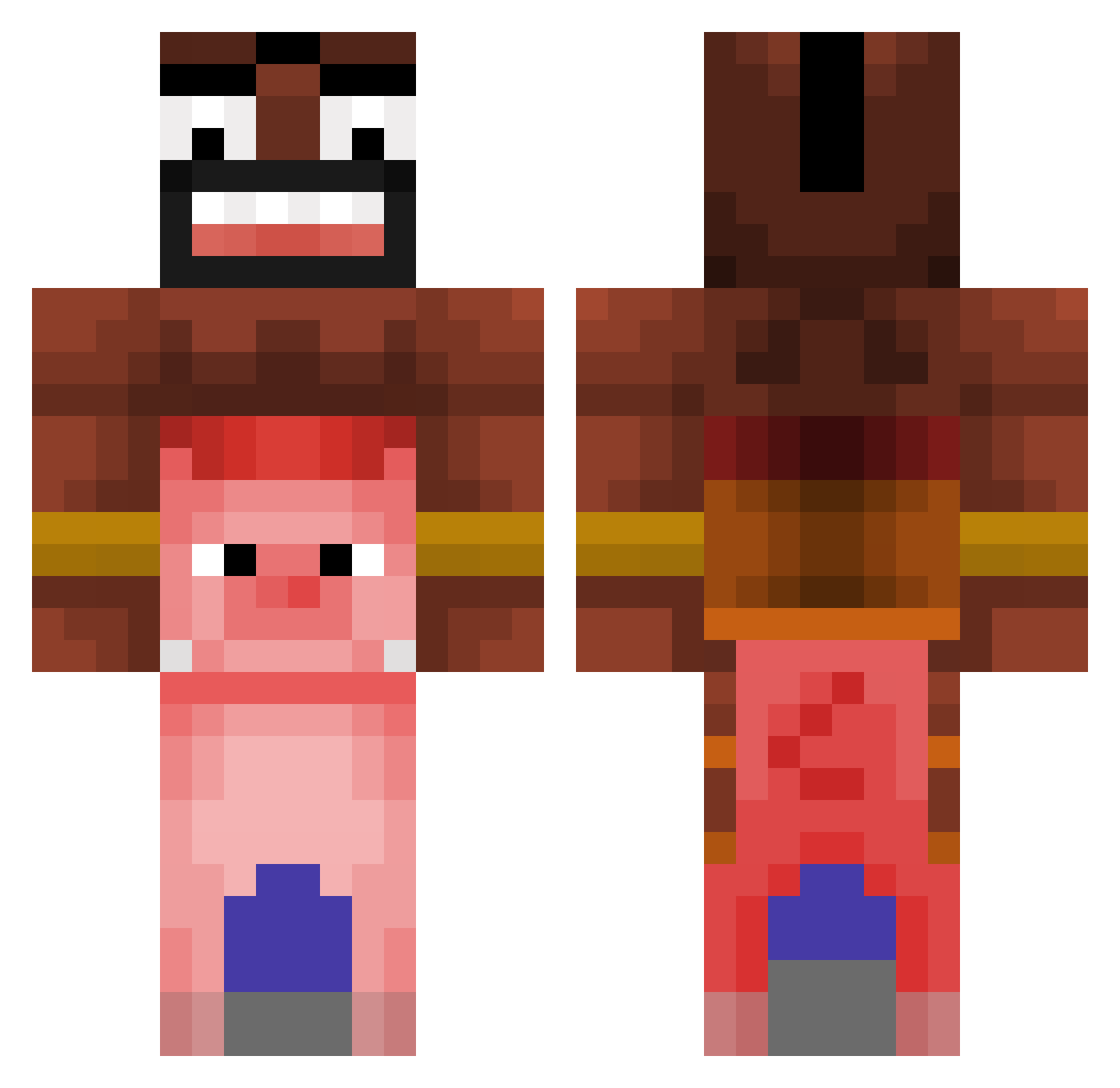
Current Minecraft skin of the player bugalugs486, loaded from the official Mojang API. Rotate the 3D model with your mouse or finger, then download the skin as a PNG file and use it in Minecraft: Bedrock Edition or Java Edition for free. When bugalugs486 changes their skin, this page updates automatically and the old skin stays in the history below.
Other players with this skin (366)
bugalugs486 was the 155th player we have seen with this skin, first spotted on 12.09.2026. The same skin was seen on these players. Open a nickname to see their current skin and skin history.
 hidecin timur13129 RipNano cultside YOUNG_CHOOPER Th09eo_ SpXinOgg victoran Doggosaurus Filip423 matswup29 Bigoms2019 artsssss cernoblock JohnnyJoeBonny catgirlpoly cambraiaxl J3B4N1EOPONENTOW moh9070 Ruxiamii kacpeerek_ Shabballujah PikesEichelhaar slaok07 module_main Nxyle278 Blo0dSp1r1t xxiyed123xx CzarnyGryf Sulimone NotEnoughUpdates AlphaTard Yuncheol2 kanyenein demty__ Laiq_x Hattrick33210 Succucms Juli_Games3804 Pmoney134 R3cudo Mraco7169 Scobbydoo3 WaxPotPourri Quackeded uwusenpaikitten3 RexFiveElm06 cooyy hadlehd iTzEd_dy cucumberderechte qallafv P1lm HogRaider_456 C0ffi_n Floetist88 Lyas1480 XIABRAL Ju4NCH003 HYKSabueso
More Piggyback Minecraft skins
How to install the bugalugs486 skin
- Press the Download button above to save the skin as a PNG file.
- Minecraft: Bedrock Edition (PE): open the Dressing Room from the main menu (or tap your character → Edit Character), go to Classic Skins → Owned, press the + (new skin) button, choose the downloaded PNG and pick the Classic (Steve) model. Works on PC and mobile; consoles cannot import custom skins.
- Minecraft: Java Edition: open the Minecraft Launcher, go to the Skins tab, click New Skin, load the PNG, pick the Classic (Steve) model and press Save & Use. You can also upload it at minecraft.net → Profile → Change Skin.
The skin does not show up after import - what should I do?
Restart Minecraft and open the Dressing Room again - imported skins sometimes appear only after a restart. Also make sure you selected the imported skin and picked the Classic (Steve) model.
Which model should I choose, Classic or Slim?
This skin is designed for the Classic (Steve) model. If you pick the wrong model, the arms of the skin will look stretched or squeezed.
Is the skin of bugalugs486 free to download?
Yes. Press Download, save the PNG file and use it in Minecraft: Bedrock Edition or Java Edition - no payment or registration needed. The skin also works on multiplayer servers and Realms.
More skins
Looking for more? Go back to all Minecraft skins and check the top skins of the week, month and all time, or find any player's skin by nickname.