
brunobanan22 - Minecraft Skins & Skin History
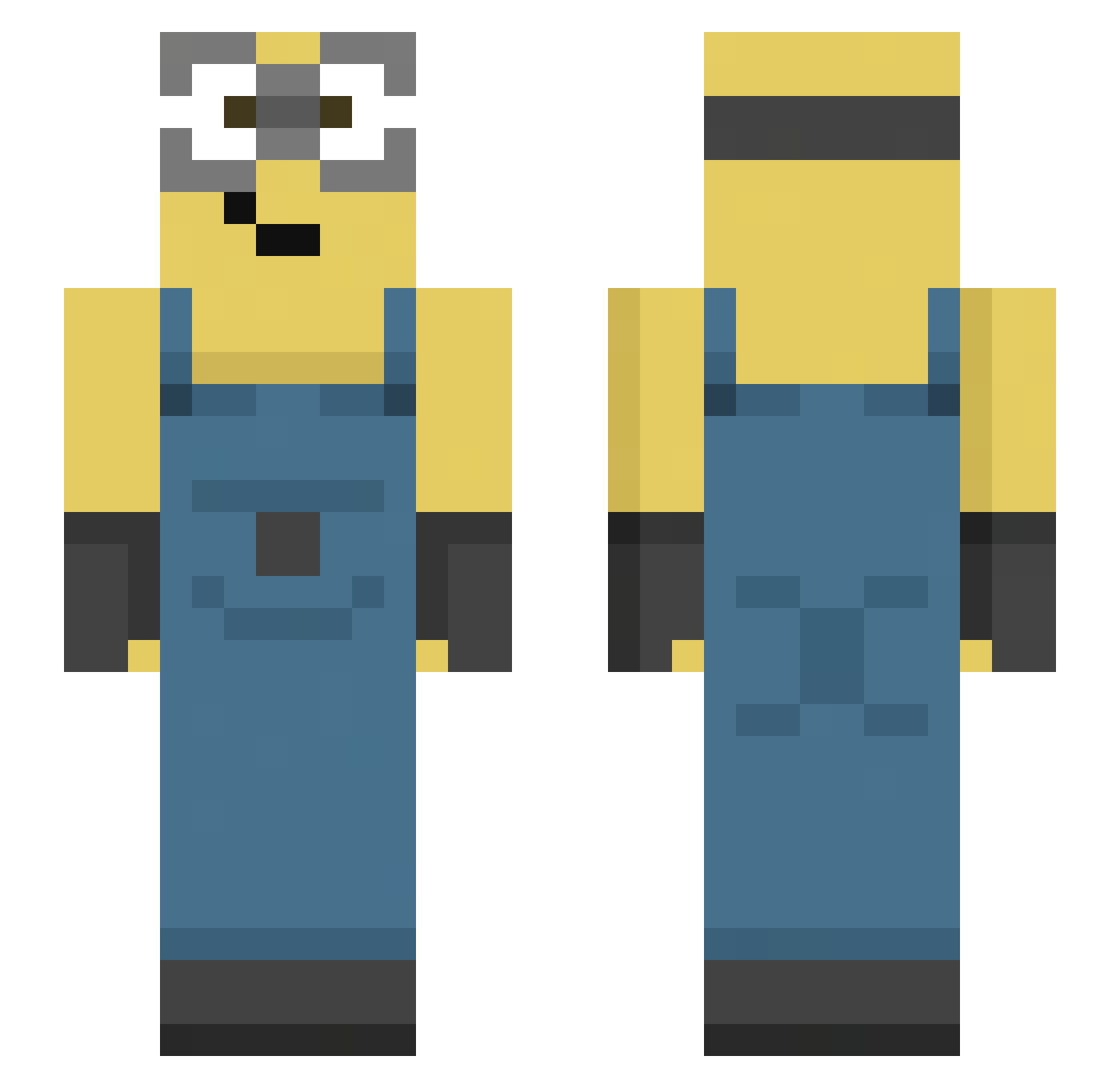
Current Minecraft skin of the player brunobanan22, loaded from the official Mojang API. Rotate the 3D model with your mouse or finger, then download the skin as a PNG file and use it in Minecraft: Bedrock Edition or Java Edition for free. When brunobanan22 changes their skin, this page updates automatically and the old skin stays in the history below.
Other players with this skin (144)
brunobanan22 was the 35th player we have seen with this skin, first spotted on 23.08.2026. The same skin was seen on these players. Open a nickname to see their current skin and skin history.
 mylabean09
 Lee_Hong9 RYOMA_7 JojoLi03 Marchewa01 mad_adc_apc49 lehargique c6y7 bwwsti meganhaha mehmettaaali b1nxxx c4tgif SolidBear0 daveier predator_style joaoarthury0 iVinx69 JoNahyeon11 yache1217 KAAPELI6767 sonya_sosiska shadowz00 thebubs_ Lequeeee ugotfood princessnuclear tyleeele funkykitty_ Shoogies sleepygh0st
 ttiaago ilovephun TrippiTroppi0306 zhuang_kaikai syonex_
 dusbeen ZbieraczKaucji felpxsss LetsHaveLunch Liammmarv Rchani xScoutzCS Myzty6 aletz1 AnOldCardigan Twigglyyy
 disgrasagames bbongsis tracy2cool G2LAXY08 DobermanErdo Maurrer gogijom hejeong wh64 arthur_santos232 soxuni r1ul Jumbo_wins
More Movie Minecraft skins
How to install the brunobanan22 skin
- Press the Download button above to save the skin as a PNG file.
- Minecraft: Bedrock Edition (PE): open the Dressing Room from the main menu (or tap your character → Edit Character), go to Classic Skins → Owned, press the + (new skin) button, choose the downloaded PNG and pick the Slim (Alex) model. Works on PC and mobile; consoles cannot import custom skins.
- Minecraft: Java Edition: open the Minecraft Launcher, go to the Skins tab, click New Skin, load the PNG, pick the Slim (Alex) model and press Save & Use. You can also upload it at minecraft.net → Profile → Change Skin.
The skin does not show up after import - what should I do?
Restart Minecraft and open the Dressing Room again - imported skins sometimes appear only after a restart. Also make sure you selected the imported skin and picked the Slim (Alex) model.
Which model should I choose, Classic or Slim?
This skin is designed for the Slim (Alex) model. If you pick the wrong model, the arms of the skin will look stretched or squeezed.
Is the skin of brunobanan22 free to download?
Yes. Press Download, save the PNG file and use it in Minecraft: Bedrock Edition or Java Edition - no payment or registration needed. The skin also works on multiplayer servers and Realms.
More skins
Looking for more? Go back to all Minecraft skins and check the top skins of the week, month and all time, or find any player's skin by nickname.