
brotto_2809 - Minecraft Skins & Skin History
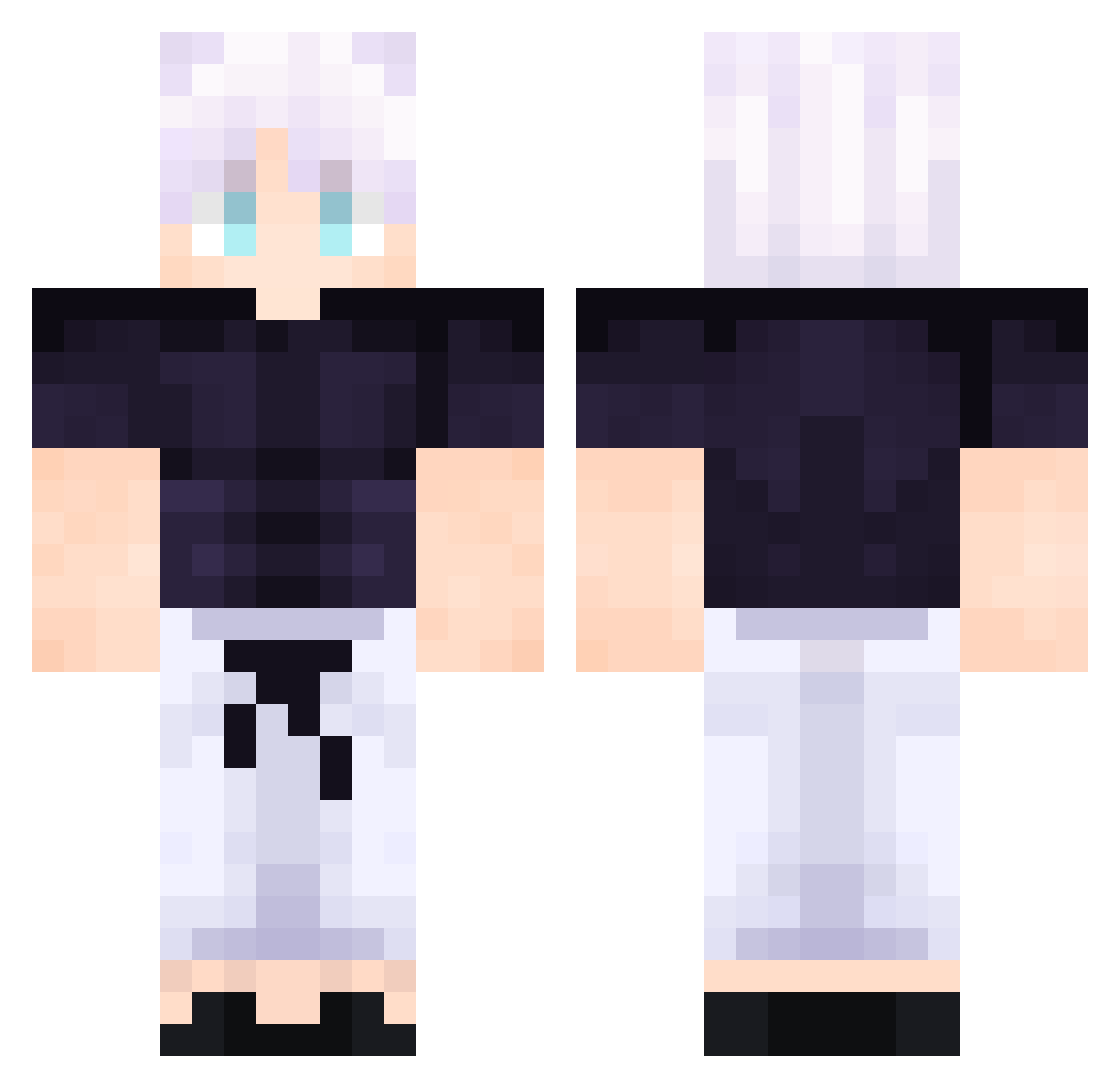
Current Minecraft skin of the player brotto_2809, loaded from the official Mojang API. Rotate the 3D model with your mouse or finger, then download the skin as a PNG file and use it in Minecraft: Bedrock Edition or Java Edition for free. When brotto_2809 changes their skin, this page updates automatically and the old skin stays in the history below.
Other players with this skin (610)
brotto_2809 was the 389th player we have seen with this skin, first spotted on 12.10.2026. The same skin was seen on these players. Open a nickname to see their current skin and skin history.
 tysonmikeyes Andy_2304 Berlinowski Bori053 kaylexsy ShadowSwords_ xXSHADOW545 Tyxeer Isaquekan MightyMask2099 ophal Fobchen Kim_Dokja4951 soliduxz lunariusshadow MadaraUchihax Akrrius xboy_1 Kiyotaka__d4vd mynameisjackson dustr4x Takoon DizciScuttler Vile_Blade eld0njr32 UnknownSlayerr Prsuta Sniper4139 xKayo1 HabibiHabibiHabi Atko0 yxl7zp Tuthzinho_ bigbertiee kamryce jct2game Tyou_SPCE LeaphTree tripsword alansmithee2 Ryamua01 muckerduckS j3for91 Guerreiro307 ColuiCheGioca1 inacioNinja Iris_person Ciastek7 Naaaru GigaChad1010 MicahBell auto1885 WardenChxp VivaanPlayz124 KayraB9 new99999 Gaswatt tibujr7 QiQiLupi DarknessONK
More Satoru Gojo Minecraft skins
See all 1484 Satoru Gojo skins
How to install the brotto_2809 skin
- Press the Download button above to save the skin as a PNG file.
- Minecraft: Bedrock Edition (PE): open the Dressing Room from the main menu (or tap your character → Edit Character), go to Classic Skins → Owned, press the + (new skin) button, choose the downloaded PNG and pick the Classic (Steve) model. Works on PC and mobile; consoles cannot import custom skins.
- Minecraft: Java Edition: open the Minecraft Launcher, go to the Skins tab, click New Skin, load the PNG, pick the Classic (Steve) model and press Save & Use. You can also upload it at minecraft.net → Profile → Change Skin.
The skin does not show up after import - what should I do?
Restart Minecraft and open the Dressing Room again - imported skins sometimes appear only after a restart. Also make sure you selected the imported skin and picked the Classic (Steve) model.
Which model should I choose, Classic or Slim?
This skin is designed for the Classic (Steve) model. If you pick the wrong model, the arms of the skin will look stretched or squeezed.
Is the skin of brotto_2809 free to download?
Yes. Press Download, save the PNG file and use it in Minecraft: Bedrock Edition or Java Edition - no payment or registration needed. The skin also works on multiplayer servers and Realms.
More skins
Looking for more? Go back to all Minecraft skins and check the top skins of the week, month and all time, or find any player's skin by nickname.