
borchgenius - Minecraft Skins & Skin History
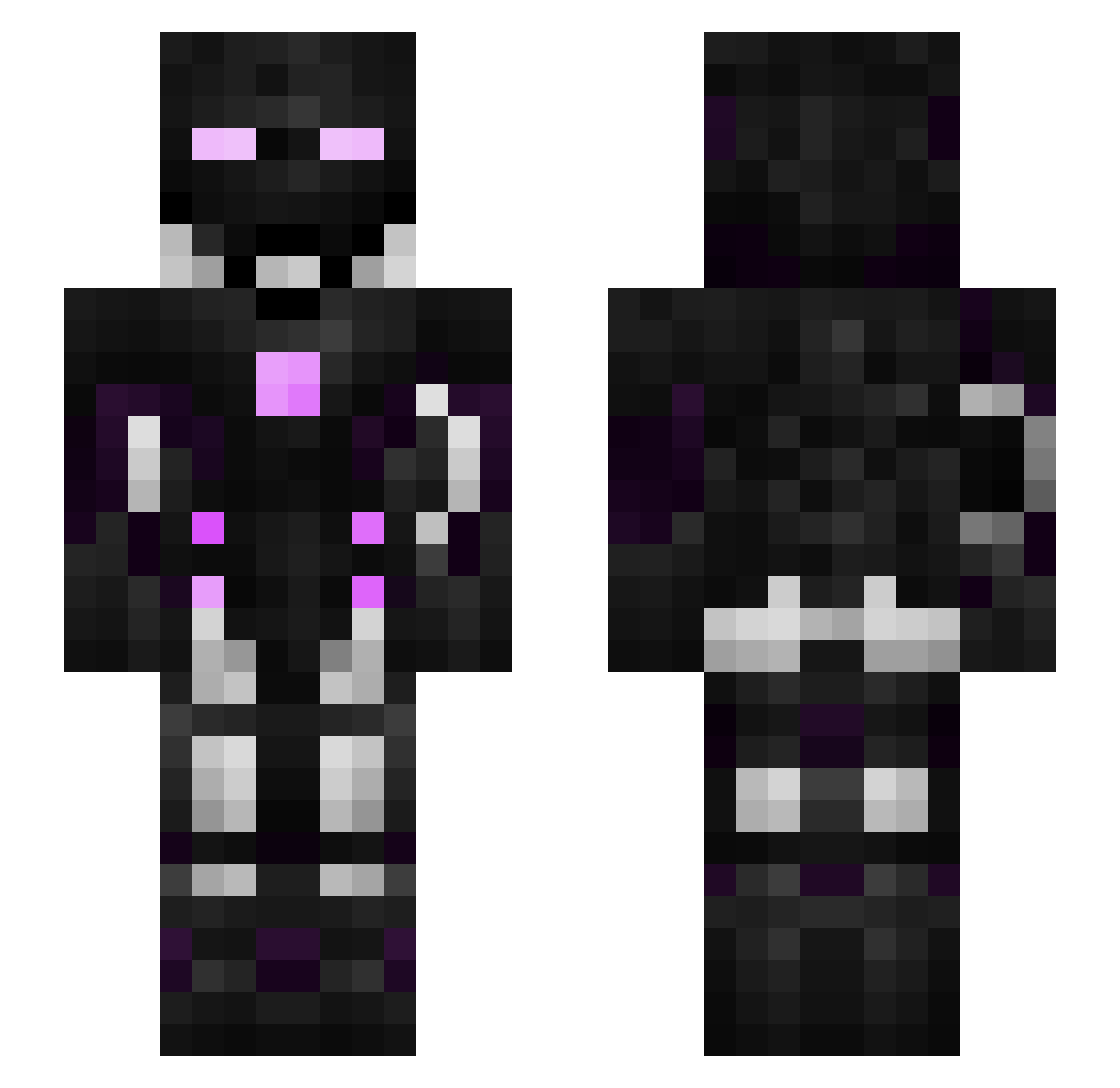
Current Minecraft skin of the player borchgenius, loaded from the official Mojang API. Rotate the 3D model with your mouse or finger, then download the skin as a PNG file and use it in Minecraft: Bedrock Edition or Java Edition for free. When borchgenius changes their skin, this page updates automatically and the old skin stays in the history below.
Other players with this skin (312)
borchgenius was the 30th player we have seen with this skin, first spotted on 06.08.2026. The same skin was seen on these players. Open a nickname to see their current skin and skin history.
 19gamer19 NLI420 SirBarachiel WOLFV3 thegerrex oboro0929 AzmithBlackHeart pinaky1 cartport XEliteCanibalX Ixelazen netraam KiCz12 Paintstar TheFinisherALT3 cheeseman_01 BlehMehAndEh rektaura_QG TheBlackOps11 Doeinattedruif EpicKills727 FajitaBowl Enderknight05 heroayman underslash111 verduga Galinette_ Kexsen Pineapple_Island Suppress1on gonzahh SirMuppet Anonomix DcRaZyX galinasupron ultimtaenewb Fzksms AltsMojang Draculakuller iUnorthodox KKorionKK Back_Dragon HiddendArcher DarkDevil_31 benhag1 WayTooMuch_ TheSoak benj6945 Robby21 Embertoken ginger0714 sebbi67 R3vivalSGU SBlack08 Shadoweon Jin_Li sokyxxl Pedritoo Evan25 Professor_LooL
More Cyborg Minecraft skins
How to install the borchgenius skin
- Press the Download button above to save the skin as a PNG file.
- Minecraft: Bedrock Edition (PE): open the Dressing Room from the main menu (or tap your character → Edit Character), go to Classic Skins → Owned, press the + (new skin) button, choose the downloaded PNG and pick the Slim (Alex) model. Works on PC and mobile; consoles cannot import custom skins.
- Minecraft: Java Edition: open the Minecraft Launcher, go to the Skins tab, click New Skin, load the PNG, pick the Slim (Alex) model and press Save & Use. You can also upload it at minecraft.net → Profile → Change Skin.
The skin does not show up after import - what should I do?
Restart Minecraft and open the Dressing Room again - imported skins sometimes appear only after a restart. Also make sure you selected the imported skin and picked the Slim (Alex) model.
Which model should I choose, Classic or Slim?
This skin is designed for the Slim (Alex) model. If you pick the wrong model, the arms of the skin will look stretched or squeezed.
Is the skin of borchgenius free to download?
Yes. Press Download, save the PNG file and use it in Minecraft: Bedrock Edition or Java Edition - no payment or registration needed. The skin also works on multiplayer servers and Realms.
More skins
Looking for more? Go back to all Minecraft skins and check the top skins of the week, month and all time, or find any player's skin by nickname.