
bonzo1705 - Minecraft Skins & Skin History
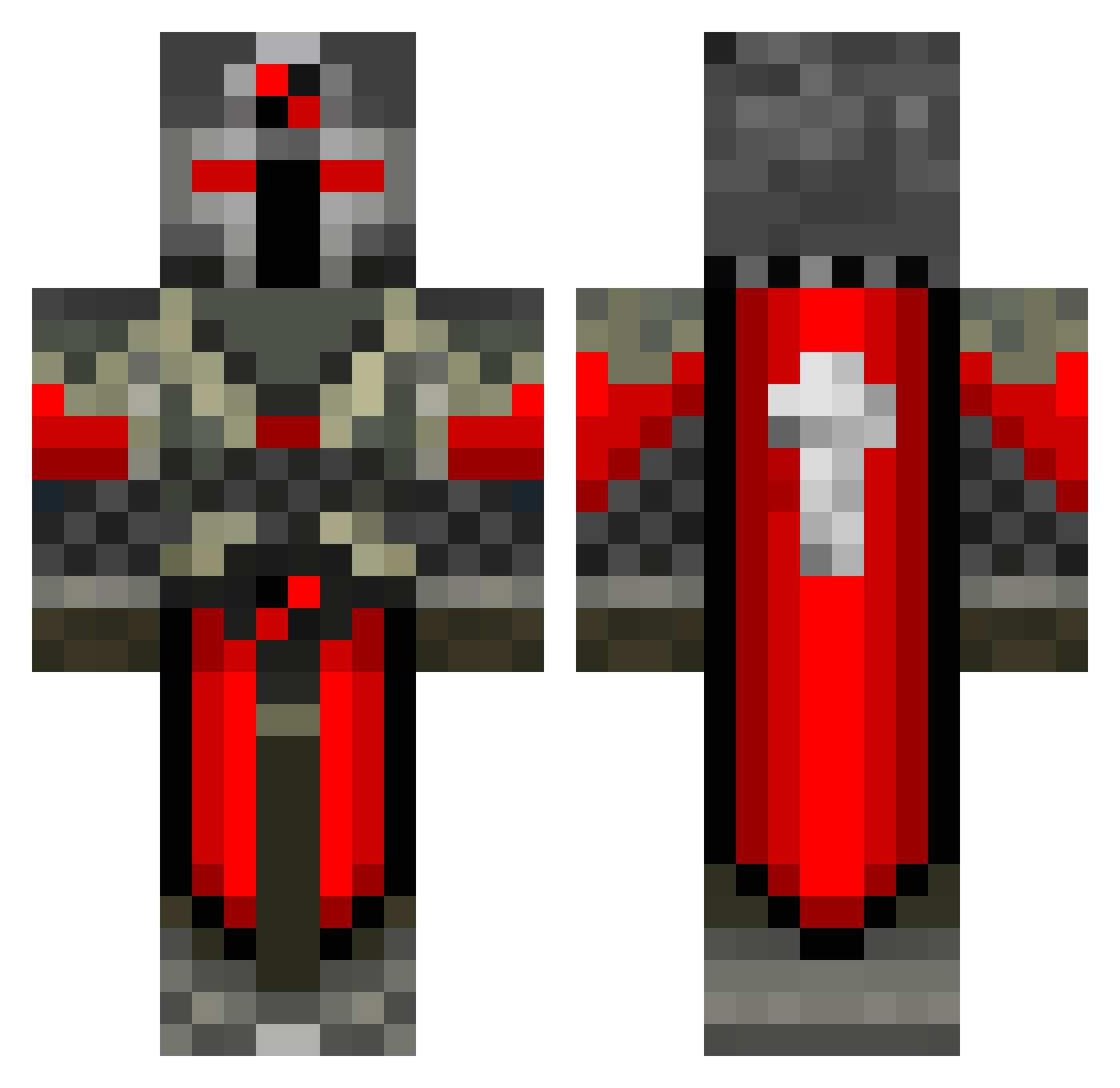
Current Minecraft skin of the player bonzo1705, loaded from the official Mojang API. Rotate the 3D model with your mouse or finger, then download the skin as a PNG file and use it in Minecraft: Bedrock Edition or Java Edition for free. When bonzo1705 changes their skin, this page updates automatically and the old skin stays in the history below.
Other players with this skin (550)
bonzo1705 was the 304th player we have seen with this skin, first spotted on 25.09.2026. The same skin was seen on these players. Open a nickname to see their current skin and skin history.
 gglover95 loickske Nirente wodunn01 justmatis knightgaurd hellraizor top_samuel 69JASE washima bluegayle arcticcorn Psych__ LucidNightmare13 Balkhar Desecrati0n fannytt AllegiantAlt90 sam0909 blackhawk1026 Conneticut dragx878 darkknight1116 NutBattler nakachoko matsian knight035 Noros96 tbartoli Bandillon LJG10 Other_Righ Vethosius JNJJ24 xMobiousx Falcon0121 Electron0_0 GummiBaad UnholySavior88 Dark_knight_wolf SeventhSword LuckyHydra Amazed4 The_Sword_Knight sean154789 jelleramon playingpie WingWarrior1800 Leg0Maniac teroro29 Alderosc Giorgio7 onyx917617 gamblelw Divus_Mortem dekingseuro blazerdog392 Mathixou59 MCCrafter0 Jordanozz
More Crusader Minecraft skins
How to install the bonzo1705 skin
- Press the Download button above to save the skin as a PNG file.
- Minecraft: Bedrock Edition (PE): open the Dressing Room from the main menu (or tap your character → Edit Character), go to Classic Skins → Owned, press the + (new skin) button, choose the downloaded PNG and pick the Classic (Steve) model. Works on PC and mobile; consoles cannot import custom skins.
- Minecraft: Java Edition: open the Minecraft Launcher, go to the Skins tab, click New Skin, load the PNG, pick the Classic (Steve) model and press Save & Use. You can also upload it at minecraft.net → Profile → Change Skin.
The skin does not show up after import - what should I do?
Restart Minecraft and open the Dressing Room again - imported skins sometimes appear only after a restart. Also make sure you selected the imported skin and picked the Classic (Steve) model.
Which model should I choose, Classic or Slim?
This skin is designed for the Classic (Steve) model. If you pick the wrong model, the arms of the skin will look stretched or squeezed.
Is the skin of bonzo1705 free to download?
Yes. Press Download, save the PNG file and use it in Minecraft: Bedrock Edition or Java Edition - no payment or registration needed. The skin also works on multiplayer servers and Realms.
More skins
Looking for more? Go back to all Minecraft skins and check the top skins of the week, month and all time, or find any player's skin by nickname.