
bluewolf_101 - Minecraft Skins & Skin History
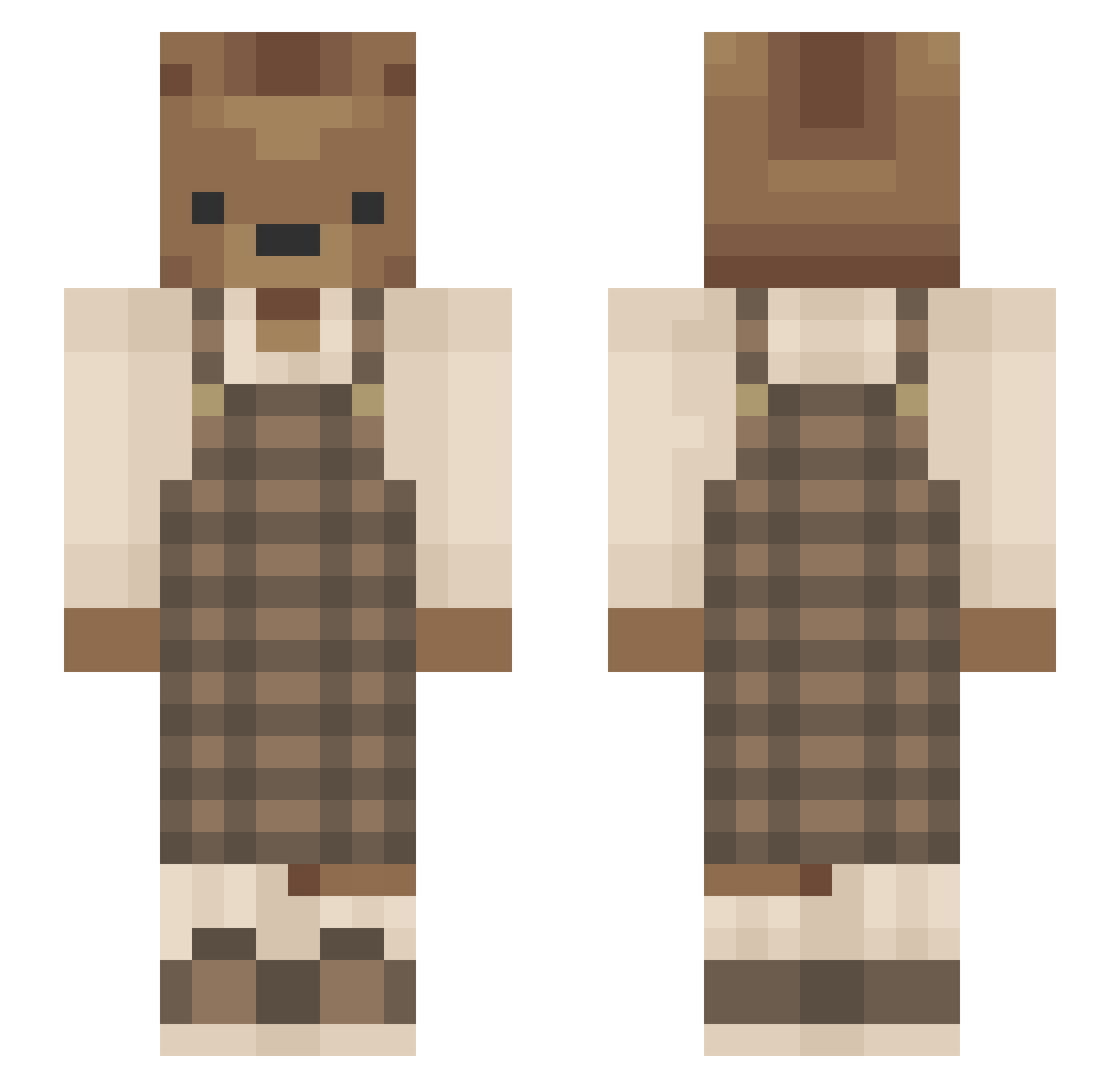
Current Minecraft skin of the player bluewolf_101, loaded from the official Mojang API. Rotate the 3D model with your mouse or finger, then download the skin as a PNG file and use it in Minecraft: Bedrock Edition or Java Edition for free. When bluewolf_101 changes their skin, this page updates automatically and the old skin stays in the history below.
Other players with this skin (637)
bluewolf_101 was the 66th player we have seen with this skin, first spotted on 07.08.2026. The same skin was seen on these players. Open a nickname to see their current skin and skin history.
 EmiLue gamingchicken54 BoyNamedEgg Nyangirl27 niall_lay H4RMONY MerkuryAir jstcld Margles Viankla Lim3r smem0ry jsobs19 24ketamine queensophia1030 karecatrose Xana02 lanni102 talkylocy Krjemelik Orfprod_21 Not_Jake4659 jovibonjon Nullermanden MaybeLigma Lizard_Pants Zellima98 tgrandgreentea C0derQC Crandy_ CheahSeeds Gameshoww Pompomco RedRaven269 dvdgamert GhettoRat_UwU DinoxBean BunchoMarbles MoPlatesMoDates peachbeannn bluejayuwu OliveTheSimp PorkyPine272 audreymichele PettyProsecutor marg44 drewbarrymores rinkydinky0 abby_dcruz25 Novembear_69 XxLenachenxX Jaggedwater13 jazzydassy KR_0626 JouaB itssimplyjules toweiz justnalex sohyun1230 MrNyqo
More Bear Minecraft skins
How to install the bluewolf_101 skin
- Press the Download button above to save the skin as a PNG file.
- Minecraft: Bedrock Edition (PE): open the Dressing Room from the main menu (or tap your character → Edit Character), go to Classic Skins → Owned, press the + (new skin) button, choose the downloaded PNG and pick the Slim (Alex) model. Works on PC and mobile; consoles cannot import custom skins.
- Minecraft: Java Edition: open the Minecraft Launcher, go to the Skins tab, click New Skin, load the PNG, pick the Slim (Alex) model and press Save & Use. You can also upload it at minecraft.net → Profile → Change Skin.
The skin does not show up after import - what should I do?
Restart Minecraft and open the Dressing Room again - imported skins sometimes appear only after a restart. Also make sure you selected the imported skin and picked the Slim (Alex) model.
Which model should I choose, Classic or Slim?
This skin is designed for the Slim (Alex) model. If you pick the wrong model, the arms of the skin will look stretched or squeezed.
Is the skin of bluewolf_101 free to download?
Yes. Press Download, save the PNG file and use it in Minecraft: Bedrock Edition or Java Edition - no payment or registration needed. The skin also works on multiplayer servers and Realms.
More skins
Looking for more? Go back to all Minecraft skins and check the top skins of the week, month and all time, or find any player's skin by nickname.