
blueicesniper123 - Minecraft Skins & Skin History
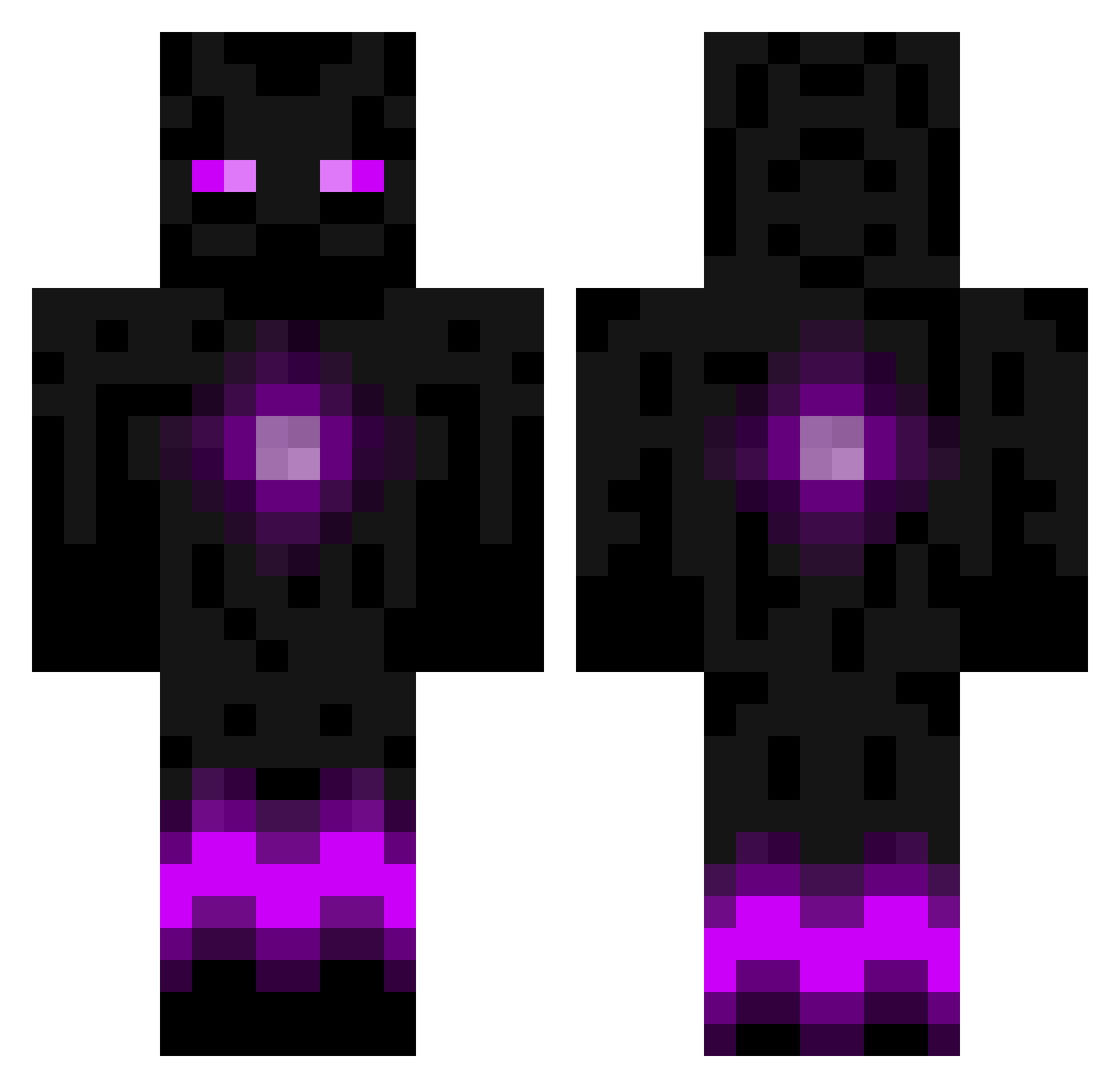
Current Minecraft skin of the player blueicesniper123, loaded from the official Mojang API. Rotate the 3D model with your mouse or finger, then download the skin as a PNG file and use it in Minecraft: Bedrock Edition or Java Edition for free. When blueicesniper123 changes their skin, this page updates automatically and the old skin stays in the history below.
Other players with this skin (788)
blueicesniper123 was the 364th player we have seen with this skin, first spotted on 14.09.2026. The same skin was seen on these players. Open a nickname to see their current skin and skin history.
 13msm13 HeyJayTV BasHuntjens jackalack5924 Pedde mrposeidon2811 Lohgon Dakotter Mikkel_And Metzi95 niko11_1998 awesomeminer2281 dyson121 M_J_23 Destroyer7272 Neb013 beyond_savegery Vire3 PinkGlow_21 sdore Bob_Venom skatemaster17 pgtips2004 Sepherein duckasaurus_rex Imoknight b_eent Kaerzyr loudboy007 Arkaila ZlenderGaming jman04 LEWISSCOTT2004 Eunworl shields926 cazzieuk GenerelE crouitche BigNuggies Kai888888 Aandii mattia2601 Loogle12 mcprentice dolphinninja Esh_ joeyinthehouse buckeyerider101 larsso6 Dubblestuf hermoe LeoCarlsson LunarWing jonas240102 theogood125 bjorn49 RAGONSLAYER xLevizer Alexanderito CaptainLRS
More Enderman Minecraft skins
How to install the blueicesniper123 skin
- Press the Download button above to save the skin as a PNG file.
- Minecraft: Bedrock Edition (PE): open the Dressing Room from the main menu (or tap your character → Edit Character), go to Classic Skins → Owned, press the + (new skin) button, choose the downloaded PNG and pick the Classic (Steve) model. Works on PC and mobile; consoles cannot import custom skins.
- Minecraft: Java Edition: open the Minecraft Launcher, go to the Skins tab, click New Skin, load the PNG, pick the Classic (Steve) model and press Save & Use. You can also upload it at minecraft.net → Profile → Change Skin.
The skin does not show up after import - what should I do?
Restart Minecraft and open the Dressing Room again - imported skins sometimes appear only after a restart. Also make sure you selected the imported skin and picked the Classic (Steve) model.
Which model should I choose, Classic or Slim?
This skin is designed for the Classic (Steve) model. If you pick the wrong model, the arms of the skin will look stretched or squeezed.
Is the skin of blueicesniper123 free to download?
Yes. Press Download, save the PNG file and use it in Minecraft: Bedrock Edition or Java Edition - no payment or registration needed. The skin also works on multiplayer servers and Realms.
More skins
Looking for more? Go back to all Minecraft skins and check the top skins of the week, month and all time, or find any player's skin by nickname.