
blackcrepe - Minecraft Skins & Skin History
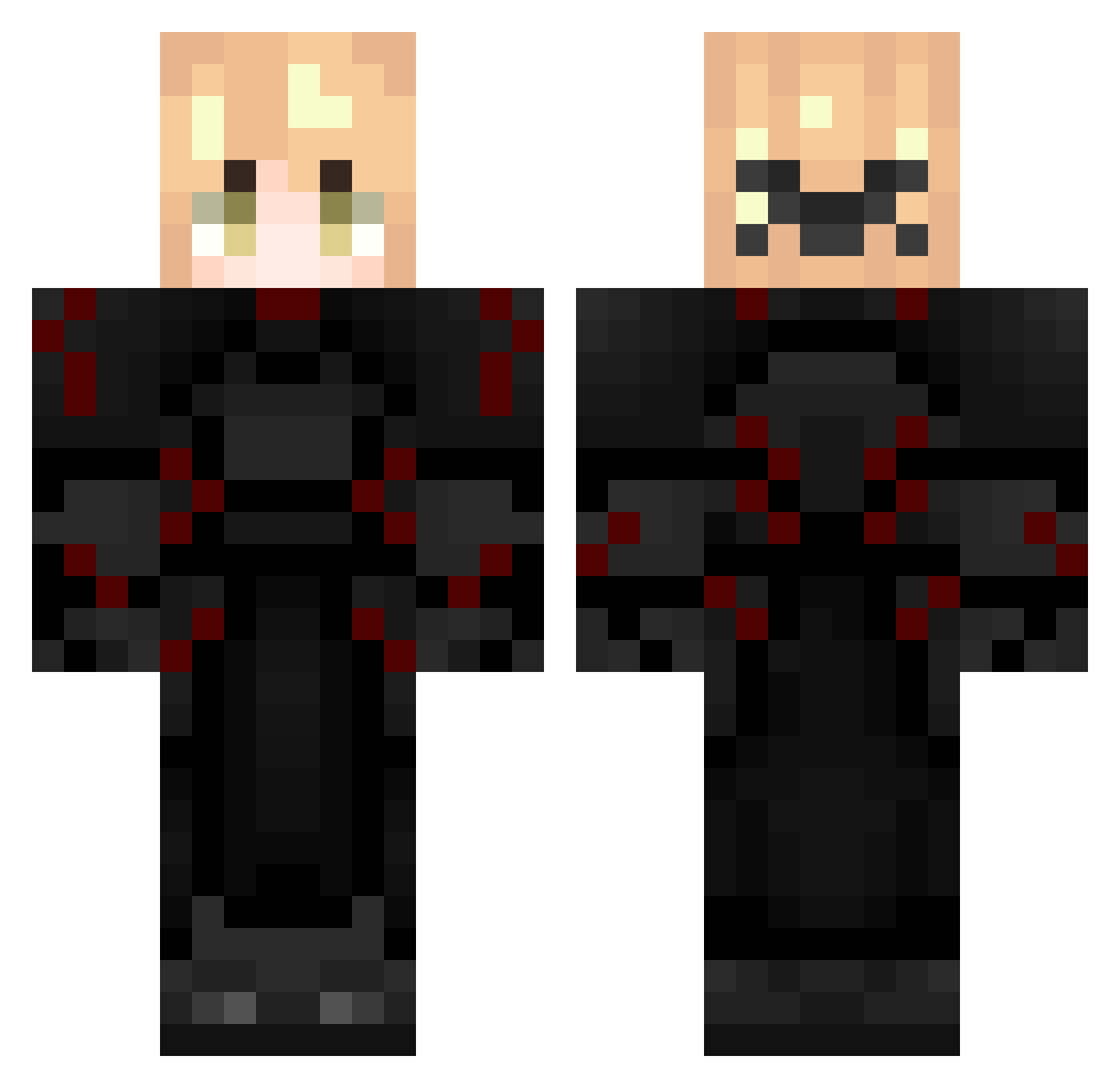
Current Minecraft skin of the player blackcrepe, loaded from the official Mojang API. Rotate the 3D model with your mouse or finger, then download the skin as a PNG file and use it in Minecraft: Bedrock Edition or Java Edition for free. When blackcrepe changes their skin, this page updates automatically and the old skin stays in the history below.
Other players with this skin (287)
blackcrepe was the 267th player we have seen with this skin, first spotted on 25.10.2026. The same skin was seen on these players. Open a nickname to see their current skin and skin history.
 Zippedww2 sol1ns H0ust0nAllTh3Way MonkeyJack10 No_Life14 _Unicorn_CZ 1tsThiago Hasty0_0 PlayloudMC ichijay onlydot1 Necontop Korulien ProGamerMD1510 Kankar07 GustySheep20320 SuperTotPotato Maxwell_Cool_Cat kunnabyte GalaxyrewardsOP IRONMANV1 Riidolf MonkeysPookie K1ndy_ OlliBot2010 Black_Smartie SENZiE69 Dark_Supremejc siraxph_00 AceyzF Alex231059 Mostdame AvixFn MATTY_67 4167ms LikeMyFxckingAim zWoah Mixxex hi_skibidi Korocheaga __Vicious TerrainHeat JustVital corfen Vilzu_boii March_miku Quatrion ahmadddnew Luvsdio RobinToo Shinto2012 conexhwundersame Srily Yorucsn yassin1918 conexionsss Becsma83 fia9fjc9 theimmortal1 PraiseYuno
More Knight Minecraft skins
How to install the blackcrepe skin
- Press the Download button above to save the skin as a PNG file.
- Minecraft: Bedrock Edition (PE): open the Dressing Room from the main menu (or tap your character → Edit Character), go to Classic Skins → Owned, press the + (new skin) button, choose the downloaded PNG and pick the Classic (Steve) model. Works on PC and mobile; consoles cannot import custom skins.
- Minecraft: Java Edition: open the Minecraft Launcher, go to the Skins tab, click New Skin, load the PNG, pick the Classic (Steve) model and press Save & Use. You can also upload it at minecraft.net → Profile → Change Skin.
The skin does not show up after import - what should I do?
Restart Minecraft and open the Dressing Room again - imported skins sometimes appear only after a restart. Also make sure you selected the imported skin and picked the Classic (Steve) model.
Which model should I choose, Classic or Slim?
This skin is designed for the Classic (Steve) model. If you pick the wrong model, the arms of the skin will look stretched or squeezed.
Is the skin of blackcrepe free to download?
Yes. Press Download, save the PNG file and use it in Minecraft: Bedrock Edition or Java Edition - no payment or registration needed. The skin also works on multiplayer servers and Realms.
More skins
Looking for more? Go back to all Minecraft skins and check the top skins of the week, month and all time, or find any player's skin by nickname.