
bingge66 - Minecraft Skins & Skin History
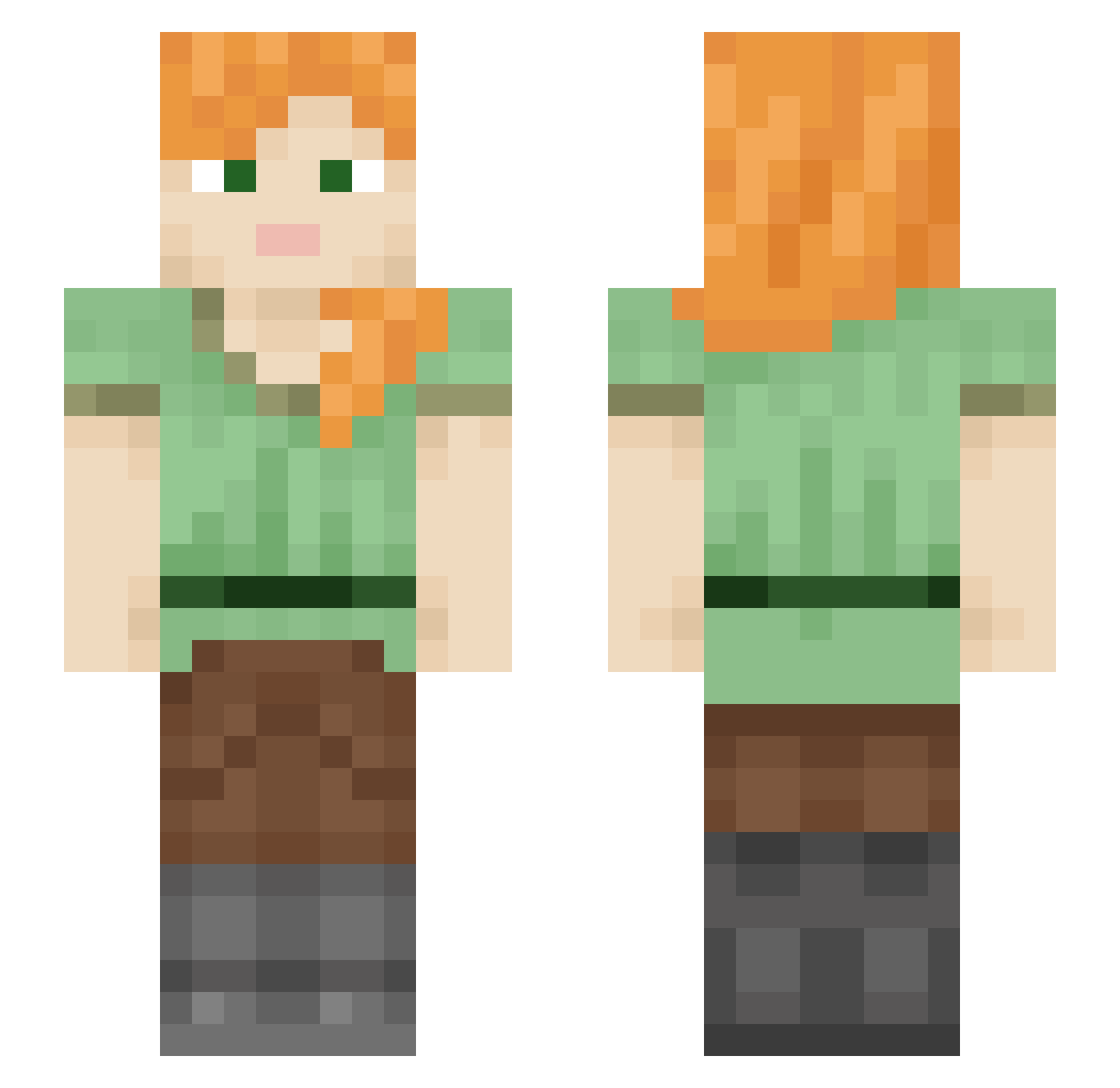
Current Minecraft skin of the player bingge66, loaded from the official Mojang API. Rotate the 3D model with your mouse or finger, then download the skin as a PNG file and use it in Minecraft: Bedrock Edition or Java Edition for free. When bingge66 changes their skin, this page updates automatically and the old skin stays in the history below.
Other players with this skin (578)
bingge66 was the 398th player we have seen with this skin, first spotted on 09.10.2026. The same skin was seen on these players. Open a nickname to see their current skin and skin history.
 reigningroyal729 peepshera navnav777 xox_RachelD Puertass zsasa11 Gem2021 daddys1mp MasterCaty123 BrattyCarebear MinaHeart Beanboom01 sejon ScuScu25 seow0124 Tsecond SantaClozDLaPnia urgftia hamtarosnowstorm Grozny1919 vaniadiosa Rosohac Legalflavour Tus_tiger Yuffie_Leonhart trainfan3000 TwojaStara0807 walnut_hiro YoUsIf_1997 FloDoggy123 AULASSSSSS SYFN01 Mirven Visuzls LINK16161 Dragonblack3324 Msstallion KyoungSu Martieemar DinoGirl48 Patognon PUSSIIITTER DarkPhoenix069 Nastja888 sxierd AlexisNotTexas Steeldance ygys23 Sblurks aopink_0501 Tklement Frwere phoenix24 eieit BarrenLalala Kirolka SEAW0 floralyellow Graduatin BigC6Mike
How to install the bingge66 skin
- Press the Download button above to save the skin as a PNG file.
- Minecraft: Bedrock Edition (PE): open the Dressing Room from the main menu (or tap your character → Edit Character), go to Classic Skins → Owned, press the + (new skin) button, choose the downloaded PNG and pick the Slim (Alex) model. Works on PC and mobile; consoles cannot import custom skins.
- Minecraft: Java Edition: open the Minecraft Launcher, go to the Skins tab, click New Skin, load the PNG, pick the Slim (Alex) model and press Save & Use. You can also upload it at minecraft.net → Profile → Change Skin.
The skin does not show up after import - what should I do?
Restart Minecraft and open the Dressing Room again - imported skins sometimes appear only after a restart. Also make sure you selected the imported skin and picked the Slim (Alex) model.
Which model should I choose, Classic or Slim?
This skin is designed for the Slim (Alex) model. If you pick the wrong model, the arms of the skin will look stretched or squeezed.
Is the skin of bingge66 free to download?
Yes. Press Download, save the PNG file and use it in Minecraft: Bedrock Edition or Java Edition - no payment or registration needed. The skin also works on multiplayer servers and Realms.
More skins
Looking for more? Go back to all Minecraft skins and check the top skins of the week, month and all time, or find any player's skin by nickname.