
bigk168 - Minecraft Skins & Skin History
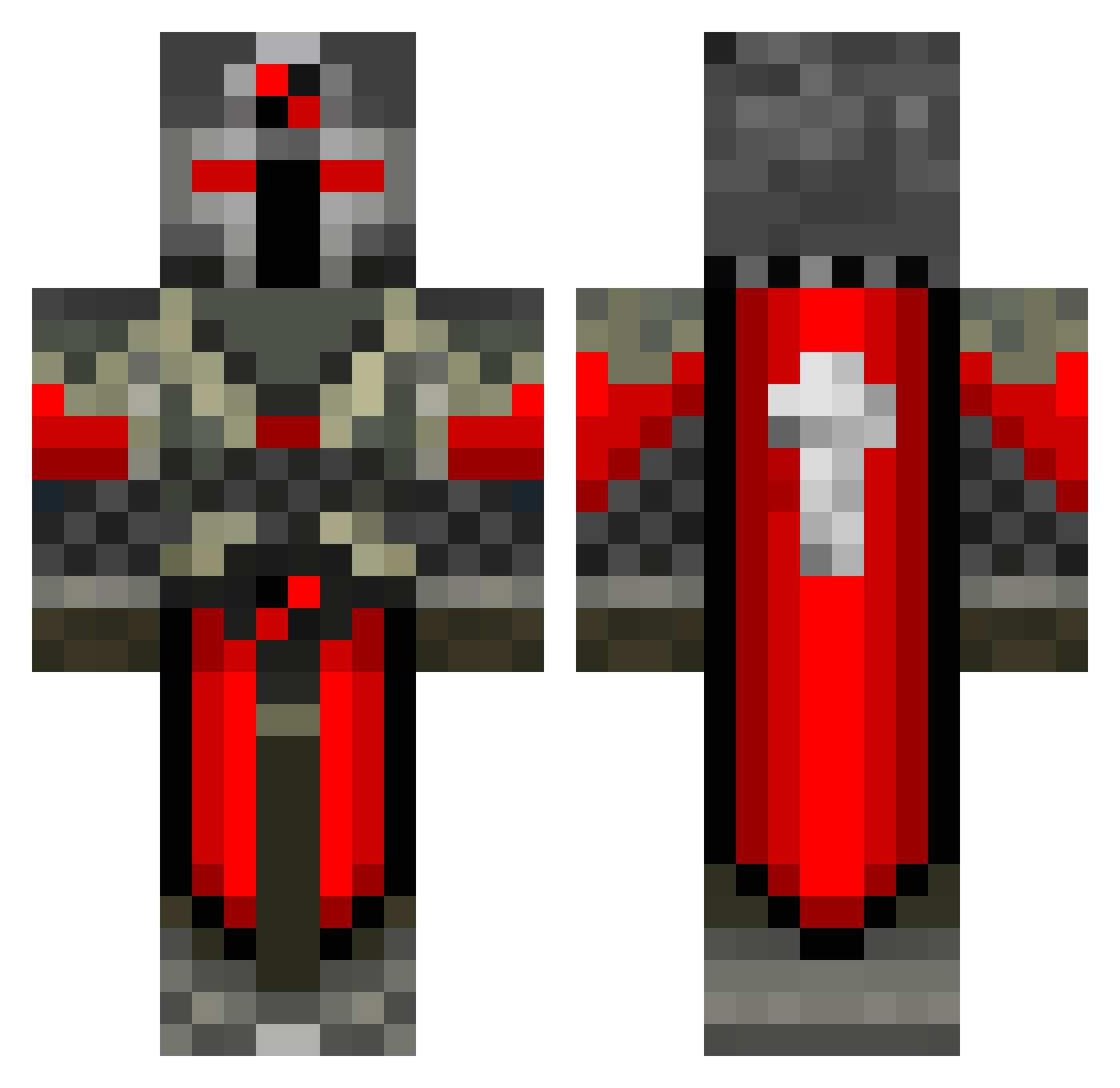
Current Minecraft skin of the player bigk168, loaded from the official Mojang API. Rotate the 3D model with your mouse or finger, then download the skin as a PNG file and use it in Minecraft: Bedrock Edition or Java Edition for free. When bigk168 changes their skin, this page updates automatically and the old skin stays in the history below.
Other players with this skin (550)
bigk168 was the 443rd player we have seen with this skin, first spotted on 15.10.2026. The same skin was seen on these players. Open a nickname to see their current skin and skin history.
 Zeptimortal squeak2213 Andersk99 matt2121 Raverick11 fireblast700 Master_Jalapeno deawzathai Rikalish willie007007 cadeinite FlamingFury63 patty600 Joseph22747 itzCaliban colinc_03 dad1105 Wout2207 Vincentvalentia Proctous Vladimirtod100 home77 rettman Grendior Knight_Noah NevenHaugen butterlama cameron972 Tschirnhaus Homiknight87 ryanhockey24 Abryxaz Marienus BMWH01 Morghul1994 Paradoct DrewBananie nsmyrnos cooldude0000 zane322 JamesNoodle UndefinedPvP KimiHunt Lazer157 bertrambc123 Rottagar Matty10J Lucaso98s yuy0929 TheFaceEater SirKnightDritz13 STUPERMAN11 waste69 dragon_slayer_ Snew superassasin101 Kazhim pmolitor Timmeh_1080 HoldenRoy
More Crusader Minecraft skins
How to install the bigk168 skin
- Press the Download button above to save the skin as a PNG file.
- Minecraft: Bedrock Edition (PE): open the Dressing Room from the main menu (or tap your character → Edit Character), go to Classic Skins → Owned, press the + (new skin) button, choose the downloaded PNG and pick the Classic (Steve) model. Works on PC and mobile; consoles cannot import custom skins.
- Minecraft: Java Edition: open the Minecraft Launcher, go to the Skins tab, click New Skin, load the PNG, pick the Classic (Steve) model and press Save & Use. You can also upload it at minecraft.net → Profile → Change Skin.
The skin does not show up after import - what should I do?
Restart Minecraft and open the Dressing Room again - imported skins sometimes appear only after a restart. Also make sure you selected the imported skin and picked the Classic (Steve) model.
Which model should I choose, Classic or Slim?
This skin is designed for the Classic (Steve) model. If you pick the wrong model, the arms of the skin will look stretched or squeezed.
Is the skin of bigk168 free to download?
Yes. Press Download, save the PNG file and use it in Minecraft: Bedrock Edition or Java Edition - no payment or registration needed. The skin also works on multiplayer servers and Realms.
More skins
Looking for more? Go back to all Minecraft skins and check the top skins of the week, month and all time, or find any player's skin by nickname.