
bigdaddy1 - Minecraft Skins & Skin History
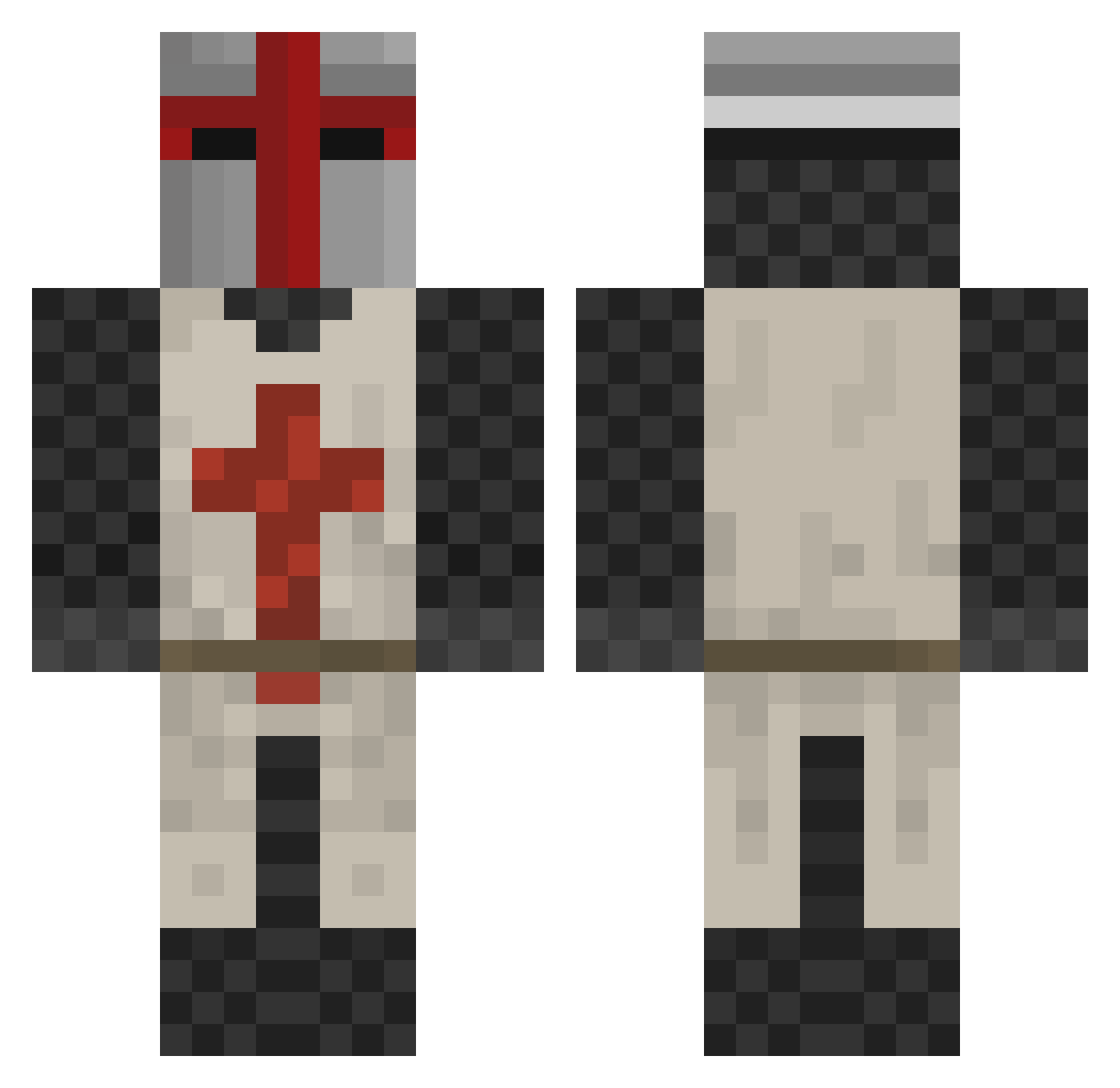
Current Minecraft skin of the player bigdaddy1, loaded from the official Mojang API. Rotate the 3D model with your mouse or finger, then download the skin as a PNG file and use it in Minecraft: Bedrock Edition or Java Edition for free. When bigdaddy1 changes their skin, this page updates automatically and the old skin stays in the history below.
Other players with this skin (414)
bigdaddy1 was the 170th player we have seen with this skin, first spotted on 13.09.2026. The same skin was seen on these players. Open a nickname to see their current skin and skin history.
 DNaylor william123b craftynathaniel Wyatt4sox Lemie98 FoxtrotKIA Deathman25 daddys_coming Team_Nugget grayowl46 dinohappy Snikers9009 CoreyM4 BigBadBrage samuelx1 tow73 Xesorath super_billy_bob cheeeeezeits saintmarcus BlackRain0714 TheWhiteKnight_ w5prime madsgreen77 Electrion Sideshot342 The_Confed _Davinskii Zachbimmer OlderThanTime ReactorRick Skymomo175 KAM0TS Mr_bling_bling01 ENM173 GodLikeEliteBox XomaPetrovich228 thalia_the_cat GoldenBlockHead jonsworld ghym01 Azurmen32 thedanishmp Zypher0 Eldarron Luceender xtobias2106 ookath Insui Kebablarz Hannibal555 COMUK Hunter876 AxelTyrberg anapier17391 Tymyshuz0 Spilt_Milk Radargreg Alexbolin SkullLess
More Crusader Minecraft skins
How to install the bigdaddy1 skin
- Press the Download button above to save the skin as a PNG file.
- Minecraft: Bedrock Edition (PE): open the Dressing Room from the main menu (or tap your character → Edit Character), go to Classic Skins → Owned, press the + (new skin) button, choose the downloaded PNG and pick the Classic (Steve) model. Works on PC and mobile; consoles cannot import custom skins.
- Minecraft: Java Edition: open the Minecraft Launcher, go to the Skins tab, click New Skin, load the PNG, pick the Classic (Steve) model and press Save & Use. You can also upload it at minecraft.net → Profile → Change Skin.
The skin does not show up after import - what should I do?
Restart Minecraft and open the Dressing Room again - imported skins sometimes appear only after a restart. Also make sure you selected the imported skin and picked the Classic (Steve) model.
Which model should I choose, Classic or Slim?
This skin is designed for the Classic (Steve) model. If you pick the wrong model, the arms of the skin will look stretched or squeezed.
Is the skin of bigdaddy1 free to download?
Yes. Press Download, save the PNG file and use it in Minecraft: Bedrock Edition or Java Edition - no payment or registration needed. The skin also works on multiplayer servers and Realms.
More skins
Looking for more? Go back to all Minecraft skins and check the top skins of the week, month and all time, or find any player's skin by nickname.