
berqxie - Minecraft Skins & Skin History
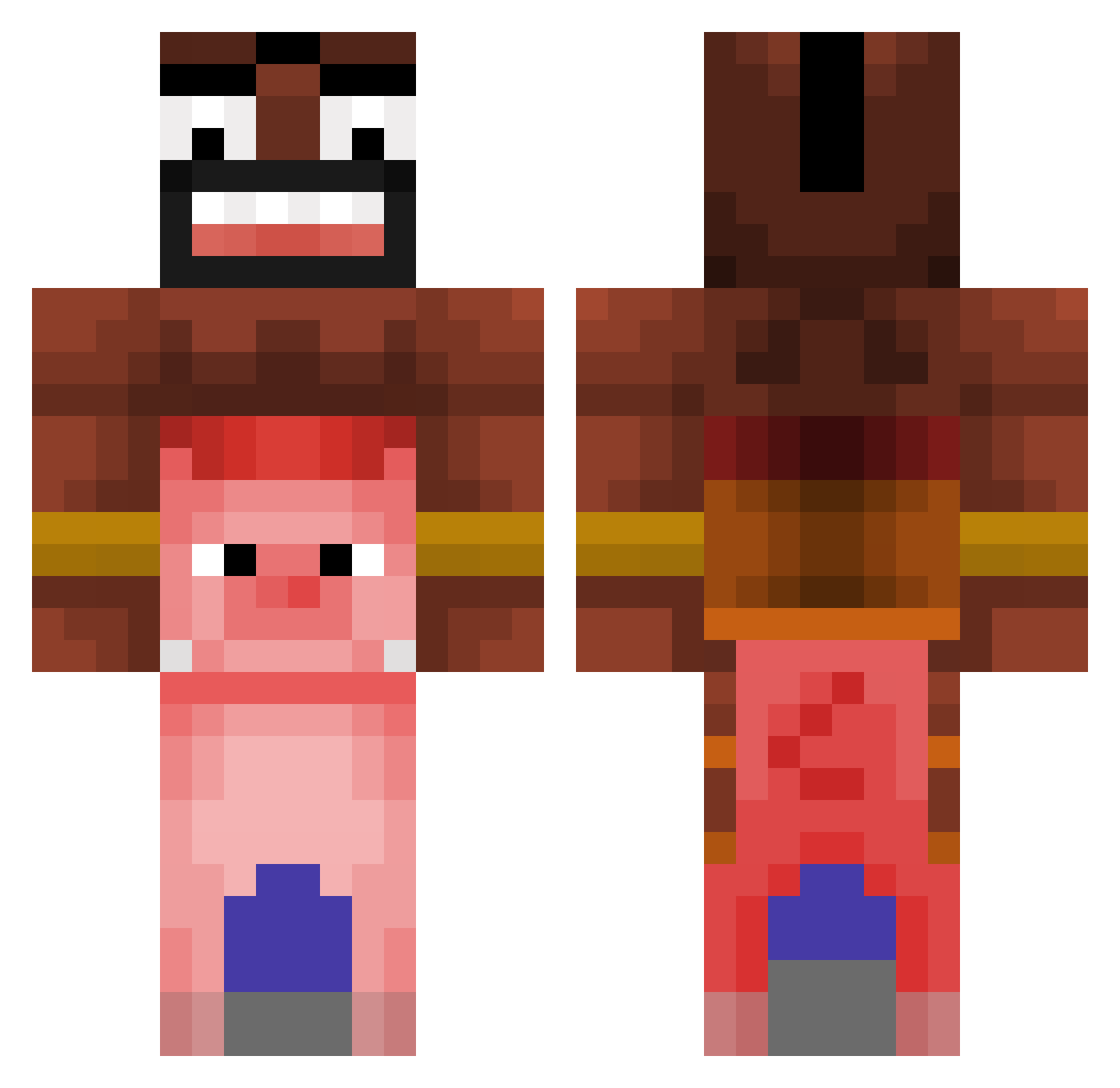
Current Minecraft skin of the player berqxie, loaded from the official Mojang API. Rotate the 3D model with your mouse or finger, then download the skin as a PNG file and use it in Minecraft: Bedrock Edition or Java Edition for free. When berqxie changes their skin, this page updates automatically and the old skin stays in the history below.
Other players with this skin (366)
berqxie was the 87th player we have seen with this skin, first spotted on 21.08.2026. The same skin was seen on these players. Open a nickname to see their current skin and skin history.
 Qroust Zainab299 Kojimaa_ cri21_09 ZXf14 Justus0808 dowsingen Mr_Mackle GabaPaulista feliflix MeiHog1 Sergipito KO0Bp KoshuaJock marques5653 pompax123 Maxime281109 cbr477 mustard_123 riqueti344 coconutgameplay7 Andrey_Kislyak RascalBeast Zerotwo69420 AkumaLibe qKxviin UnTizio_01 Lichtlenchen SlowPigna onixanpipi TT_Monkeyboy Hires008 jusst1ce Alikara sonpin Sprenzony Bill_Puerta_s Kublxx_ meronKEE julesthegamer3 Muaryi THitito Darder2010 ISleepwithMen42 moritzboom7 Gholzar glitchyspeedyy DailySlime1 JuZzSpot88 DanieelRC Deadrex01 swedachu Tiliy Danimanito13 Mr_Lotar evil3512 EliTePxin heracleszz booggeymann mathysH14
More Piggyback Minecraft skins
How to install the berqxie skin
- Press the Download button above to save the skin as a PNG file.
- Minecraft: Bedrock Edition (PE): open the Dressing Room from the main menu (or tap your character → Edit Character), go to Classic Skins → Owned, press the + (new skin) button, choose the downloaded PNG and pick the Classic (Steve) model. Works on PC and mobile; consoles cannot import custom skins.
- Minecraft: Java Edition: open the Minecraft Launcher, go to the Skins tab, click New Skin, load the PNG, pick the Classic (Steve) model and press Save & Use. You can also upload it at minecraft.net → Profile → Change Skin.
The skin does not show up after import - what should I do?
Restart Minecraft and open the Dressing Room again - imported skins sometimes appear only after a restart. Also make sure you selected the imported skin and picked the Classic (Steve) model.
Which model should I choose, Classic or Slim?
This skin is designed for the Classic (Steve) model. If you pick the wrong model, the arms of the skin will look stretched or squeezed.
Is the skin of berqxie free to download?
Yes. Press Download, save the PNG file and use it in Minecraft: Bedrock Edition or Java Edition - no payment or registration needed. The skin also works on multiplayer servers and Realms.
More skins
Looking for more? Go back to all Minecraft skins and check the top skins of the week, month and all time, or find any player's skin by nickname.