
bel02 - Minecraft Skins & Skin History
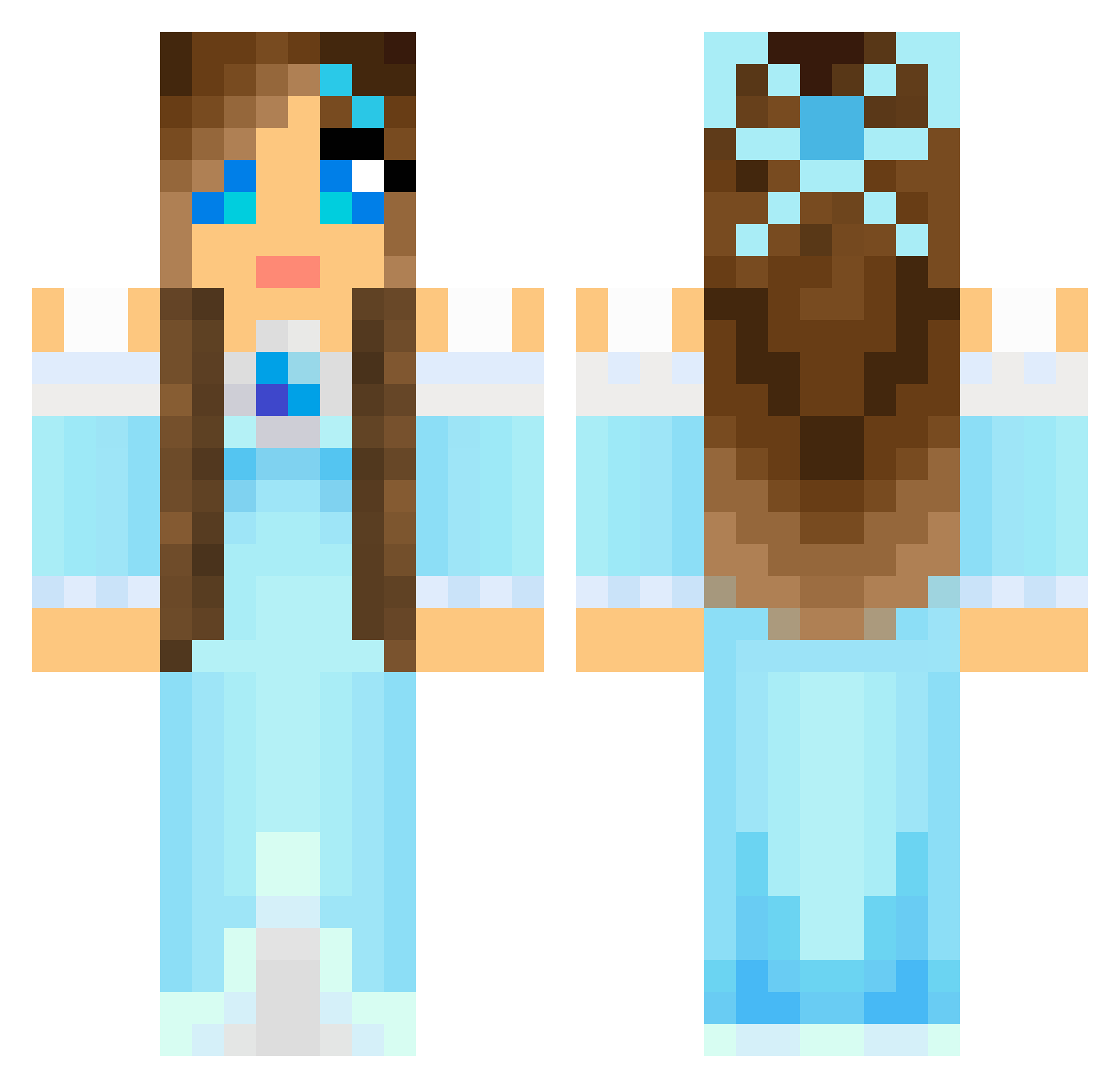
Current Minecraft skin of the player bel02, loaded from the official Mojang API. Rotate the 3D model with your mouse or finger, then download the skin as a PNG file and use it in Minecraft: Bedrock Edition or Java Edition for free. When bel02 changes their skin, this page updates automatically and the old skin stays in the history below.
Other players with this skin (804)
bel02 was the 119th player we have seen with this skin, first spotted on 09.08.2026. The same skin was seen on these players. Open a nickname to see their current skin and skin history.
 nathalienatha KugelfroschOnTop musikix dianathornton Supernova285 Wonderwall123 smshbrwlrkimi tessa753 lemonhair pepperohknee Squishylily Mars1416 Isk8r Diamondgirl96 rileysmer Cintilia KrystlXsnowXkasy launboel Phoenixrabbit23 Krazykat0u812 MaDeeDred shalee padina1 hellfireballz rainydays152 KisaSohma7 TineKaye elephants4life princessros Blood_Angel811 Celticmamma 1claudia1 princess_jaylen Dimitrius1 Jassyx3 Ashleyrocks9 SeriaILoving Tora64 Faceplanting 69WitMe Micaela_ Gaithlynn djguiloff cupcakeryry LucaFien luvr211 _Pushy Hollsybug Eyram05 lovejax Helerien Cacau17 Vildahilda Yayasensei lu7770 CarmenPrettyGirl Myggan24 CrazyChic04 Satila cupkait85
More Princess Minecraft skins
How to install the bel02 skin
- Press the Download button above to save the skin as a PNG file.
- Minecraft: Bedrock Edition (PE): open the Dressing Room from the main menu (or tap your character → Edit Character), go to Classic Skins → Owned, press the + (new skin) button, choose the downloaded PNG and pick the Classic (Steve) model. Works on PC and mobile; consoles cannot import custom skins.
- Minecraft: Java Edition: open the Minecraft Launcher, go to the Skins tab, click New Skin, load the PNG, pick the Classic (Steve) model and press Save & Use. You can also upload it at minecraft.net → Profile → Change Skin.
The skin does not show up after import - what should I do?
Restart Minecraft and open the Dressing Room again - imported skins sometimes appear only after a restart. Also make sure you selected the imported skin and picked the Classic (Steve) model.
Which model should I choose, Classic or Slim?
This skin is designed for the Classic (Steve) model. If you pick the wrong model, the arms of the skin will look stretched or squeezed.
Is the skin of bel02 free to download?
Yes. Press Download, save the PNG file and use it in Minecraft: Bedrock Edition or Java Edition - no payment or registration needed. The skin also works on multiplayer servers and Realms.
More skins
Looking for more? Go back to all Minecraft skins and check the top skins of the week, month and all time, or find any player's skin by nickname.