
batbot3100 - Minecraft Skins & Skin History
Current Minecraft skin of the player batbot3100, loaded from the official Mojang API. Rotate the 3D model with your mouse or finger, then download the skin as a PNG file and use it in Minecraft: Bedrock Edition or Java Edition for free. When batbot3100 changes their skin, this page updates automatically and the old skin stays in the history below.
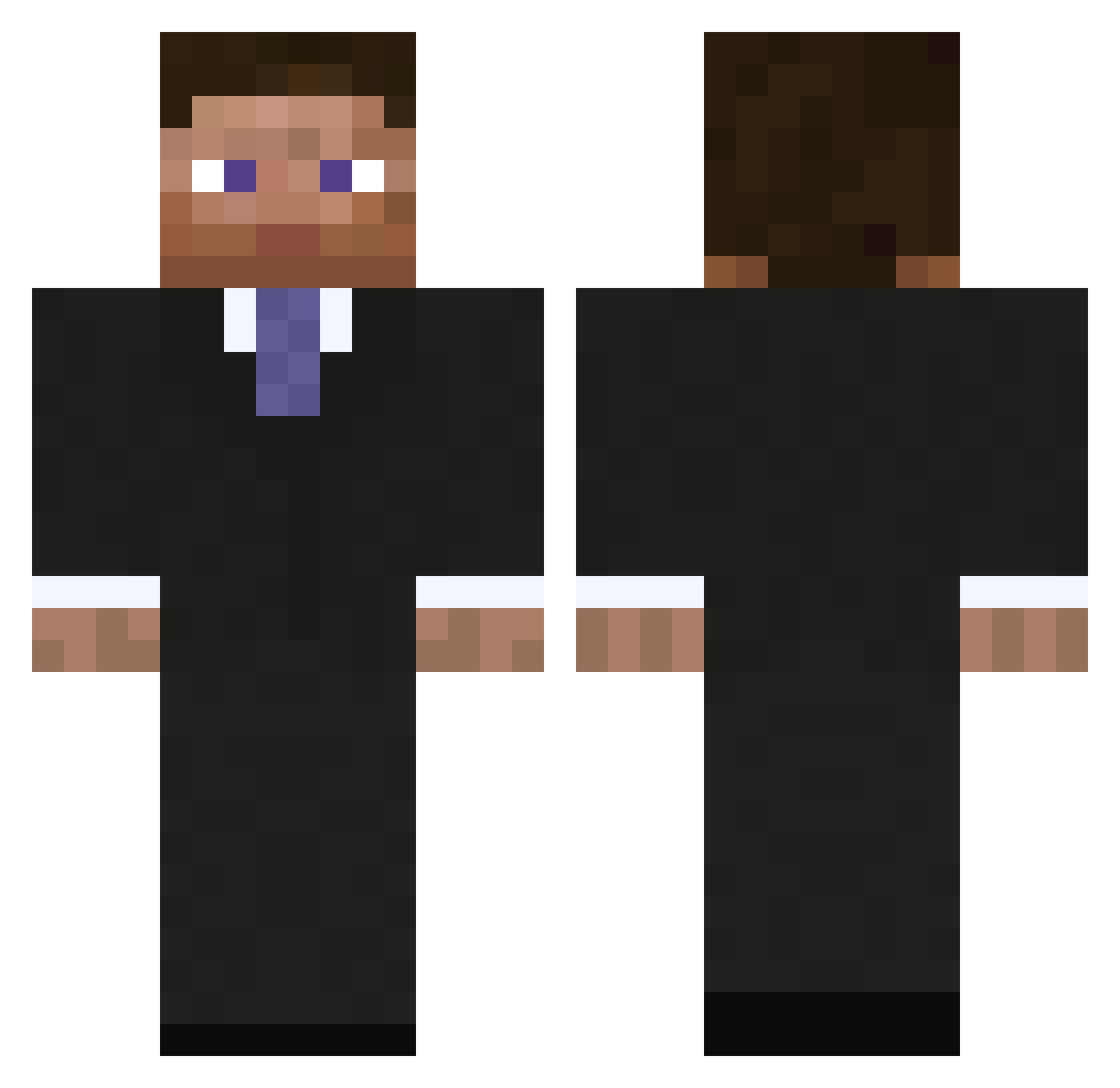
Other players with this skin (793)
batbot3100 was the 140th player we have seen with this skin, first spotted on 10.08.2026. The same skin was seen on these players. Open a nickname to see their current skin and skin history.
 adsa AndrewK78 Nesharra antonishen beastlypenguin24 Jokie1234 Xorbinator Nabnodr royal2kill _MiSky luludenice LOLMYMODz ricecookies98 Xerox1310 3window PresidentBeef Arbiter18 r_clogg linuxes HanniMC dragonangel3 hendrikus94 Dorwkam Emperor2020 olavmagnus Yilmxz theo_jenkins Jake_Abyssal sebbe009 khd989 paulpluton Prebzs alexak75 SchismDoctor NERDTASTIC ImNotPDiddy ooNISoo Lantrex NFFPokemon POLICE8327 Robinskyy WALLSY_1 Sche1Ne pacman_addic DrDillyBar LurkinX LurimoED DHGOGBEAST Zcch ldodd haydos_9234 kevinnr12 DrStalker Keynight03 vilbur9 mistergee69 timcon77 lloggster Fish_Tree CashOutt
More Businessman Minecraft skins
See all 5473 Businessman skins
How to install the batbot3100 skin
- Press the Download button above to save the skin as a PNG file.
- Minecraft: Bedrock Edition (PE): open the Dressing Room from the main menu (or tap your character → Edit Character), go to Classic Skins → Owned, press the + (new skin) button, choose the downloaded PNG and pick the Classic (Steve) model. Works on PC and mobile; consoles cannot import custom skins.
- Minecraft: Java Edition: open the Minecraft Launcher, go to the Skins tab, click New Skin, load the PNG, pick the Classic (Steve) model and press Save & Use. You can also upload it at minecraft.net → Profile → Change Skin.
The skin does not show up after import - what should I do?
Restart Minecraft and open the Dressing Room again - imported skins sometimes appear only after a restart. Also make sure you selected the imported skin and picked the Classic (Steve) model.
Which model should I choose, Classic or Slim?
This skin is designed for the Classic (Steve) model. If you pick the wrong model, the arms of the skin will look stretched or squeezed.
Is the skin of batbot3100 free to download?
Yes. Press Download, save the PNG file and use it in Minecraft: Bedrock Edition or Java Edition - no payment or registration needed. The skin also works on multiplayer servers and Realms.
More skins
Looking for more? Go back to all Minecraft skins and check the top skins of the week, month and all time, or find any player's skin by nickname.