
bartex_2000 - Minecraft Skins & Skin History
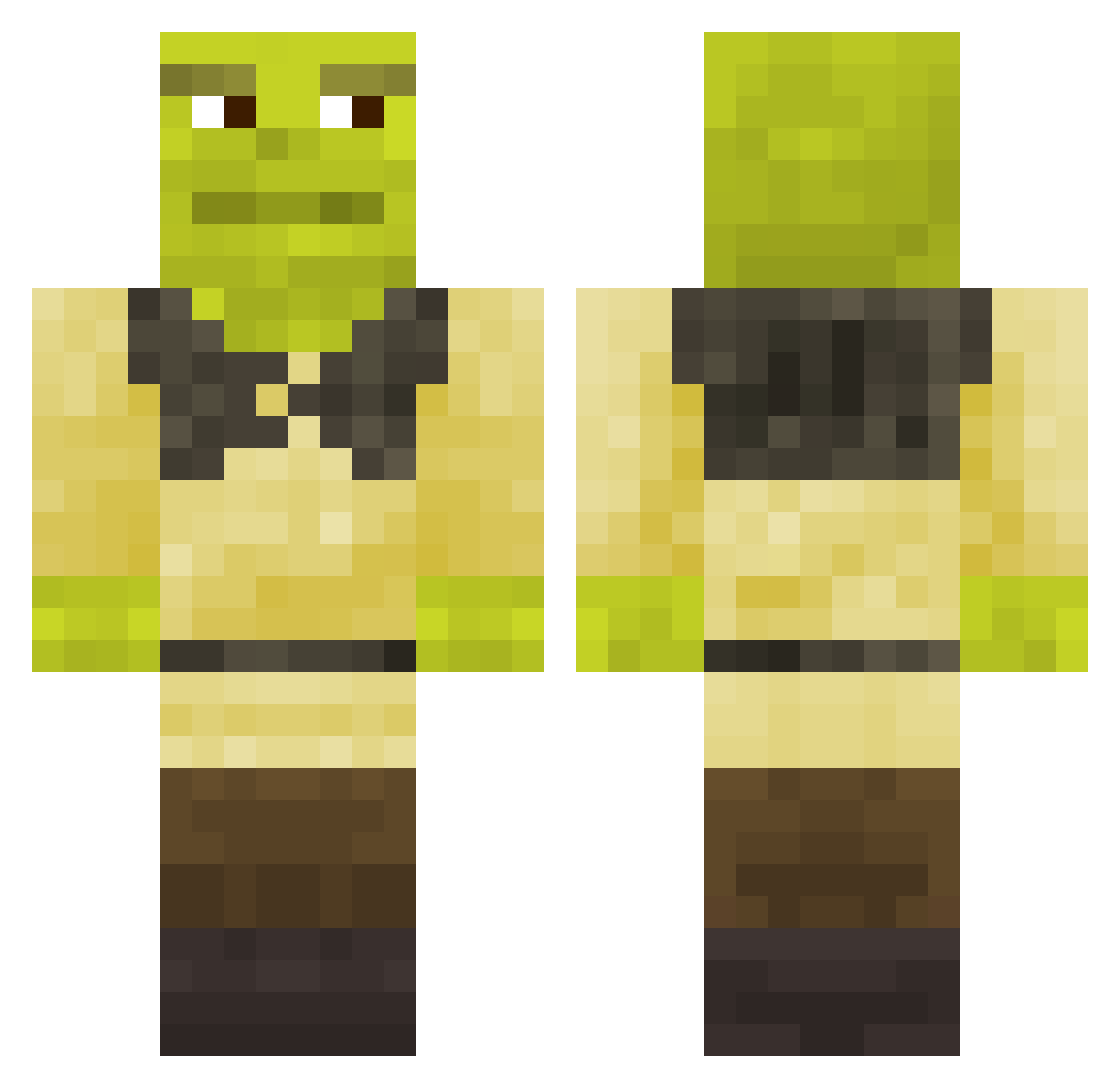
Current Minecraft skin of the player bartex_2000, loaded from the official Mojang API. Rotate the 3D model with your mouse or finger, then download the skin as a PNG file and use it in Minecraft: Bedrock Edition or Java Edition for free. When bartex_2000 changes their skin, this page updates automatically and the old skin stays in the history below.
Other players with this skin (790)
bartex_2000 was the 368th player we have seen with this skin, first spotted on 20.09.2026. The same skin was seen on these players. Open a nickname to see their current skin and skin history.
 rijstmannetje shrekowita KNIGHTZZ KubiX5842 Gabooger deeznut_mcgee69 mightygames Ginger_Potatoes Shrekt7 Frigolify nuggy94 ShrekHui nelewtf ksawciooooo Blazemanx51 BulleMite813624 Randojoe trIded Salvaorqu Biffidi ShreksSugarPapi herroimdatguy ToJaMarek AlphaQ1000 Dkenty_ Vinnyy_9 IleHeK ShreckLover mr_money_man69 efellX OLDSHREK228 wing9wing LoStandDelMoccia Lucaario GBGAMER2245 YSOON99 Wavyhairwonder Lithios23 Dreqos Lonchis Mr_Apple8080 Irvael MrSrLOL frost82222 GIOELEILVERO Chazgapsman elvis50 treefr0g globulargoblin 2guriaa Jake15_ coxinhaschmidt papierolekmann NurNochGucciBro Puodinuke Kech59 mer_chent_en fayode scorp6574 MisterCorona
More Shrek Minecraft skins
How to install the bartex_2000 skin
- Press the Download button above to save the skin as a PNG file.
- Minecraft: Bedrock Edition (PE): open the Dressing Room from the main menu (or tap your character → Edit Character), go to Classic Skins → Owned, press the + (new skin) button, choose the downloaded PNG and pick the Classic (Steve) model. Works on PC and mobile; consoles cannot import custom skins.
- Minecraft: Java Edition: open the Minecraft Launcher, go to the Skins tab, click New Skin, load the PNG, pick the Classic (Steve) model and press Save & Use. You can also upload it at minecraft.net → Profile → Change Skin.
The skin does not show up after import - what should I do?
Restart Minecraft and open the Dressing Room again - imported skins sometimes appear only after a restart. Also make sure you selected the imported skin and picked the Classic (Steve) model.
Which model should I choose, Classic or Slim?
This skin is designed for the Classic (Steve) model. If you pick the wrong model, the arms of the skin will look stretched or squeezed.
Is the skin of bartex_2000 free to download?
Yes. Press Download, save the PNG file and use it in Minecraft: Bedrock Edition or Java Edition - no payment or registration needed. The skin also works on multiplayer servers and Realms.
More skins
Looking for more? Go back to all Minecraft skins and check the top skins of the week, month and all time, or find any player's skin by nickname.