
baconwitheggs - Minecraft Skins & Skin History
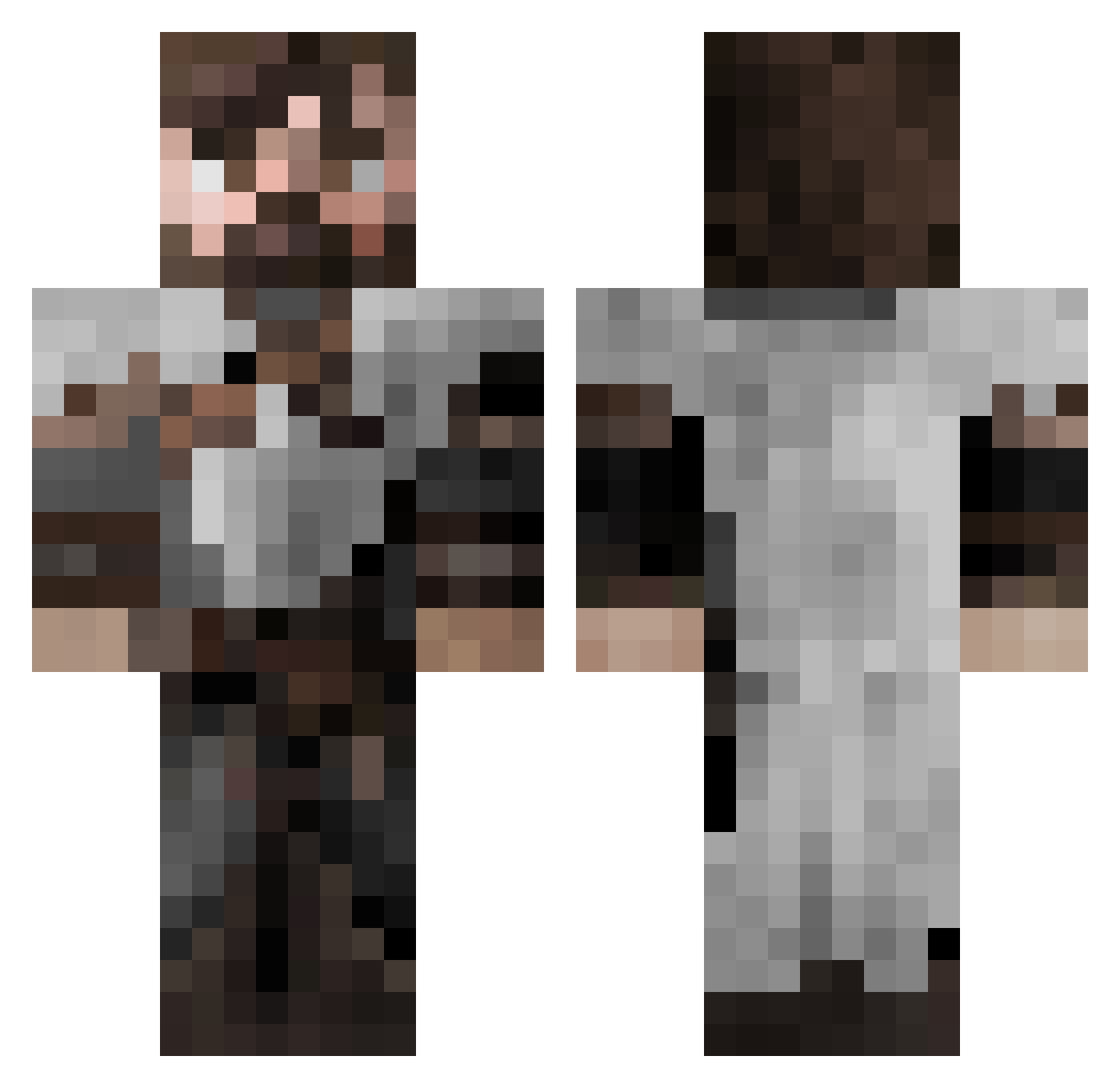
Current Minecraft skin of the player baconwitheggs, loaded from the official Mojang API. Rotate the 3D model with your mouse or finger, then download the skin as a PNG file and use it in Minecraft: Bedrock Edition or Java Edition for free. When baconwitheggs changes their skin, this page updates automatically and the old skin stays in the history below.
Other players with this skin (653)
baconwitheggs was the 590th player we have seen with this skin, first spotted on 09.11.2026. The same skin was seen on these players. Open a nickname to see their current skin and skin history.
 Niksata hzgabo AdamV11 RaaulDC DayFox0113 DomusMagna Starkmut Baksolino Firelord_08 Nokpod zoran27 FunexTV Swundead xSkyy7 skorchin LalaLo12 mattliek BigMacRush halbyor GeriFaker Valerikiki Danantich TheLoneSweetroll quimberly_ Lachie SergeantSven RoosRaider Friendofllamas ZippyZak1 yavorivanov1 MaxProPvPplayer Cheobo Swollen_Nut Odwahan Gingowolf iiSpooks Yaman511 NonoVal LiamGriff456 keithd JohannD ArmandMors MaxVonnMutt Heir_of_Sigma IlSalvo AlphaaTMK SniperSlinger100 JORAD227 Avyiel Alpha627 MystM DRPunishment69 WidowMaker35 kfrancis2012 Nikroon Yakito8 MIkey4400 tot3nto Willigamer02 Juanjorn
More Crusader Minecraft skins
How to install the baconwitheggs skin
- Press the Download button above to save the skin as a PNG file.
- Minecraft: Bedrock Edition (PE): open the Dressing Room from the main menu (or tap your character → Edit Character), go to Classic Skins → Owned, press the + (new skin) button, choose the downloaded PNG and pick the Classic (Steve) model. Works on PC and mobile; consoles cannot import custom skins.
- Minecraft: Java Edition: open the Minecraft Launcher, go to the Skins tab, click New Skin, load the PNG, pick the Classic (Steve) model and press Save & Use. You can also upload it at minecraft.net → Profile → Change Skin.
The skin does not show up after import - what should I do?
Restart Minecraft and open the Dressing Room again - imported skins sometimes appear only after a restart. Also make sure you selected the imported skin and picked the Classic (Steve) model.
Which model should I choose, Classic or Slim?
This skin is designed for the Classic (Steve) model. If you pick the wrong model, the arms of the skin will look stretched or squeezed.
Is the skin of baconwitheggs free to download?
Yes. Press Download, save the PNG file and use it in Minecraft: Bedrock Edition or Java Edition - no payment or registration needed. The skin also works on multiplayer servers and Realms.
More skins
Looking for more? Go back to all Minecraft skins and check the top skins of the week, month and all time, or find any player's skin by nickname.