
bLuu___ - Minecraft Skins & Skin History
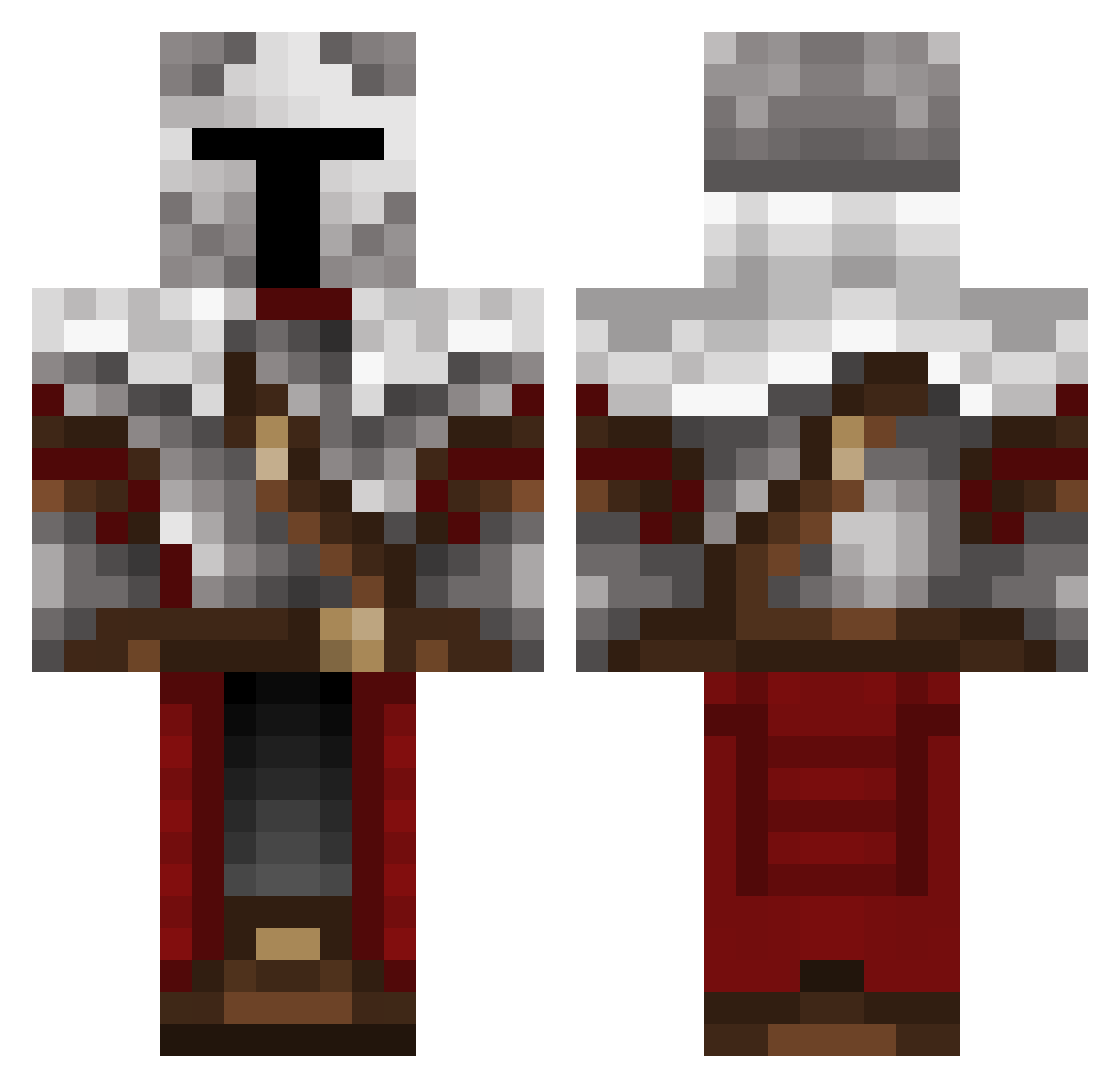
Current Minecraft skin of the player bLuu___, loaded from the official Mojang API. Rotate the 3D model with your mouse or finger, then download the skin as a PNG file and use it in Minecraft: Bedrock Edition or Java Edition for free. When bLuu___ changes their skin, this page updates automatically and the old skin stays in the history below.
Other players with this skin (437)
bLuu___ was the 293rd player we have seen with this skin, first spotted on 19.10.2026. The same skin was seen on these players. Open a nickname to see their current skin and skin history.
 Kawilord SenorWexX ImagineNoSoup Gabriel_God KiddSquid Tholvyr HalePlatypus232 boko18 NoWayIX JaiJaiBink KawffeeKrisp SiiD_JR Toutouil18 BeardedDragon1 hidethefactreal JAKOOBIXON2400 Pabetrik Arcenght Arachonis StarLordLandyn Nick648 Verdeth ShadowCactus362 soldiers666 Desombra BESTE_PAUL Agent_Felox Niklot1 Decan1213 CoolKid206 Manisaning oppeloffe mastersim08 Savage0815 nelopaladin Novaxx_ Agentadam375 UZE1 DutchCrusade luitnited MrDe4Dp00l SheLuvNukes pippobaudoo Player124345 TheOlas00 Spectre6060 wackyfella3 the_poop_king FatalBot Hemros Kuhnoot Gavin1226 thoxo SrLks Spoon_Knight_01 Mam_2_z_matmy Mini_X2 Iceman_117 JeanDeBordeaux Homikel
More Crusader Minecraft skins
How to install the bLuu___ skin
- Press the Download button above to save the skin as a PNG file.
- Minecraft: Bedrock Edition (PE): open the Dressing Room from the main menu (or tap your character → Edit Character), go to Classic Skins → Owned, press the + (new skin) button, choose the downloaded PNG and pick the Classic (Steve) model. Works on PC and mobile; consoles cannot import custom skins.
- Minecraft: Java Edition: open the Minecraft Launcher, go to the Skins tab, click New Skin, load the PNG, pick the Classic (Steve) model and press Save & Use. You can also upload it at minecraft.net → Profile → Change Skin.
The skin does not show up after import - what should I do?
Restart Minecraft and open the Dressing Room again - imported skins sometimes appear only after a restart. Also make sure you selected the imported skin and picked the Classic (Steve) model.
Which model should I choose, Classic or Slim?
This skin is designed for the Classic (Steve) model. If you pick the wrong model, the arms of the skin will look stretched or squeezed.
Is the skin of bLuu___ free to download?
Yes. Press Download, save the PNG file and use it in Minecraft: Bedrock Edition or Java Edition - no payment or registration needed. The skin also works on multiplayer servers and Realms.
More skins
Looking for more? Go back to all Minecraft skins and check the top skins of the week, month and all time, or find any player's skin by nickname.