
azheyo - Minecraft Skins & Skin History
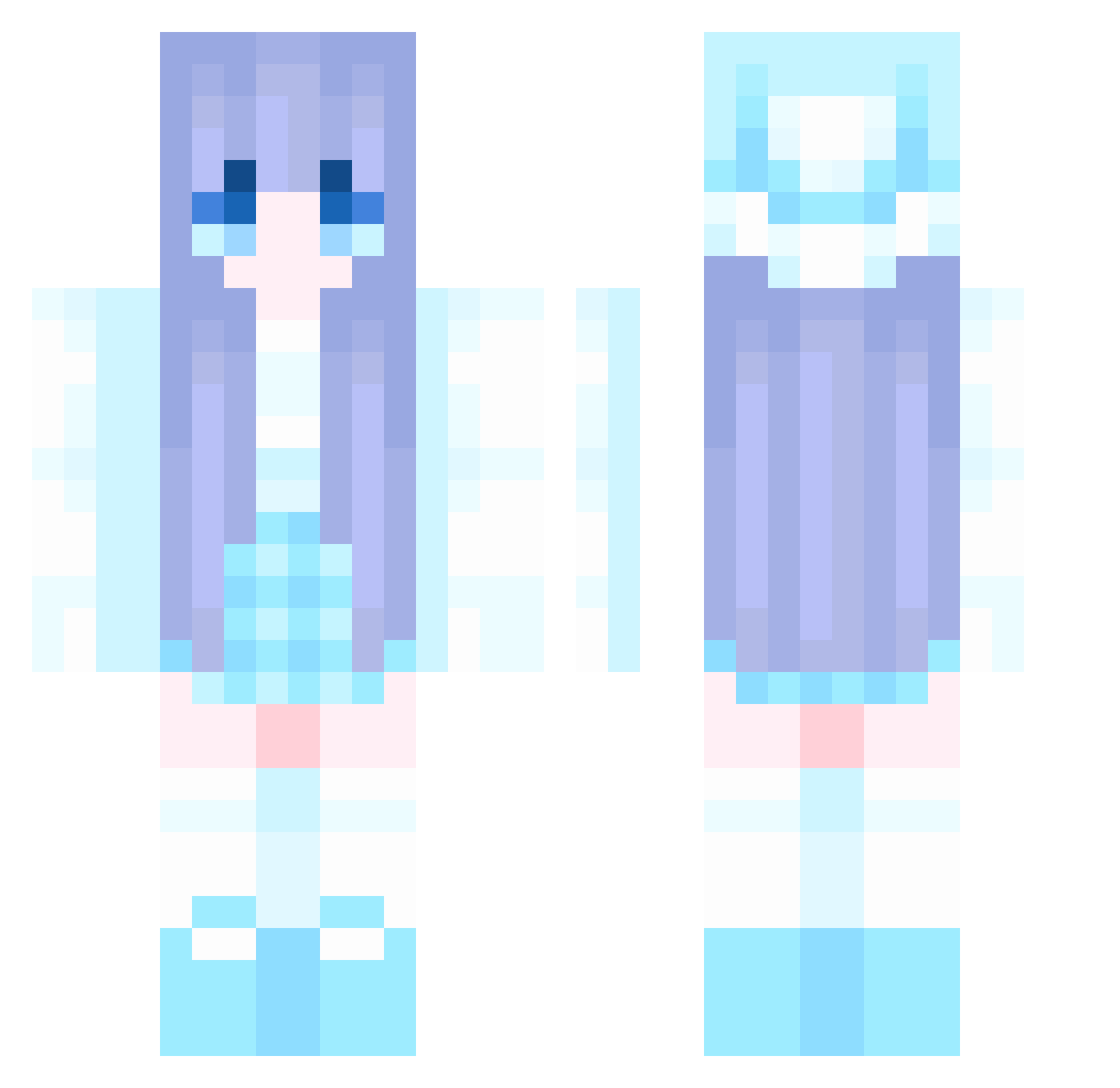
Current Minecraft skin of the player azheyo, loaded from the official Mojang API. Rotate the 3D model with your mouse or finger, then download the skin as a PNG file and use it in Minecraft: Bedrock Edition or Java Edition for free. When azheyo changes their skin, this page updates automatically and the old skin stays in the history below.
Other players with this skin (1044)
azheyo was the 694th player we have seen with this skin, first spotted on 05.10.2026. The same skin was seen on these players. Open a nickname to see their current skin and skin history.
 vertin520 Nightmare1111 NaCHool xia699 cheems_yang ZHONGSHENG Asuming wr2121 lloi0ll yyyyyyyl liliking666 Derpp07 ApexMing Turtlerock455 RuggedBuselalani Abgezogenner cuamochi xzc2310 AAAGUWT Big_tou sky3083 Microvilli hinata71 666asda XISsss TheRainyRain loefr LoveRobbery1 HaidanC WealthyNote yeche666 LuYao55 xinsy08 kisarao_O Callmethe nutsnboltz7453 TheQua Kellson xiecai1145 ZCBOM_OC LWX03 suyitao M5K_ Tang6 April9420 sere001 Cyclone_JZ JIN_HY1UN XHUK FarmerMelle Chess47 HakoNekoOwO NiniHu HanX321 honggon sbmhxhs rmysa zhanzhanzhan lin_jun Rubygough
More Winter Minecraft skins
How to install the azheyo skin
- Press the Download button above to save the skin as a PNG file.
- Minecraft: Bedrock Edition (PE): open the Dressing Room from the main menu (or tap your character → Edit Character), go to Classic Skins → Owned, press the + (new skin) button, choose the downloaded PNG and pick the Classic (Steve) model. Works on PC and mobile; consoles cannot import custom skins.
- Minecraft: Java Edition: open the Minecraft Launcher, go to the Skins tab, click New Skin, load the PNG, pick the Classic (Steve) model and press Save & Use. You can also upload it at minecraft.net → Profile → Change Skin.
The skin does not show up after import - what should I do?
Restart Minecraft and open the Dressing Room again - imported skins sometimes appear only after a restart. Also make sure you selected the imported skin and picked the Classic (Steve) model.
Which model should I choose, Classic or Slim?
This skin is designed for the Classic (Steve) model. If you pick the wrong model, the arms of the skin will look stretched or squeezed.
Is the skin of azheyo free to download?
Yes. Press Download, save the PNG file and use it in Minecraft: Bedrock Edition or Java Edition - no payment or registration needed. The skin also works on multiplayer servers and Realms.
More skins
Looking for more? Go back to all Minecraft skins and check the top skins of the week, month and all time, or find any player's skin by nickname.