
axuscarli666 - Minecraft Skins & Skin History
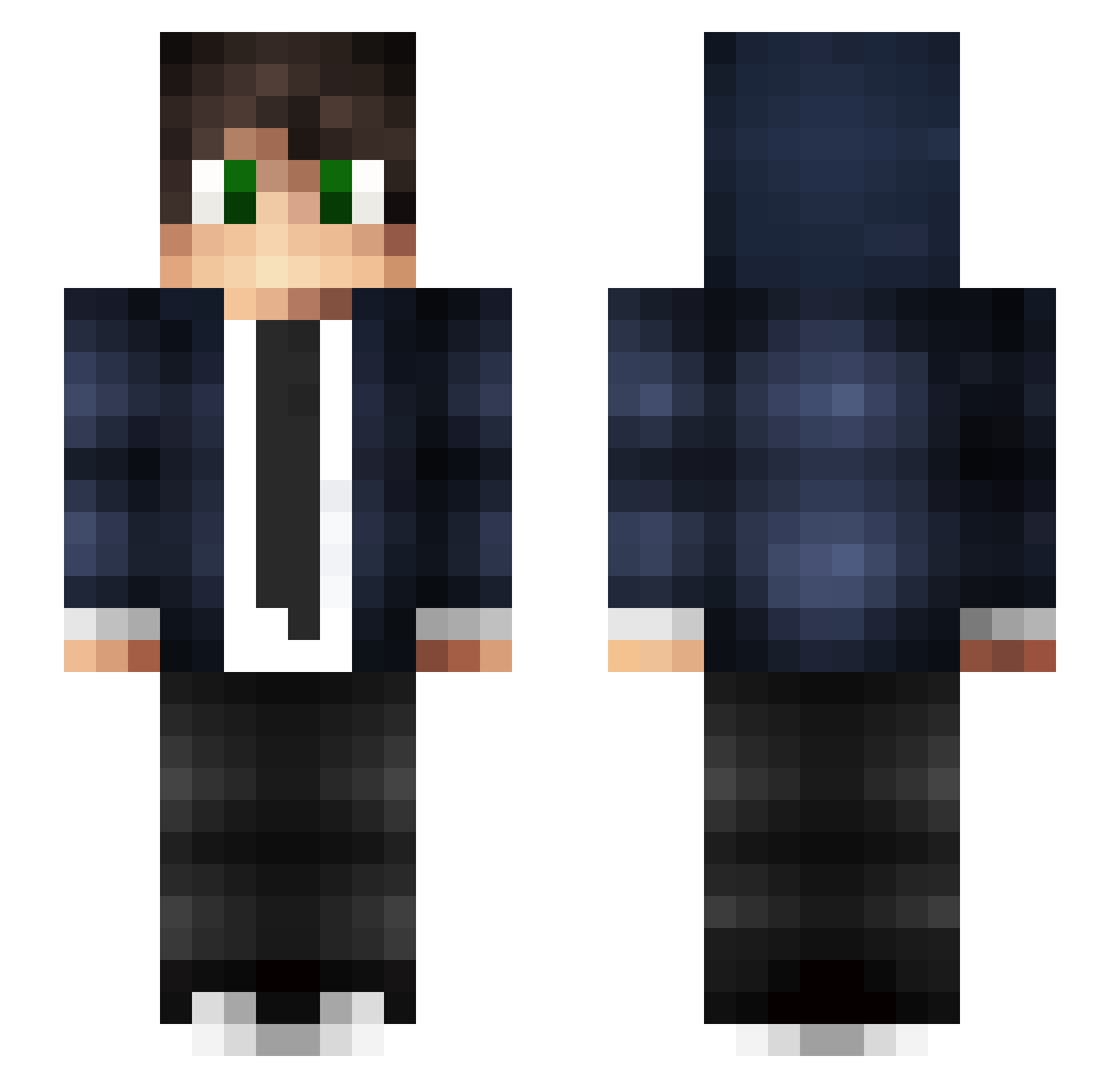
Current Minecraft skin of the player axuscarli666, loaded from the official Mojang API. Rotate the 3D model with your mouse or finger, then download the skin as a PNG file and use it in Minecraft: Bedrock Edition or Java Edition for free. When axuscarli666 changes their skin, this page updates automatically and the old skin stays in the history below.
Other players with this skin (81)
axuscarli666 was the 28th player we have seen with this skin, first spotted on 01.09.2026. The same skin was seen on these players. Open a nickname to see their current skin and skin history.
 Apexgaming5583 Redaimus TBLRZ Glossophaga Syther2006 _Nahian_ Whatever9884 LockiSlayer Swaitz LUHGAGI disinfection ZommHD Leo_221 Disasster marius4400 R4F1NH4_2006 Riskysad Brando3551 Valtan00 BroodjeBenno MrSullen chrisloreti Snounoufight Max3n01 41nZ Arozeee Noolster Sanoczykk
 Prympowicz Pokemon_HD
 HongGe2015
 illian SmilPent xaszma Jay_dog0925 TheLazyCloud BashBreak Leggiz Arkadea Alexito112S Flutschefinger EyeAmDaddy Sweax_V Stoffwechsel_M LAZUR1T_ Rushreflex REZLI JohnnyBoy171 Rzodkiewka5 hellohno ElPanaCheems T_Raiff BAZ00KAZ00KA vargab1191 IamChrizzz PixelGigs EQuioMaX DinosaurWolf_TW Andre2535 9stone
How to install the axuscarli666 skin
- Press the Download button above to save the skin as a PNG file.
- Minecraft: Bedrock Edition (PE): open the Dressing Room from the main menu (or tap your character → Edit Character), go to Classic Skins → Owned, press the + (new skin) button, choose the downloaded PNG and pick the Slim (Alex) model. Works on PC and mobile; consoles cannot import custom skins.
- Minecraft: Java Edition: open the Minecraft Launcher, go to the Skins tab, click New Skin, load the PNG, pick the Slim (Alex) model and press Save & Use. You can also upload it at minecraft.net → Profile → Change Skin.
The skin does not show up after import - what should I do?
Restart Minecraft and open the Dressing Room again - imported skins sometimes appear only after a restart. Also make sure you selected the imported skin and picked the Slim (Alex) model.
Which model should I choose, Classic or Slim?
This skin is designed for the Slim (Alex) model. If you pick the wrong model, the arms of the skin will look stretched or squeezed.
Is the skin of axuscarli666 free to download?
Yes. Press Download, save the PNG file and use it in Minecraft: Bedrock Edition or Java Edition - no payment or registration needed. The skin also works on multiplayer servers and Realms.
More skins
Looking for more? Go back to all Minecraft skins and check the top skins of the week, month and all time, or find any player's skin by nickname.