
aveedeusvult - Minecraft Skins & Skin History
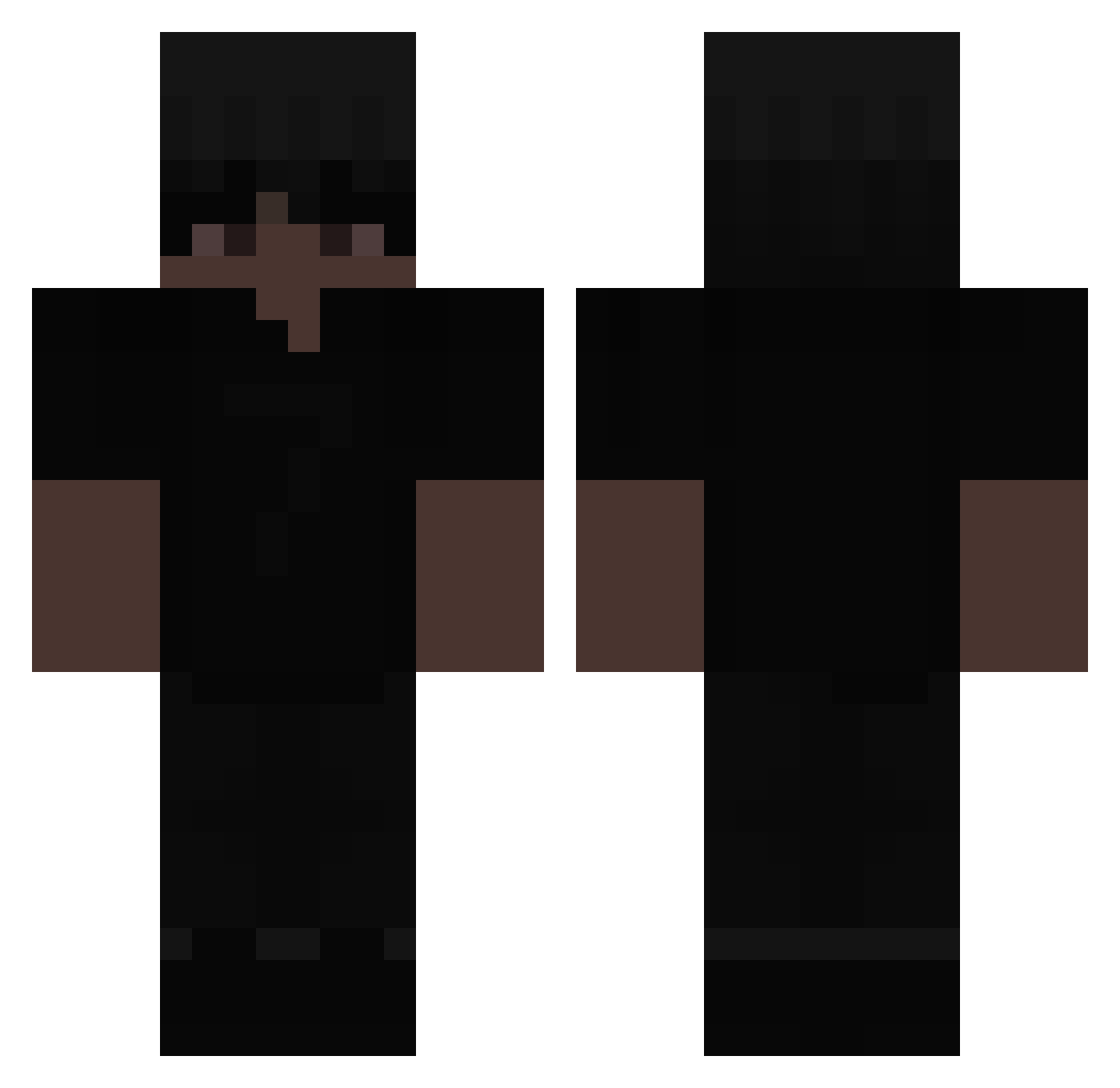
Current Minecraft skin of the player aveedeusvult, loaded from the official Mojang API. Rotate the 3D model with your mouse or finger, then download the skin as a PNG file and use it in Minecraft: Bedrock Edition or Java Edition for free. When aveedeusvult changes their skin, this page updates automatically and the old skin stays in the history below.
Other players with this skin (80)
aveedeusvult was the 41st player we have seen with this skin, first spotted on 13.09.2026. The same skin was seen on these players. Open a nickname to see their current skin and skin history.
 daqi61 M1chu_211 JaderX3 xGxst TsuU07 Corriin_ B9TMAN_ NotDvn CH1Lbrs Nyxen8 PH_4_win ImDaGoat44 YoShrowd MasterofGreen83 TxzEnzo Dylanb4d ItzLxTos Tekaa2Tact NightMc_1 jakeMORENO MrToscik slackow23 Maciejkoo snowtimee kobsonn MIOT1 Meyus0 Gabrychaaaa Hairy_Woman GamePrato Karambit0 ThePim9992 afonex tordilhas Shadow___PVP xxxhooxxx Papryczka0 Milazzv navv_10 Knightrider5811 billy5900 GNGF xManiaco98x Stackz9kk zundxy256 Jooe whoo23
 TavarisRelax luxe_gz DanoneICE_ wycieraczkaXD DD_Osama_7 Asap257 JSSUNN Brayan7157 Mieczyslaw5551 Felipinho2000 Lucagamer221 Itashis
 BurunSpreyi
More All Black Minecraft skins
How to install the aveedeusvult skin
- Press the Download button above to save the skin as a PNG file.
- Minecraft: Bedrock Edition (PE): open the Dressing Room from the main menu (or tap your character → Edit Character), go to Classic Skins → Owned, press the + (new skin) button, choose the downloaded PNG and pick the Classic (Steve) model. Works on PC and mobile; consoles cannot import custom skins.
- Minecraft: Java Edition: open the Minecraft Launcher, go to the Skins tab, click New Skin, load the PNG, pick the Classic (Steve) model and press Save & Use. You can also upload it at minecraft.net → Profile → Change Skin.
The skin does not show up after import - what should I do?
Restart Minecraft and open the Dressing Room again - imported skins sometimes appear only after a restart. Also make sure you selected the imported skin and picked the Classic (Steve) model.
Which model should I choose, Classic or Slim?
This skin is designed for the Classic (Steve) model. If you pick the wrong model, the arms of the skin will look stretched or squeezed.
Is the skin of aveedeusvult free to download?
Yes. Press Download, save the PNG file and use it in Minecraft: Bedrock Edition or Java Edition - no payment or registration needed. The skin also works on multiplayer servers and Realms.
More skins
Looking for more? Go back to all Minecraft skins and check the top skins of the week, month and all time, or find any player's skin by nickname.