
aurelssb - Minecraft Skins & Skin History
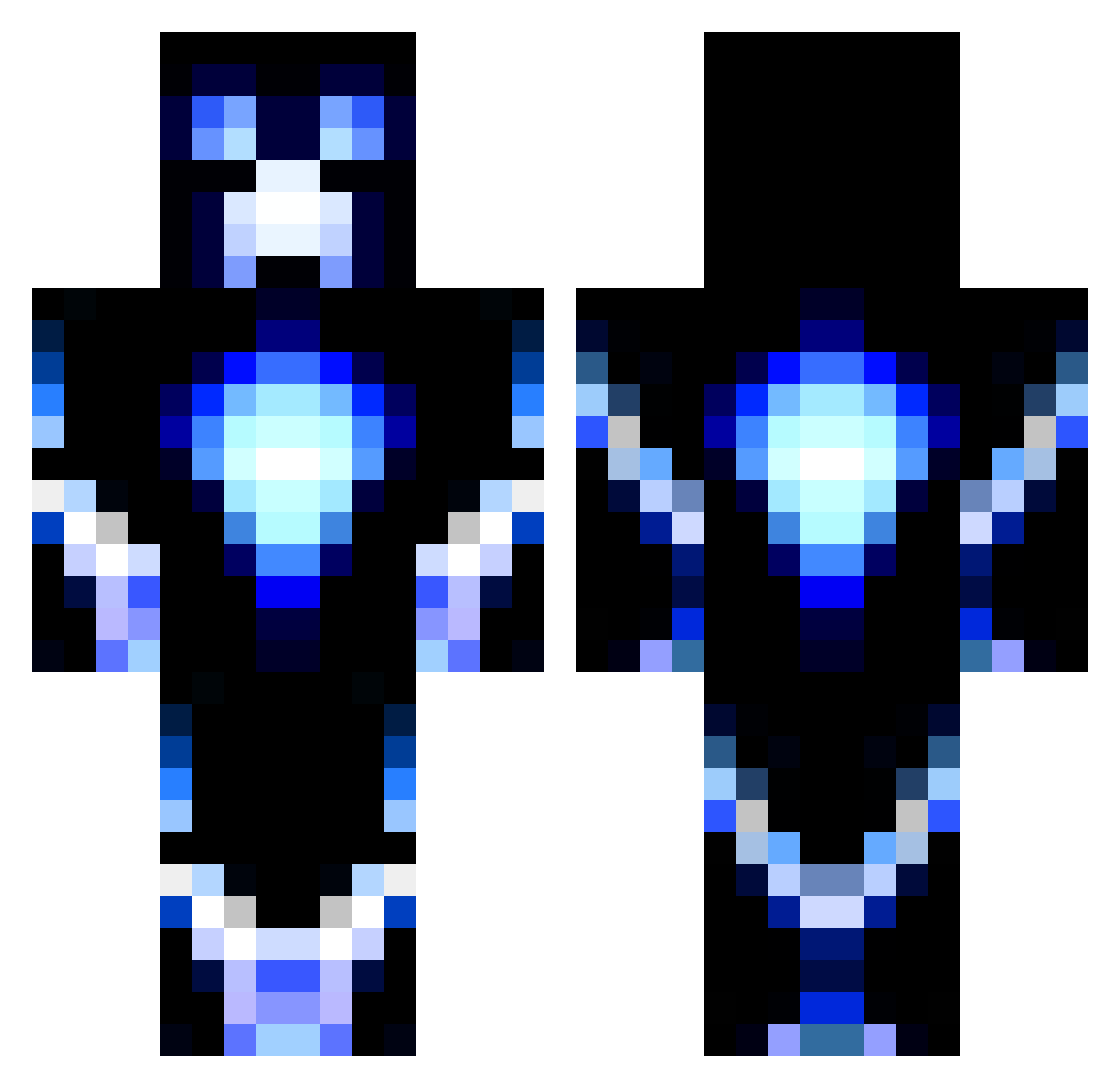
Current Minecraft skin of the player aurelssb, loaded from the official Mojang API. Rotate the 3D model with your mouse or finger, then download the skin as a PNG file and use it in Minecraft: Bedrock Edition or Java Edition for free. When aurelssb changes their skin, this page updates automatically and the old skin stays in the history below.
Other players with this skin (1187)
aurelssb was the 285th player we have seen with this skin, first spotted on 21.08.2026. The same skin was seen on these players. Open a nickname to see their current skin and skin history.
 Istrole JCA1596 gator_guy Dudeski65 poop781 Shaun1651 ianm1607 VikingJake26 den_joeri Mustardextreme EmeraldSword98 spook10 RhysTylerX xXJJ_JUGGXx SKIRMLOPOKA900 ProDaggerPl Camtheman123321 Pilson01 legendmason7 EidolonCry ninnifred Mattyboyone Chris5548 Ricky_King SirMari tiller134 fumingbigfoot Azeelox Julian771 fabianph301 MorganyDelish Hodgi7 Shadowshot1377 adventurer3000 SlothOnSpeed10 JAID3N_LU4E_21 LINCCRAFTER PopoTV proboy147 lil_farm_boy cokemoke piggiesrule58 SkullCraker5000 ChubbyLightning Water_Buster AWESOME0723 OmaNiveax Overestimated_ eeyore02a looneyviper LegoDudeOC kaime1 Quasilline mowieseppe MRmeowmeowr cheyenne25 hyhnoon MineMax4711 Roland1986 SmilerJosh
More Glowing Minecraft skins
How to install the aurelssb skin
- Press the Download button above to save the skin as a PNG file.
- Minecraft: Bedrock Edition (PE): open the Dressing Room from the main menu (or tap your character → Edit Character), go to Classic Skins → Owned, press the + (new skin) button, choose the downloaded PNG and pick the Classic (Steve) model. Works on PC and mobile; consoles cannot import custom skins.
- Minecraft: Java Edition: open the Minecraft Launcher, go to the Skins tab, click New Skin, load the PNG, pick the Classic (Steve) model and press Save & Use. You can also upload it at minecraft.net → Profile → Change Skin.
The skin does not show up after import - what should I do?
Restart Minecraft and open the Dressing Room again - imported skins sometimes appear only after a restart. Also make sure you selected the imported skin and picked the Classic (Steve) model.
Which model should I choose, Classic or Slim?
This skin is designed for the Classic (Steve) model. If you pick the wrong model, the arms of the skin will look stretched or squeezed.
Is the skin of aurelssb free to download?
Yes. Press Download, save the PNG file and use it in Minecraft: Bedrock Edition or Java Edition - no payment or registration needed. The skin also works on multiplayer servers and Realms.
More skins
Looking for more? Go back to all Minecraft skins and check the top skins of the week, month and all time, or find any player's skin by nickname.