
aughmka - Minecraft Skins & Skin History
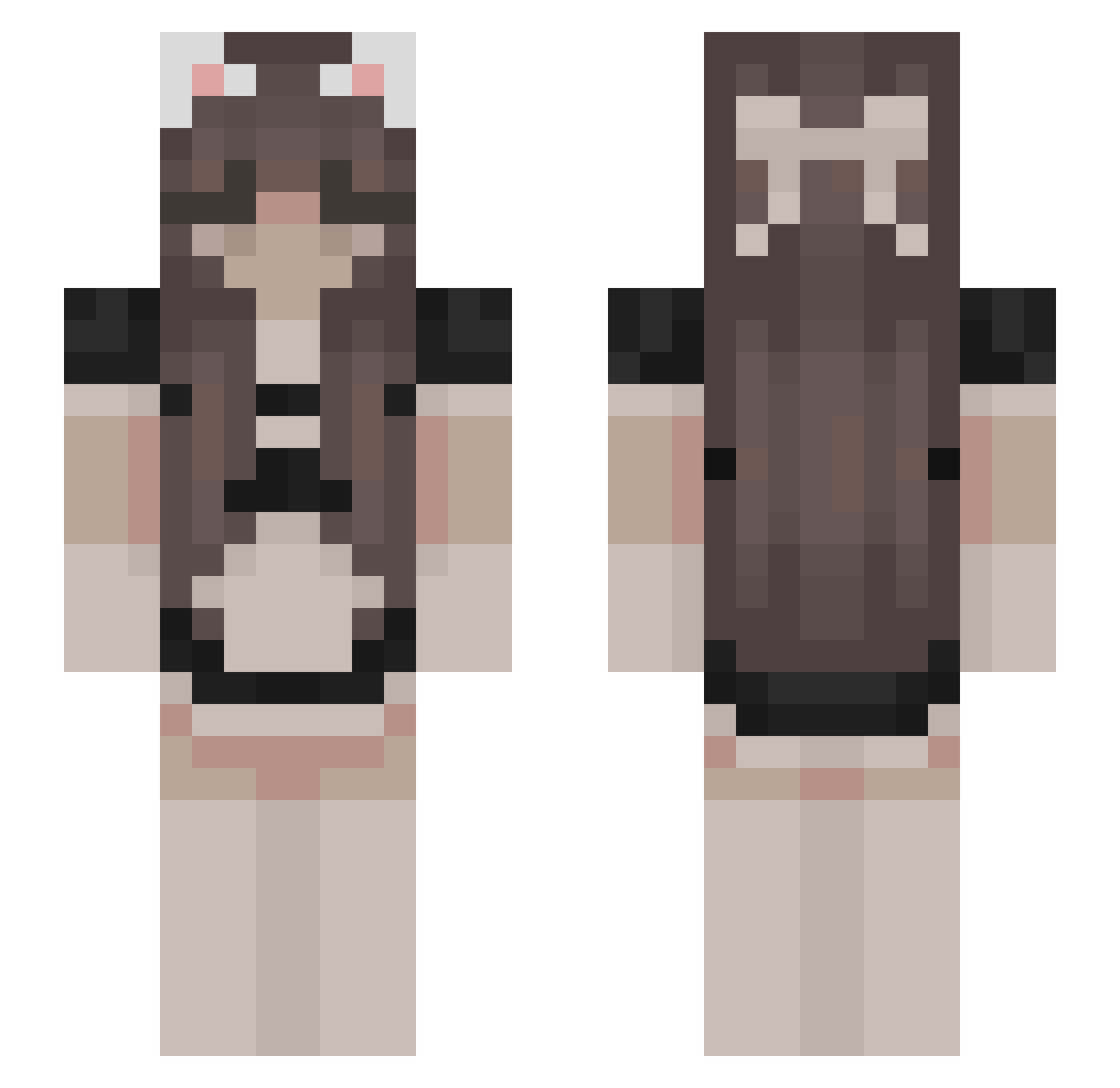
Current Minecraft skin of the player aughmka, loaded from the official Mojang API. Rotate the 3D model with your mouse or finger, then download the skin as a PNG file and use it in Minecraft: Bedrock Edition or Java Edition for free. When aughmka changes their skin, this page updates automatically and the old skin stays in the history below.
Other players with this skin (523)
aughmka was the 487th player we have seen with this skin, first spotted on 26.10.2026. The same skin was seen on these players. Open a nickname to see their current skin and skin history.
 snorcats Stexsan ohitslaurra re_sticc Mrasainboi angiexyii MCV957486 Cylispo West_LondoN1K fgca goracamamuska333 PoorSakuraMM Sandehu Awvil LeToast69 21Stich37 Murphyheree dudaomori Xaov Savvy00_ Look_ing BaiXueQing ItsaMeMarit snipssssss _Nikana_ FanInoxTagLeBest Aptfalls trexsonia MajaMushroom vevaily SalsaJ cryptooooooo CLICKERAUF180 kisfish Degenerate_ Famendonza moll_EE XuJun1 zXPoRGaminGz_CHz guerka Opioids Cyzes Mine_Rain Milk_TeaV2 eNcoma _xkumox_ Lakerosebud niayelli_ AnkelkaUwU Rayenwiwi BrilliantRose benjamin7317 zara4561 S2_wave 9eelee Swarful Neka quakus novascophie ZhelevM
More Bow Minecraft skins
How to install the aughmka skin
- Press the Download button above to save the skin as a PNG file.
- Minecraft: Bedrock Edition (PE): open the Dressing Room from the main menu (or tap your character → Edit Character), go to Classic Skins → Owned, press the + (new skin) button, choose the downloaded PNG and pick the Slim (Alex) model. Works on PC and mobile; consoles cannot import custom skins.
- Minecraft: Java Edition: open the Minecraft Launcher, go to the Skins tab, click New Skin, load the PNG, pick the Slim (Alex) model and press Save & Use. You can also upload it at minecraft.net → Profile → Change Skin.
The skin does not show up after import - what should I do?
Restart Minecraft and open the Dressing Room again - imported skins sometimes appear only after a restart. Also make sure you selected the imported skin and picked the Slim (Alex) model.
Which model should I choose, Classic or Slim?
This skin is designed for the Slim (Alex) model. If you pick the wrong model, the arms of the skin will look stretched or squeezed.
Is the skin of aughmka free to download?
Yes. Press Download, save the PNG file and use it in Minecraft: Bedrock Edition or Java Edition - no payment or registration needed. The skin also works on multiplayer servers and Realms.
More skins
Looking for more? Go back to all Minecraft skins and check the top skins of the week, month and all time, or find any player's skin by nickname.