
arxsaka - Minecraft Skins & Skin History
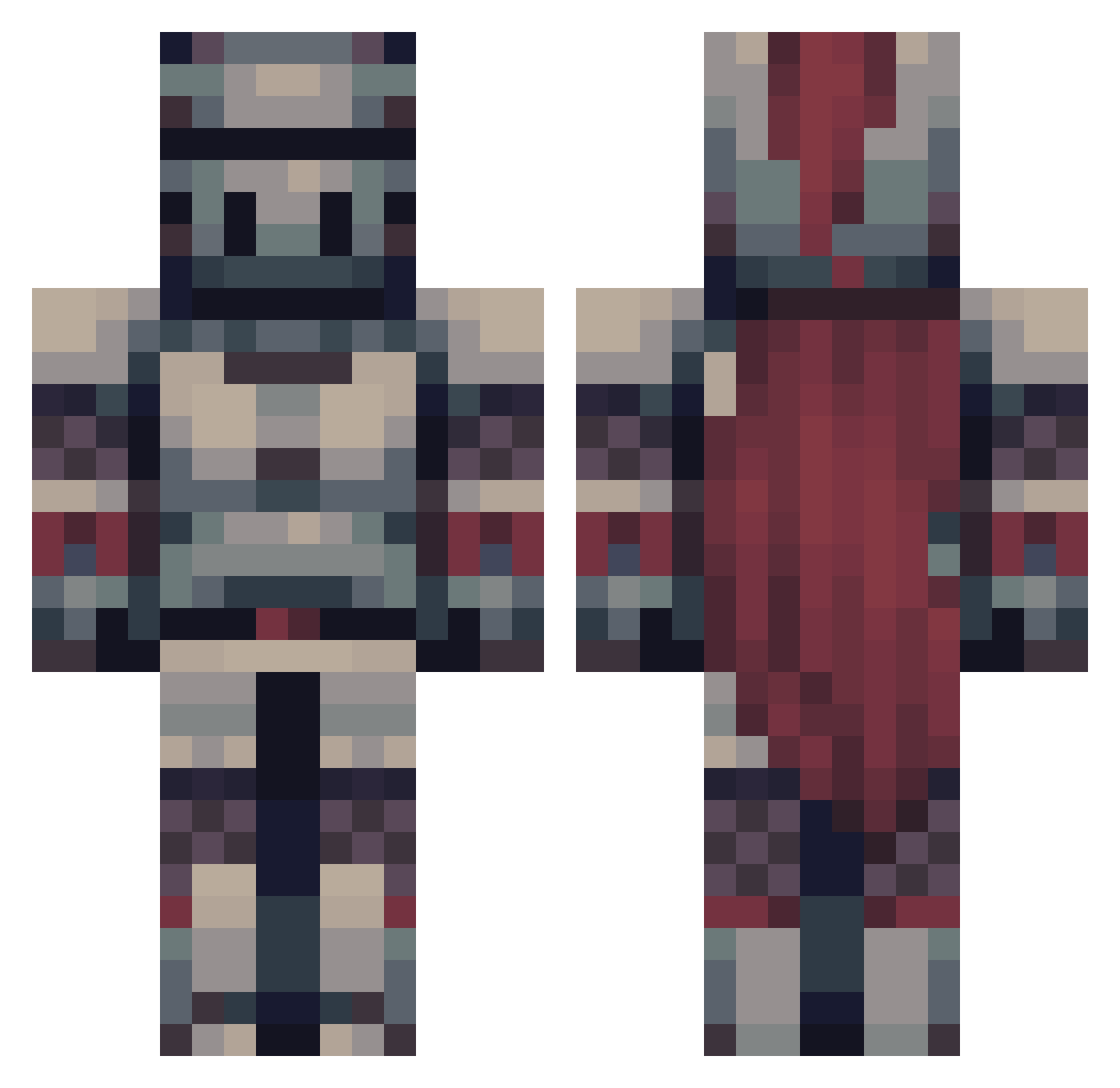
Current Minecraft skin of the player arxsaka, loaded from the official Mojang API. Rotate the 3D model with your mouse or finger, then download the skin as a PNG file and use it in Minecraft: Bedrock Edition or Java Edition for free. When arxsaka changes their skin, this page updates automatically and the old skin stays in the history below.
Other players with this skin (475)
arxsaka was the 196th player we have seen with this skin, first spotted on 07.09.2026. The same skin was seen on these players. Open a nickname to see their current skin and skin history.
 PaVVely N0F4C3_666 Malfunktion_ Mtlwolf DracoSL21 Mindharp23 CoogeeClauds BRYDN6 Mostiru Mainkrafteano Brocchuss Jaime448 1Norio XxBerri DerpyDragonRider GamingNeon Achilles_69 Asgaroth2101 julesnirvana slappetarm DannyWanny65 MaBBuew Powellly30 BushyGang Kolleger Quinntwitch DavyJones42 Jack_5600 Rithleen Nicki_MP1 TipsyRomulus Miked1181 Brianphil IrosOfIvory Chib235 Nate_thee_knight Enzo1830
 PumpkinMaster42 SoPlay12 shinygaming1 ThePampu MORLOCC EvilHarald crowsworn Jonarako Akatosh111
 lil_bap GeneralHat Robbi08 bluffdeer StillLiska stojke1 Tzadiam WatchExpert UrgerTox Suburbs666 DiegQ2 HawkerLOTC WolfChaser Knight1400
More Knight Minecraft skins
How to install the arxsaka skin
- Press the Download button above to save the skin as a PNG file.
- Minecraft: Bedrock Edition (PE): open the Dressing Room from the main menu (or tap your character → Edit Character), go to Classic Skins → Owned, press the + (new skin) button, choose the downloaded PNG and pick the Classic (Steve) model. Works on PC and mobile; consoles cannot import custom skins.
- Minecraft: Java Edition: open the Minecraft Launcher, go to the Skins tab, click New Skin, load the PNG, pick the Classic (Steve) model and press Save & Use. You can also upload it at minecraft.net → Profile → Change Skin.
The skin does not show up after import - what should I do?
Restart Minecraft and open the Dressing Room again - imported skins sometimes appear only after a restart. Also make sure you selected the imported skin and picked the Classic (Steve) model.
Which model should I choose, Classic or Slim?
This skin is designed for the Classic (Steve) model. If you pick the wrong model, the arms of the skin will look stretched or squeezed.
Is the skin of arxsaka free to download?
Yes. Press Download, save the PNG file and use it in Minecraft: Bedrock Edition or Java Edition - no payment or registration needed. The skin also works on multiplayer servers and Realms.
More skins
Looking for more? Go back to all Minecraft skins and check the top skins of the week, month and all time, or find any player's skin by nickname.