
artsyz - Minecraft Skins & Skin History
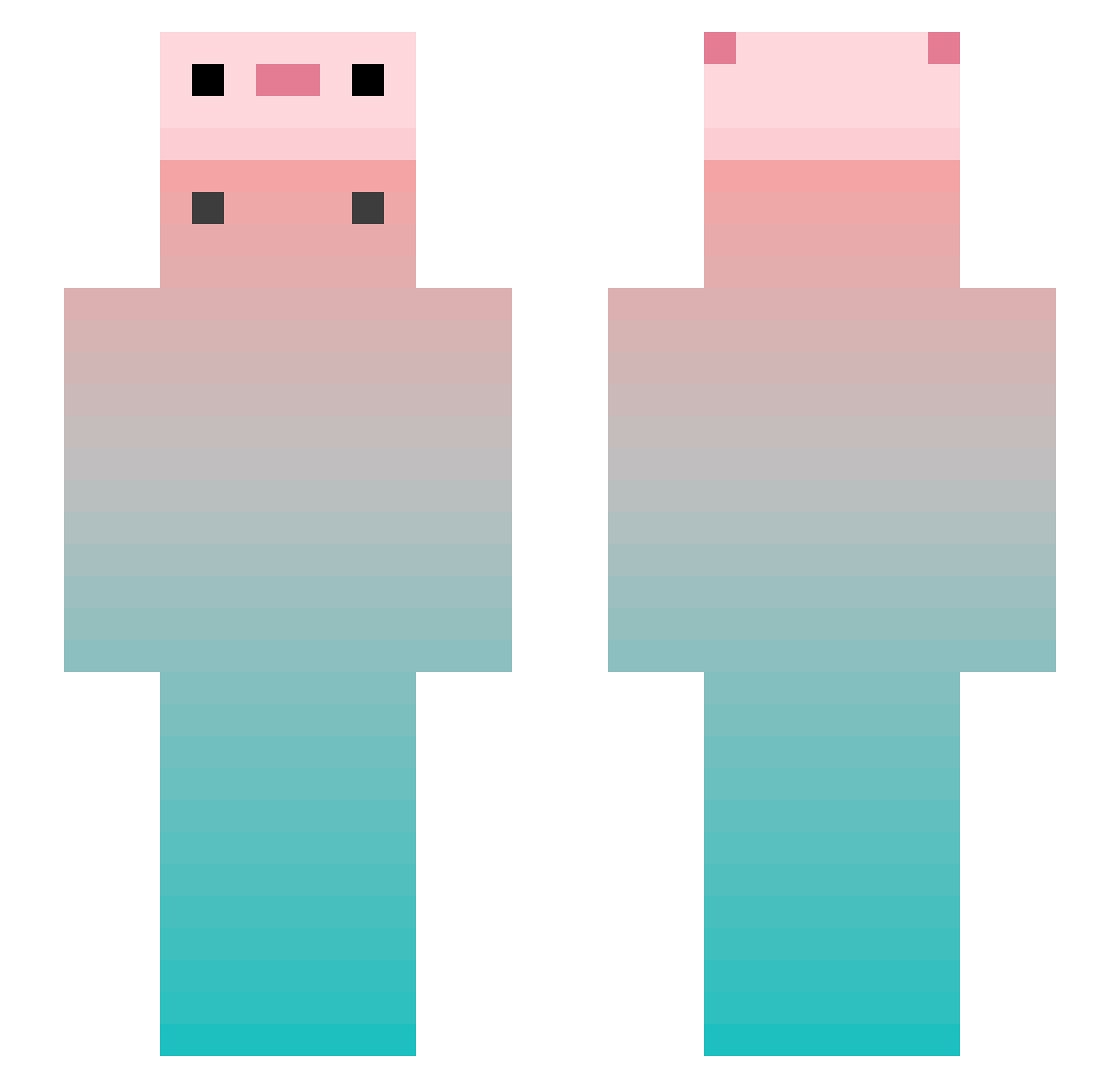
Current Minecraft skin of the player artsyz, loaded from the official Mojang API. Rotate the 3D model with your mouse or finger, then download the skin as a PNG file and use it in Minecraft: Bedrock Edition or Java Edition for free. When artsyz changes their skin, this page updates automatically and the old skin stays in the history below.
Other players with this skin (848)
artsyz was the 318th player we have seen with this skin, first spotted on 06.09.2026. The same skin was seen on these players. Open a nickname to see their current skin and skin history.
 RenardCyan
 zilaishui666 Haskuya Wuye_Clover TETEDEKIWI_ Fwio_ rain_veil RerainYy napadK LaoZhang1213 sn0j Carmarfee poiuypoiuy berryfish123 zhouzhou_haha Peuhgot Alexgun JHutch19 Cx330_ct SaQiMaOvO Suine_CHUXINA soekon LOVEzhuang wps041 LuvChiYu LJT504 23Rager katewaii Yuno__gg chengzhi1234567 WENxiEme kenusten shigerukun_Lv39 jeeft GuoXiangNB piexian Zinicz DesiFman Yui664 lifeif Coraeater ilikeapple takara1122 yqy101 Bin_Nan piaomiao666 qingdan_17 xiaodai8866 xyk0102 xiaoxiaoye0 Nocklers Sushikimkim iDarksite O_blivious BackedSpaghetti_ handsome7x5 Tentazra LeafBoi_ sourpeachkid MlX864
More Gradient Minecraft skins
How to install the artsyz skin
- Press the Download button above to save the skin as a PNG file.
- Minecraft: Bedrock Edition (PE): open the Dressing Room from the main menu (or tap your character → Edit Character), go to Classic Skins → Owned, press the + (new skin) button, choose the downloaded PNG and pick the Slim (Alex) model. Works on PC and mobile; consoles cannot import custom skins.
- Minecraft: Java Edition: open the Minecraft Launcher, go to the Skins tab, click New Skin, load the PNG, pick the Slim (Alex) model and press Save & Use. You can also upload it at minecraft.net → Profile → Change Skin.
The skin does not show up after import - what should I do?
Restart Minecraft and open the Dressing Room again - imported skins sometimes appear only after a restart. Also make sure you selected the imported skin and picked the Slim (Alex) model.
Which model should I choose, Classic or Slim?
This skin is designed for the Slim (Alex) model. If you pick the wrong model, the arms of the skin will look stretched or squeezed.
Is the skin of artsyz free to download?
Yes. Press Download, save the PNG file and use it in Minecraft: Bedrock Edition or Java Edition - no payment or registration needed. The skin also works on multiplayer servers and Realms.
More skins
Looking for more? Go back to all Minecraft skins and check the top skins of the week, month and all time, or find any player's skin by nickname.