
arkaisnotcool - Minecraft Skins & Skin History
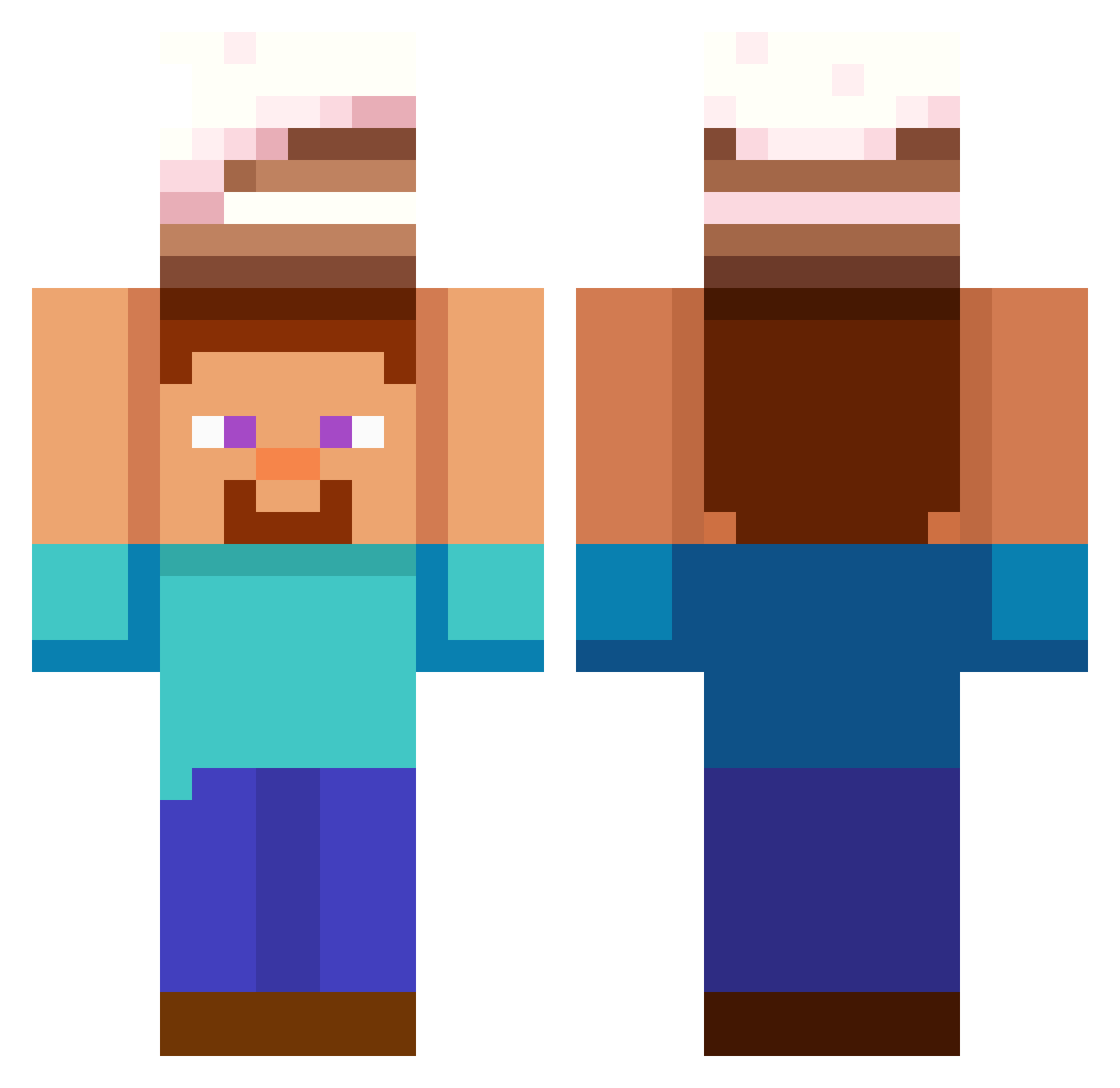
Current Minecraft skin of the player arkaisnotcool, loaded from the official Mojang API. Rotate the 3D model with your mouse or finger, then download the skin as a PNG file and use it in Minecraft: Bedrock Edition or Java Edition for free. When arkaisnotcool changes their skin, this page updates automatically and the old skin stays in the history below.
Other players with this skin (565)
arkaisnotcool was the 432nd player we have seen with this skin, first spotted on 10.10.2026. The same skin was seen on these players. Open a nickname to see their current skin and skin history.
 farmerdru06 JImB01991 Shclorp Lantiar Khaid030523 R2V94 D3N1SAK tuffpanda44 Bosslv5674 yookhawmi66 OvO_sm Leynlax Up_is_down CarlossCZ Mimnjim Arean_2013 ReunionIsCute coolcidclark ladydeathface Sonvelx ReaDy2312 talki1 FASHIF flexmc Zextaz ItsGummie Frenton Salgado04 Grover021 BoomaFang d0nov4n nsy1234567 alekspisarczyk IndianTechSuport JohnJoodanPrime JustLionel Bleakshadow cnrdj RescueAce MikeyND0 495Kg Syloanss bluepanda123455 ManIyPumpkin Arabian_Steve Neddiebones EmbodiedMoth744 becruzeiro KuBoEzGg Slikkepind11 Cuajoo donutcake4 alinaa3 FatalPlayer9472 Rocko_23 BenKenobi83 Retok123456789 LTRAYN0R Vanish777 JangiJohn
More Cake Minecraft skins
How to install the arkaisnotcool skin
- Press the Download button above to save the skin as a PNG file.
- Minecraft: Bedrock Edition (PE): open the Dressing Room from the main menu (or tap your character → Edit Character), go to Classic Skins → Owned, press the + (new skin) button, choose the downloaded PNG and pick the Classic (Steve) model. Works on PC and mobile; consoles cannot import custom skins.
- Minecraft: Java Edition: open the Minecraft Launcher, go to the Skins tab, click New Skin, load the PNG, pick the Classic (Steve) model and press Save & Use. You can also upload it at minecraft.net → Profile → Change Skin.
The skin does not show up after import - what should I do?
Restart Minecraft and open the Dressing Room again - imported skins sometimes appear only after a restart. Also make sure you selected the imported skin and picked the Classic (Steve) model.
Which model should I choose, Classic or Slim?
This skin is designed for the Classic (Steve) model. If you pick the wrong model, the arms of the skin will look stretched or squeezed.
Is the skin of arkaisnotcool free to download?
Yes. Press Download, save the PNG file and use it in Minecraft: Bedrock Edition or Java Edition - no payment or registration needed. The skin also works on multiplayer servers and Realms.
More skins
Looking for more? Go back to all Minecraft skins and check the top skins of the week, month and all time, or find any player's skin by nickname.