
antonseverin - Minecraft Skins & Skin History
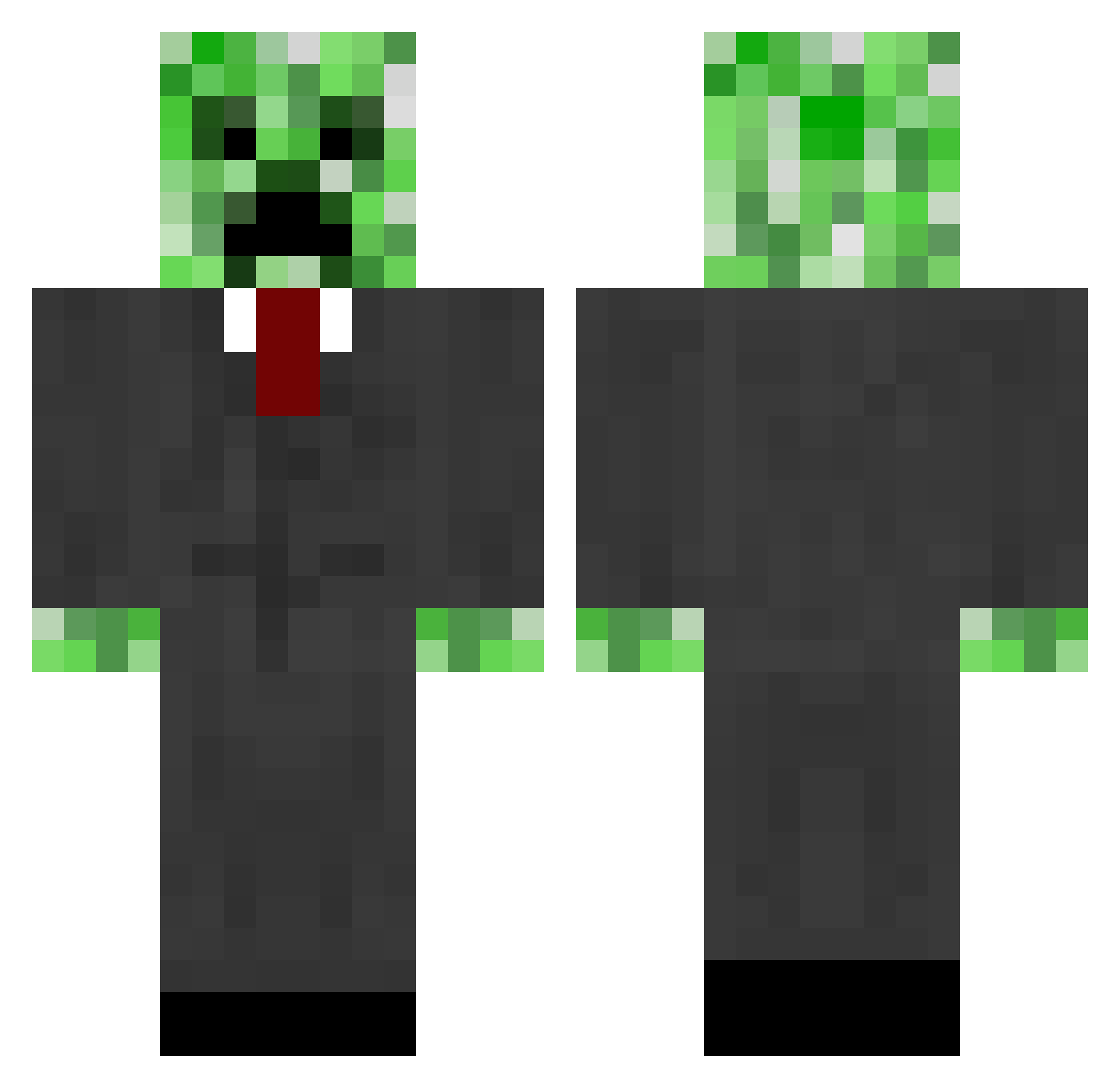
Current Minecraft skin of the player antonseverin, loaded from the official Mojang API. Rotate the 3D model with your mouse or finger, then download the skin as a PNG file and use it in Minecraft: Bedrock Edition or Java Edition for free. When antonseverin changes their skin, this page updates automatically and the old skin stays in the history below.
Other players with this skin (665)
antonseverin was the 426th player we have seen with this skin, first spotted on 03.10.2026. The same skin was seen on these players. Open a nickname to see their current skin and skin history.
 esaporski monty678910 youryuraned tchealy Andreas12344 Sanmay999 5angu kaok12 Kostya444 Fairbairn97 penguin_dreamer DerCreeper412 Beardylocks JustinCarr1 IzzyBel bsneeze Voool theaveragejoe tdo88 MuiZon RP_215 gimbom LoganEatsBeaners xnafariox igrenon mynameispaul321 Rustamungus jaiferme AngrySpaceduck Sancus101 zombienot RenameBot24 VTAT gusgilla ScaryFast rawand411 luckykev SuicidalGoat Arthur4078 w1th0utnam3 uglyhitman12 andreeu6 Mindf Bobbobbsen ConnorBell Silly16549 ShinyT3PO maxibon209 minitempest nak0516 xWorthItx spinydelta lampsman Diggitty_ Farmer135 Nezteb iSavePucks30 jala2000000 ivecktor23 maretyuy
More Creeper Minecraft skins
How to install the antonseverin skin
- Press the Download button above to save the skin as a PNG file.
- Minecraft: Bedrock Edition (PE): open the Dressing Room from the main menu (or tap your character → Edit Character), go to Classic Skins → Owned, press the + (new skin) button, choose the downloaded PNG and pick the Classic (Steve) model. Works on PC and mobile; consoles cannot import custom skins.
- Minecraft: Java Edition: open the Minecraft Launcher, go to the Skins tab, click New Skin, load the PNG, pick the Classic (Steve) model and press Save & Use. You can also upload it at minecraft.net → Profile → Change Skin.
The skin does not show up after import - what should I do?
Restart Minecraft and open the Dressing Room again - imported skins sometimes appear only after a restart. Also make sure you selected the imported skin and picked the Classic (Steve) model.
Which model should I choose, Classic or Slim?
This skin is designed for the Classic (Steve) model. If you pick the wrong model, the arms of the skin will look stretched or squeezed.
Is the skin of antonseverin free to download?
Yes. Press Download, save the PNG file and use it in Minecraft: Bedrock Edition or Java Edition - no payment or registration needed. The skin also works on multiplayer servers and Realms.
More skins
Looking for more? Go back to all Minecraft skins and check the top skins of the week, month and all time, or find any player's skin by nickname.