
antek__0 - Minecraft Skins & Skin History
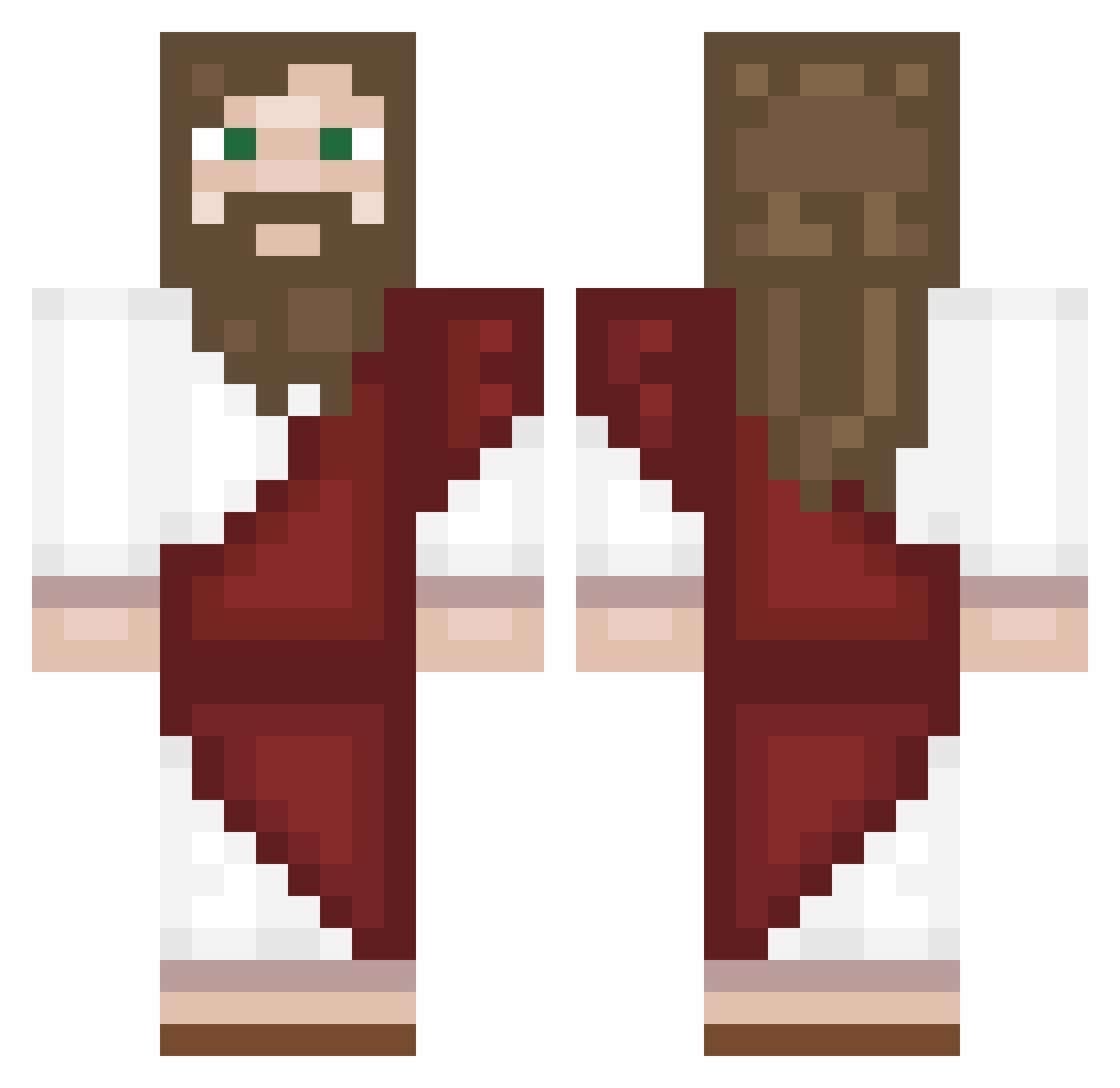
Current Minecraft skin of the player antek__0, loaded from the official Mojang API. Rotate the 3D model with your mouse or finger, then download the skin as a PNG file and use it in Minecraft: Bedrock Edition or Java Edition for free. When antek__0 changes their skin, this page updates automatically and the old skin stays in the history below.
Other players with this skin (168)
antek__0 was the 96th player we have seen with this skin, first spotted on 25.09.2026. The same skin was seen on these players. Open a nickname to see their current skin and skin history.
 Markinn TwilightEmerald Samupizza BiPoLar7576 GoeTHE8 Rangatir Vxrpennt Zeerion__ auroselia Lacsiho s3eeda yu0rdad reame_ pd37904v neoXOXOXOX IonlyMine l_RIKI_l gostousam mumayer YoILikeLittleBoy Aleisyourbro skyjander Shad0w4k Hideak xyrce JeSuisIsora Townii Cryptolox elemanu BucaDeli Teddy773 ANILDURAKLAR ImsuperMWK Jcrack20 Oujsuiski Silencespeed yFon Humpty____Dumpty TimkaBigYayki HZisarp Zok122 ByArkani IturaXD HvemErDe _AFN_ Kitaral AdamSandler99 Bariiiii anomynas _papageoo_ Meyrit Galdameh rennzq Skoorpi Puri1 justmata iZer000 3_exen BigFloppa329 ja_sz
More Biblical Minecraft skins
How to install the antek__0 skin
- Press the Download button above to save the skin as a PNG file.
- Minecraft: Bedrock Edition (PE): open the Dressing Room from the main menu (or tap your character → Edit Character), go to Classic Skins → Owned, press the + (new skin) button, choose the downloaded PNG and pick the Classic (Steve) model. Works on PC and mobile; consoles cannot import custom skins.
- Minecraft: Java Edition: open the Minecraft Launcher, go to the Skins tab, click New Skin, load the PNG, pick the Classic (Steve) model and press Save & Use. You can also upload it at minecraft.net → Profile → Change Skin.
The skin does not show up after import - what should I do?
Restart Minecraft and open the Dressing Room again - imported skins sometimes appear only after a restart. Also make sure you selected the imported skin and picked the Classic (Steve) model.
Which model should I choose, Classic or Slim?
This skin is designed for the Classic (Steve) model. If you pick the wrong model, the arms of the skin will look stretched or squeezed.
Is the skin of antek__0 free to download?
Yes. Press Download, save the PNG file and use it in Minecraft: Bedrock Edition or Java Edition - no payment or registration needed. The skin also works on multiplayer servers and Realms.
More skins
Looking for more? Go back to all Minecraft skins and check the top skins of the week, month and all time, or find any player's skin by nickname.