
andysaan - Minecraft Skins & Skin History
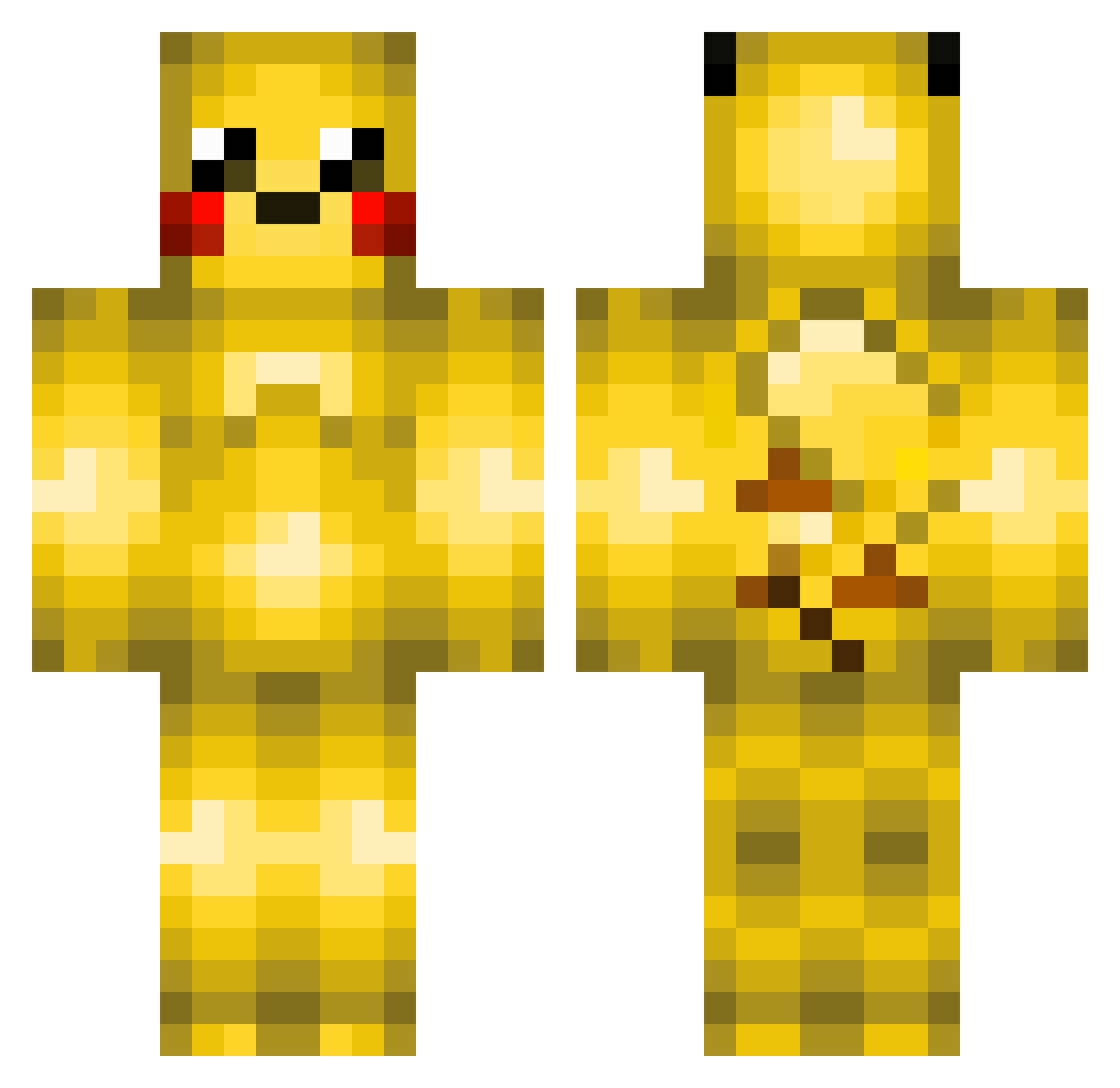
Current Minecraft skin of the player andysaan, loaded from the official Mojang API. Rotate the 3D model with your mouse or finger, then download the skin as a PNG file and use it in Minecraft: Bedrock Edition or Java Edition for free. When andysaan changes their skin, this page updates automatically and the old skin stays in the history below.
Other players with this skin (220)
andysaan was the 127th player we have seen with this skin, first spotted on 26.09.2026. The same skin was seen on these players. Open a nickname to see their current skin and skin history.
 FlyingGamer4 MAGSdaGRR8 DFusor Chromama YaBaRaIDa Whait_ sadatti_04s levenge89 Wopply Shannon14 H4ruhi Anton_365J Nanopablo Picachu207 laajiuu jlfree12 Thunderbolt_62 Chaos_Crow Custard_0719 adolfo_gaseoso atsu7864 Tvisli pikachubeast jungjihoon23213 Penjie401 lyssen K0opaTroopa MargaritaFlores Rick1026 Lionbag mimiiee Mafuasd qsuky achimschorni Luissnake pikabuilds MalKong_ lordceltax QualeQuala Mioea Eternity_guigui JigglyJellow Pyro_Gum Bas_minecraft anvair JIgglyJR Pikafight uhcakip21 BURADDO_1921 MrSuper007 MrSongoo PikachuHunter2 ComfiShu taotao233333 eunweres TwilightAX OGTDani CasablancaR Faidollahor Hood_HaZe
More Pikachu Minecraft skins
How to install the andysaan skin
- Press the Download button above to save the skin as a PNG file.
- Minecraft: Bedrock Edition (PE): open the Dressing Room from the main menu (or tap your character → Edit Character), go to Classic Skins → Owned, press the + (new skin) button, choose the downloaded PNG and pick the Classic (Steve) model. Works on PC and mobile; consoles cannot import custom skins.
- Minecraft: Java Edition: open the Minecraft Launcher, go to the Skins tab, click New Skin, load the PNG, pick the Classic (Steve) model and press Save & Use. You can also upload it at minecraft.net → Profile → Change Skin.
The skin does not show up after import - what should I do?
Restart Minecraft and open the Dressing Room again - imported skins sometimes appear only after a restart. Also make sure you selected the imported skin and picked the Classic (Steve) model.
Which model should I choose, Classic or Slim?
This skin is designed for the Classic (Steve) model. If you pick the wrong model, the arms of the skin will look stretched or squeezed.
Is the skin of andysaan free to download?
Yes. Press Download, save the PNG file and use it in Minecraft: Bedrock Edition or Java Edition - no payment or registration needed. The skin also works on multiplayer servers and Realms.
More skins
Looking for more? Go back to all Minecraft skins and check the top skins of the week, month and all time, or find any player's skin by nickname.