
alexmking26 - Minecraft Skins & Skin History
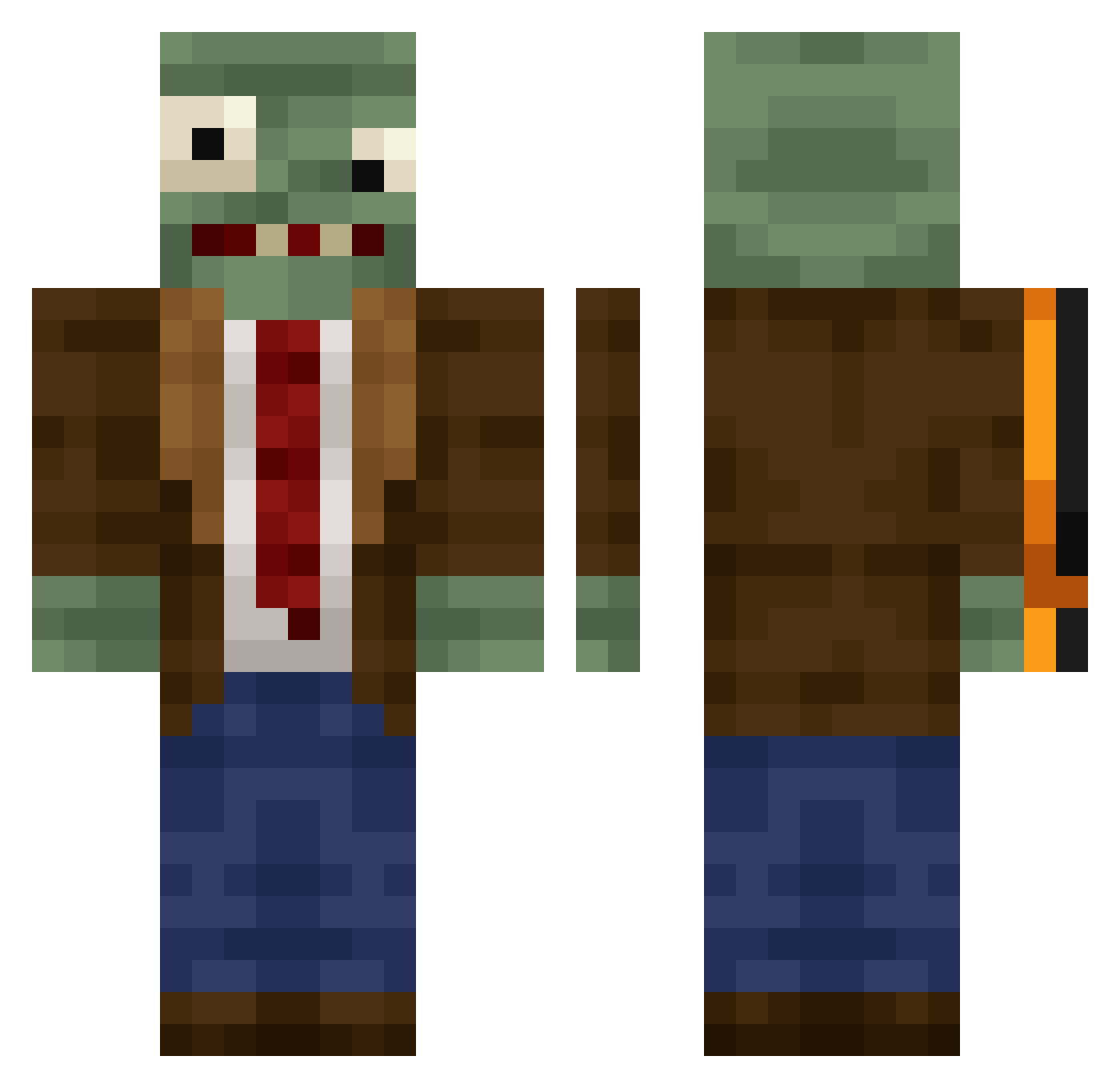
Current Minecraft skin of the player alexmking26, loaded from the official Mojang API. Rotate the 3D model with your mouse or finger, then download the skin as a PNG file and use it in Minecraft: Bedrock Edition or Java Edition for free. When alexmking26 changes their skin, this page updates automatically and the old skin stays in the history below.
Other players with this skin (444)
alexmking26 was the 115th player we have seen with this skin, first spotted on 23.08.2026. The same skin was seen on these players. Open a nickname to see their current skin and skin history.
 69NONAME96 Hy_n Minusflo_ roositoo Error20047 qdfgdgfd Txaqui hhkhhk lvsp Marsmargo Draksinner Facepaint54 Kawsifer Shn0o
 gui_gui1 rep0ll02 Lolo0564 OYEScrizzz DIEGOD_23 BecomeRat maye66619 BaoYu0831 tyylusional Little_head_hard yoyo_dan zech_pro
 wixor2sad Juppe79 wbr12 pyccku QuangKhai1511 DEODRE Veridalia benjaa27 Antrax5321 Tink4fu R4c3n4t0r YaHNiz Tusamaa RiverMYM juoliaz smbDerry ida_lollipop clxiang CrystolXC Rendelion billowings shuaiwan tannernightshade Raimbow666_ cookie3221 Aznaiden Mihiamei Cre3D6268 Gorgthegreat RealPotato3333 ChubbyPuppy86
 omoor FARTNADOOO C_whorse
More Plants Vs Zombies Minecraft skins
See all 57 Plants Vs Zombies skins
How to install the alexmking26 skin
- Press the Download button above to save the skin as a PNG file.
- Minecraft: Bedrock Edition (PE): open the Dressing Room from the main menu (or tap your character → Edit Character), go to Classic Skins → Owned, press the + (new skin) button, choose the downloaded PNG and pick the Classic (Steve) model. Works on PC and mobile; consoles cannot import custom skins.
- Minecraft: Java Edition: open the Minecraft Launcher, go to the Skins tab, click New Skin, load the PNG, pick the Classic (Steve) model and press Save & Use. You can also upload it at minecraft.net → Profile → Change Skin.
The skin does not show up after import - what should I do?
Restart Minecraft and open the Dressing Room again - imported skins sometimes appear only after a restart. Also make sure you selected the imported skin and picked the Classic (Steve) model.
Which model should I choose, Classic or Slim?
This skin is designed for the Classic (Steve) model. If you pick the wrong model, the arms of the skin will look stretched or squeezed.
Is the skin of alexmking26 free to download?
Yes. Press Download, save the PNG file and use it in Minecraft: Bedrock Edition or Java Edition - no payment or registration needed. The skin also works on multiplayer servers and Realms.
More skins
Looking for more? Go back to all Minecraft skins and check the top skins of the week, month and all time, or find any player's skin by nickname.