
alexistcooldu_nd - Minecraft Skins & Skin History
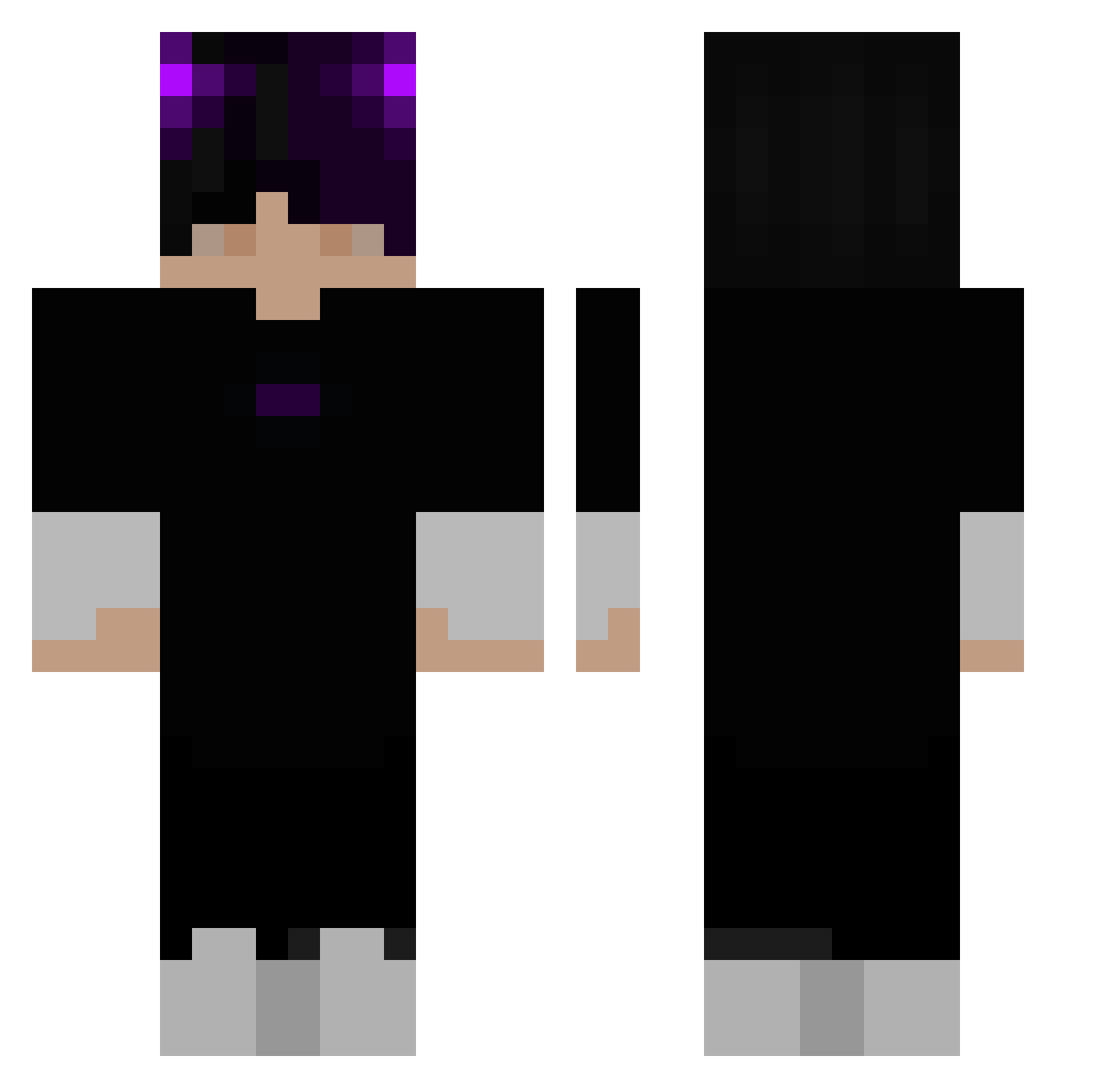
Current Minecraft skin of the player alexistcooldu_nd, loaded from the official Mojang API. Rotate the 3D model with your mouse or finger, then download the skin as a PNG file and use it in Minecraft: Bedrock Edition or Java Edition for free. When alexistcooldu_nd changes their skin, this page updates automatically and the old skin stays in the history below.
Other players with this skin (285)
alexistcooldu_nd was the 161st player we have seen with this skin, first spotted on 18.09.2026. The same skin was seen on these players. Open a nickname to see their current skin and skin history.
 Darkitax _Kaubix auticko2011 kimsemyok Foghorn_Leghorn9 Br00k3 Erhu1461 HiddenSpider_ offchoci Muvix Dark_MoonLight Bravinz RyZe_Clxpz _Gotge_ KING_mahee_mc lrs211 Henjowe UNDERSKIN07 Abyssal_Mess MixStarr pickelfingers B1e7 Staudomi07 TeasTakingOver Mynameisthad Astrogirlx SlightlyModerate FbiClient ShadowIsFound CalmingDarkness jjjjlee appollo123 DioFaraone ThemTekkers Azlu23 futon_2109 Ethan0722 Naldo1 BigBang0123 RfongET Golasalda StePlays ShadowFlopp Pudim1 King_HDgamingXL pasztetowa_69 shadowozey Cubanocommando Neoburaq MrBrainiac2014 Feffe0 Phunthabodee Mxzzz betituwu DragonAndy2560 Magarong IG_Xavier pvpapple LuckyKP thedobster2003
More Horns Minecraft skins
How to install the alexistcooldu_nd skin
- Press the Download button above to save the skin as a PNG file.
- Minecraft: Bedrock Edition (PE): open the Dressing Room from the main menu (or tap your character → Edit Character), go to Classic Skins → Owned, press the + (new skin) button, choose the downloaded PNG and pick the Classic (Steve) model. Works on PC and mobile; consoles cannot import custom skins.
- Minecraft: Java Edition: open the Minecraft Launcher, go to the Skins tab, click New Skin, load the PNG, pick the Classic (Steve) model and press Save & Use. You can also upload it at minecraft.net → Profile → Change Skin.
The skin does not show up after import - what should I do?
Restart Minecraft and open the Dressing Room again - imported skins sometimes appear only after a restart. Also make sure you selected the imported skin and picked the Classic (Steve) model.
Which model should I choose, Classic or Slim?
This skin is designed for the Classic (Steve) model. If you pick the wrong model, the arms of the skin will look stretched or squeezed.
Is the skin of alexistcooldu_nd free to download?
Yes. Press Download, save the PNG file and use it in Minecraft: Bedrock Edition or Java Edition - no payment or registration needed. The skin also works on multiplayer servers and Realms.
More skins
Looking for more? Go back to all Minecraft skins and check the top skins of the week, month and all time, or find any player's skin by nickname.