
alexinko808 - Minecraft Skins & Skin History
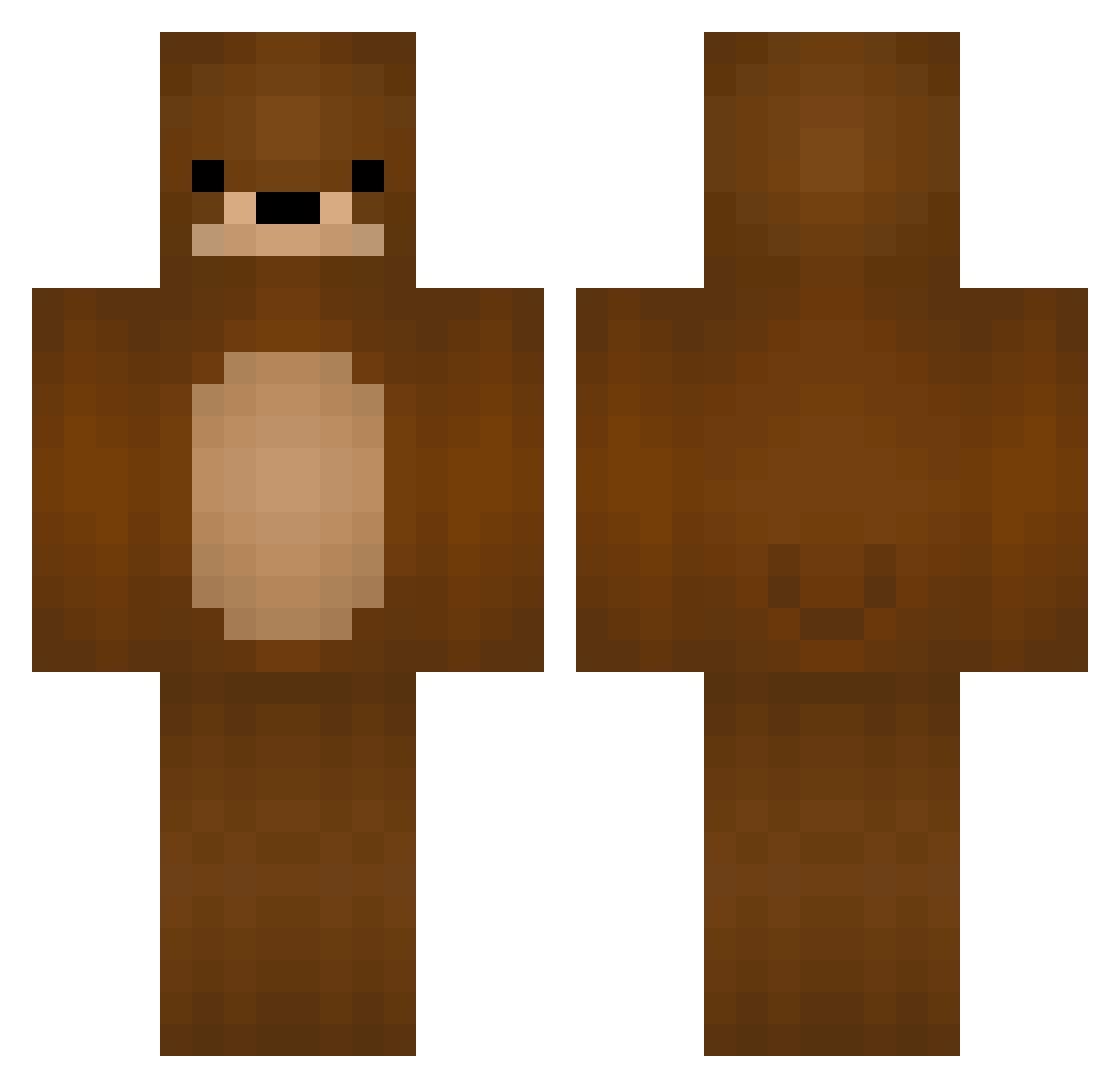
Current Minecraft skin of the player alexinko808, loaded from the official Mojang API. Rotate the 3D model with your mouse or finger, then download the skin as a PNG file and use it in Minecraft: Bedrock Edition or Java Edition for free. When alexinko808 changes their skin, this page updates automatically and the old skin stays in the history below.
Other players with this skin (235)
alexinko808 was the 50th player we have seen with this skin, first spotted on 23.08.2026. The same skin was seen on these players. Open a nickname to see their current skin and skin history.
 T0mP1ay HalDogga JasperNeilson POYO_ok Drowwnnn voxerismbmOZZ CactusWood dangerdude123 Clawebk pup3030 Misphrase Bashthedino1 123KABAN Leacaf Z00MES NivritBangliBear RusharOnCrack rebikus Yuutopia Tsunaumai OnlyHue P_yi DuXiu_HM3SOl Oagy nnnikki MRAGGZ ImMitz Ben_T_Lampard santikiz xXRatInACageXx memorize135 Seusko yoyoey BearCub118 Janno9950 DestinyCrafter99 Domithebigmac lmleli plunger_ N_Riley_H V4MP49
 Tanish_Mhatre FreeMETT mattdamonplays bobthebui YZZOOO 4mig klaraelisa BEAR_432 YouuGotWhatINeed jingleberryboo kakaisfunny zIDejavu MemberSince RoarBear Ando5501 Trincry Bxzy_JD Gombugi D_S0
More Bear Minecraft skins
How to install the alexinko808 skin
- Press the Download button above to save the skin as a PNG file.
- Minecraft: Bedrock Edition (PE): open the Dressing Room from the main menu (or tap your character → Edit Character), go to Classic Skins → Owned, press the + (new skin) button, choose the downloaded PNG and pick the Classic (Steve) model. Works on PC and mobile; consoles cannot import custom skins.
- Minecraft: Java Edition: open the Minecraft Launcher, go to the Skins tab, click New Skin, load the PNG, pick the Classic (Steve) model and press Save & Use. You can also upload it at minecraft.net → Profile → Change Skin.
The skin does not show up after import - what should I do?
Restart Minecraft and open the Dressing Room again - imported skins sometimes appear only after a restart. Also make sure you selected the imported skin and picked the Classic (Steve) model.
Which model should I choose, Classic or Slim?
This skin is designed for the Classic (Steve) model. If you pick the wrong model, the arms of the skin will look stretched or squeezed.
Is the skin of alexinko808 free to download?
Yes. Press Download, save the PNG file and use it in Minecraft: Bedrock Edition or Java Edition - no payment or registration needed. The skin also works on multiplayer servers and Realms.
More skins
Looking for more? Go back to all Minecraft skins and check the top skins of the week, month and all time, or find any player's skin by nickname.