
akaneiro000 - Minecraft Skins & Skin History
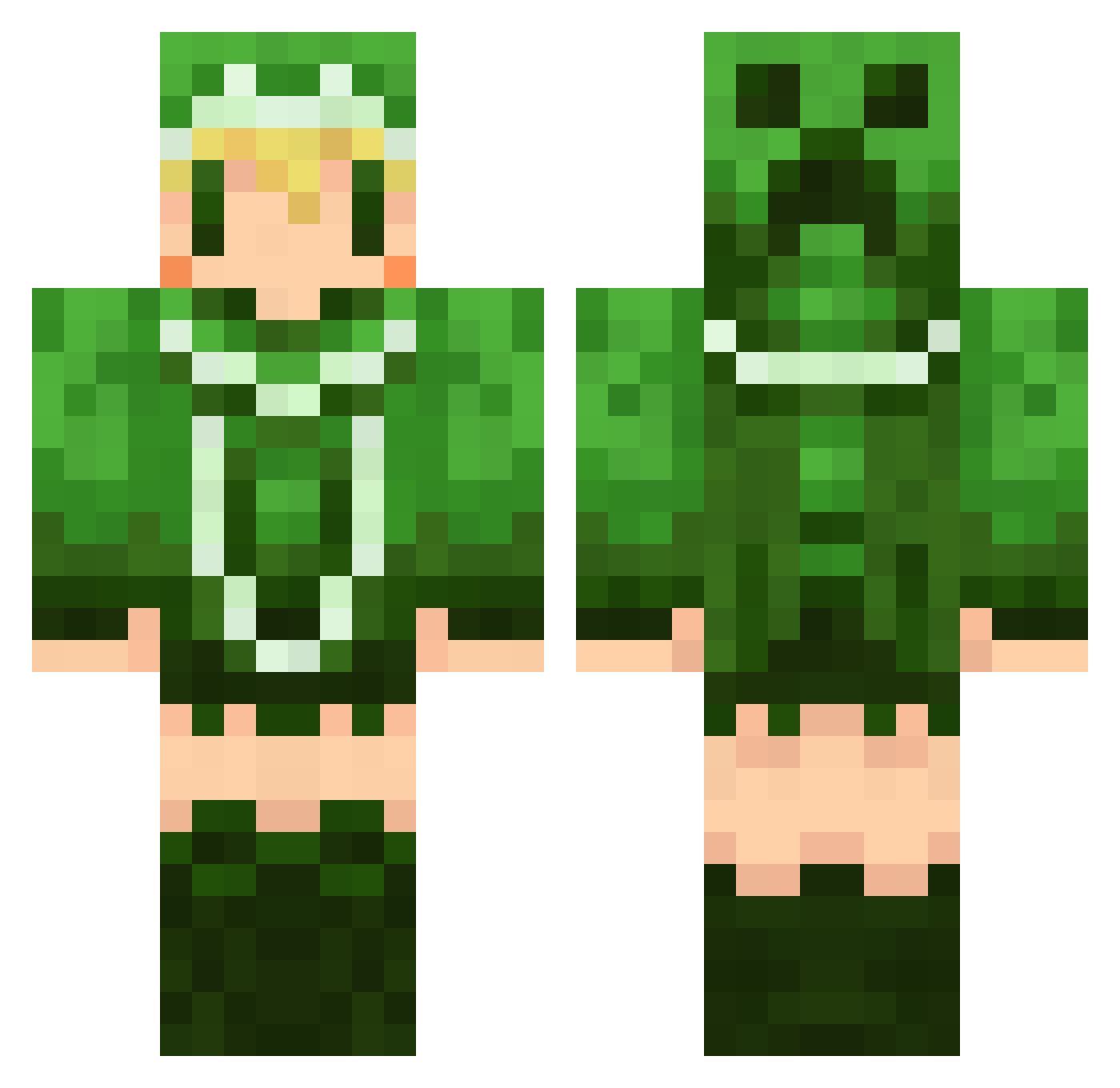
Current Minecraft skin of the player akaneiro000, loaded from the official Mojang API. Rotate the 3D model with your mouse or finger, then download the skin as a PNG file and use it in Minecraft: Bedrock Edition or Java Edition for free. When akaneiro000 changes their skin, this page updates automatically and the old skin stays in the history below.
Other players with this skin (498)
akaneiro000 was the 80th player we have seen with this skin, first spotted on 06.08.2026. The same skin was seen on these players. Open a nickname to see their current skin and skin history.
 blue__shit Sar1yA reo25 Seed0728 GaNj4 zerolay00 Chilma gomashio1833 gualneri JustATryhardDude Jouji666 yossiijp cheese_love naka621 rakuveru Liata_Blue sasayaki774 momoclo Nanowafu mayutadayo sunakosunako VaKLbeST ASUBEL Gin555 wood357 banko_1008 KAITO5836 snow_flowers miyamo1117 yuuman02 oji1222 kazanari NKITASUN minoice namieda Joestar3 Takuchiko tyoga amiboo2025 AkiMax kymms444 bright_more umyu0325 Hakua28 kusari_ex holic1013 order1885 brilliantJ Bear_Cats ashsaviour01 Zelno to_ra oni_min kazumax123 neku_haz tamamax rennka1017 yuzuhomura kumonorei Dachimon
More Creeper Minecraft skins
How to install the akaneiro000 skin
- Press the Download button above to save the skin as a PNG file.
- Minecraft: Bedrock Edition (PE): open the Dressing Room from the main menu (or tap your character → Edit Character), go to Classic Skins → Owned, press the + (new skin) button, choose the downloaded PNG and pick the Classic (Steve) model. Works on PC and mobile; consoles cannot import custom skins.
- Minecraft: Java Edition: open the Minecraft Launcher, go to the Skins tab, click New Skin, load the PNG, pick the Classic (Steve) model and press Save & Use. You can also upload it at minecraft.net → Profile → Change Skin.
The skin does not show up after import - what should I do?
Restart Minecraft and open the Dressing Room again - imported skins sometimes appear only after a restart. Also make sure you selected the imported skin and picked the Classic (Steve) model.
Which model should I choose, Classic or Slim?
This skin is designed for the Classic (Steve) model. If you pick the wrong model, the arms of the skin will look stretched or squeezed.
Is the skin of akaneiro000 free to download?
Yes. Press Download, save the PNG file and use it in Minecraft: Bedrock Edition or Java Edition - no payment or registration needed. The skin also works on multiplayer servers and Realms.
More skins
Looking for more? Go back to all Minecraft skins and check the top skins of the week, month and all time, or find any player's skin by nickname.