
aironeer_0 - Minecraft Skins & Skin History
Current Minecraft skin of the player aironeer_0, loaded from the official Mojang API. Rotate the 3D model with your mouse or finger, then download the skin as a PNG file and use it in Minecraft: Bedrock Edition or Java Edition for free. When aironeer_0 changes their skin, this page updates automatically and the old skin stays in the history below.
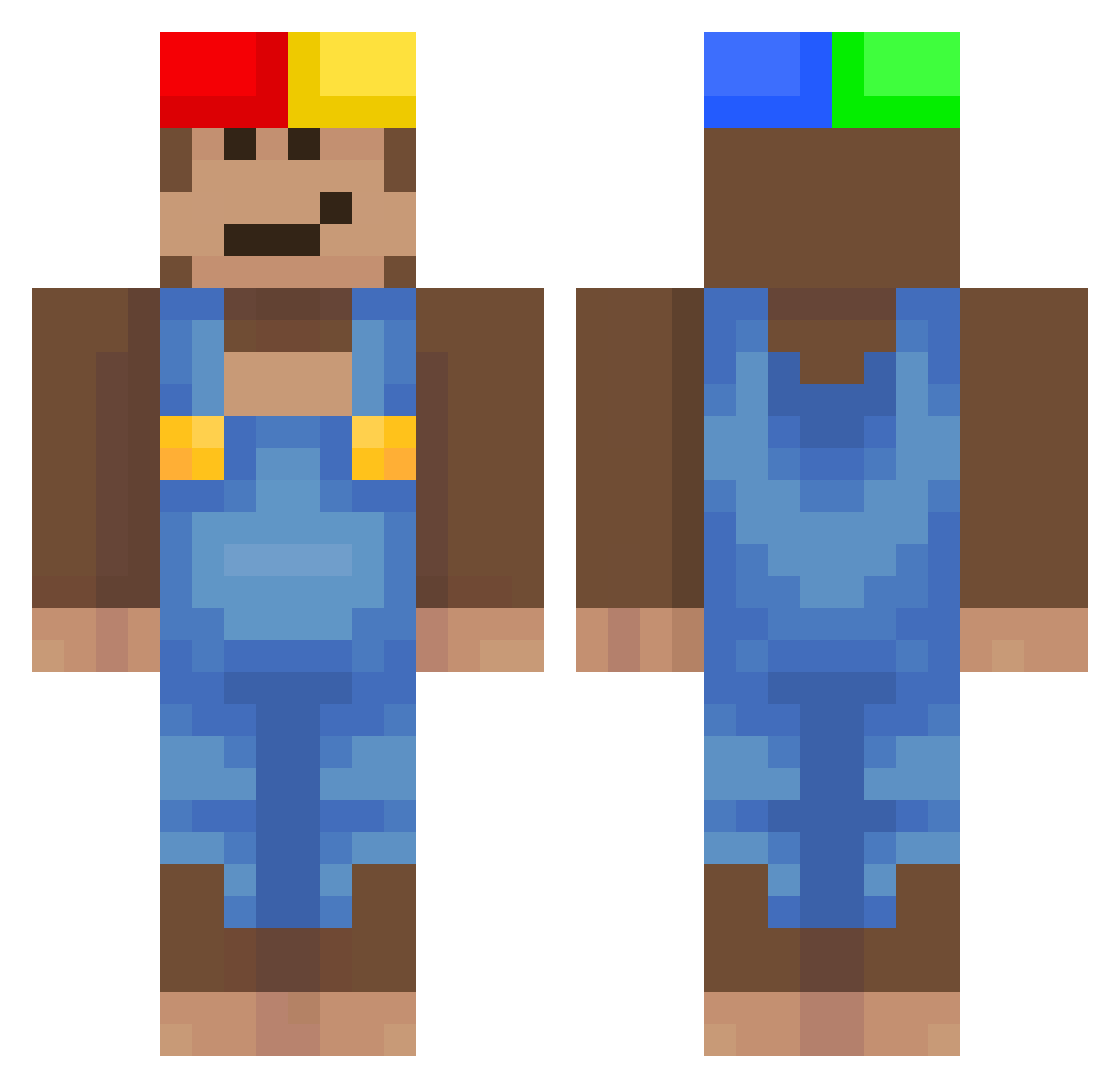
Other players with this skin (506)
aironeer_0 was the 55th player we have seen with this skin, first spotted on 04.08.2026. The same skin was seen on these players. Open a nickname to see their current skin and skin history.
 ITZBLOODZ Yuan2009 Janne_Ba Dumm_y
 flxxdztoospicy 69Ion tariktariktarik CzeslawCzeresnia itstoopure Baum1019 Dnavm Asterex Eliamo00 NONSA007 ale48k MarcusCantCount Boolby EQLIZER Cyrelle50 CoastD
 BOTOROX_69 Pbea16 ReinaChepa Doomlite
 funkymonkey280
 etil2jz Lolo9193 milk465 brrrody DEGUSTADOR IsmaaYn Baklawa47 OSCARC09 maxirochon
 B4itolaG4mes yuvxxn
 mirkitty202 UncRandy pisichkin 0afmeal
 joyne76 WD40Trampoline Geonwoosloww wiktorbalagane ytrygui Mr_Chimp08 _minecraftmason Andri0d camm454 MMENAS zeroGrav1ty0 Nivellez papawalt69420 IPiero47Ontop iwzy a1anekk_ duch455
 flufftheo FinnSchnegge Marbux
More Donkey Kong Minecraft skins
How to install the aironeer_0 skin
- Press the Download button above to save the skin as a PNG file.
- Minecraft: Bedrock Edition (PE): open the Dressing Room from the main menu (or tap your character → Edit Character), go to Classic Skins → Owned, press the + (new skin) button, choose the downloaded PNG and pick the Classic (Steve) model. Works on PC and mobile; consoles cannot import custom skins.
- Minecraft: Java Edition: open the Minecraft Launcher, go to the Skins tab, click New Skin, load the PNG, pick the Classic (Steve) model and press Save & Use. You can also upload it at minecraft.net → Profile → Change Skin.
The skin does not show up after import - what should I do?
Restart Minecraft and open the Dressing Room again - imported skins sometimes appear only after a restart. Also make sure you selected the imported skin and picked the Classic (Steve) model.
Which model should I choose, Classic or Slim?
This skin is designed for the Classic (Steve) model. If you pick the wrong model, the arms of the skin will look stretched or squeezed.
Is the skin of aironeer_0 free to download?
Yes. Press Download, save the PNG file and use it in Minecraft: Bedrock Edition or Java Edition - no payment or registration needed. The skin also works on multiplayer servers and Realms.
More skins
Looking for more? Go back to all Minecraft skins and check the top skins of the week, month and all time, or find any player's skin by nickname.