
ain333168 - Minecraft Skins & Skin History
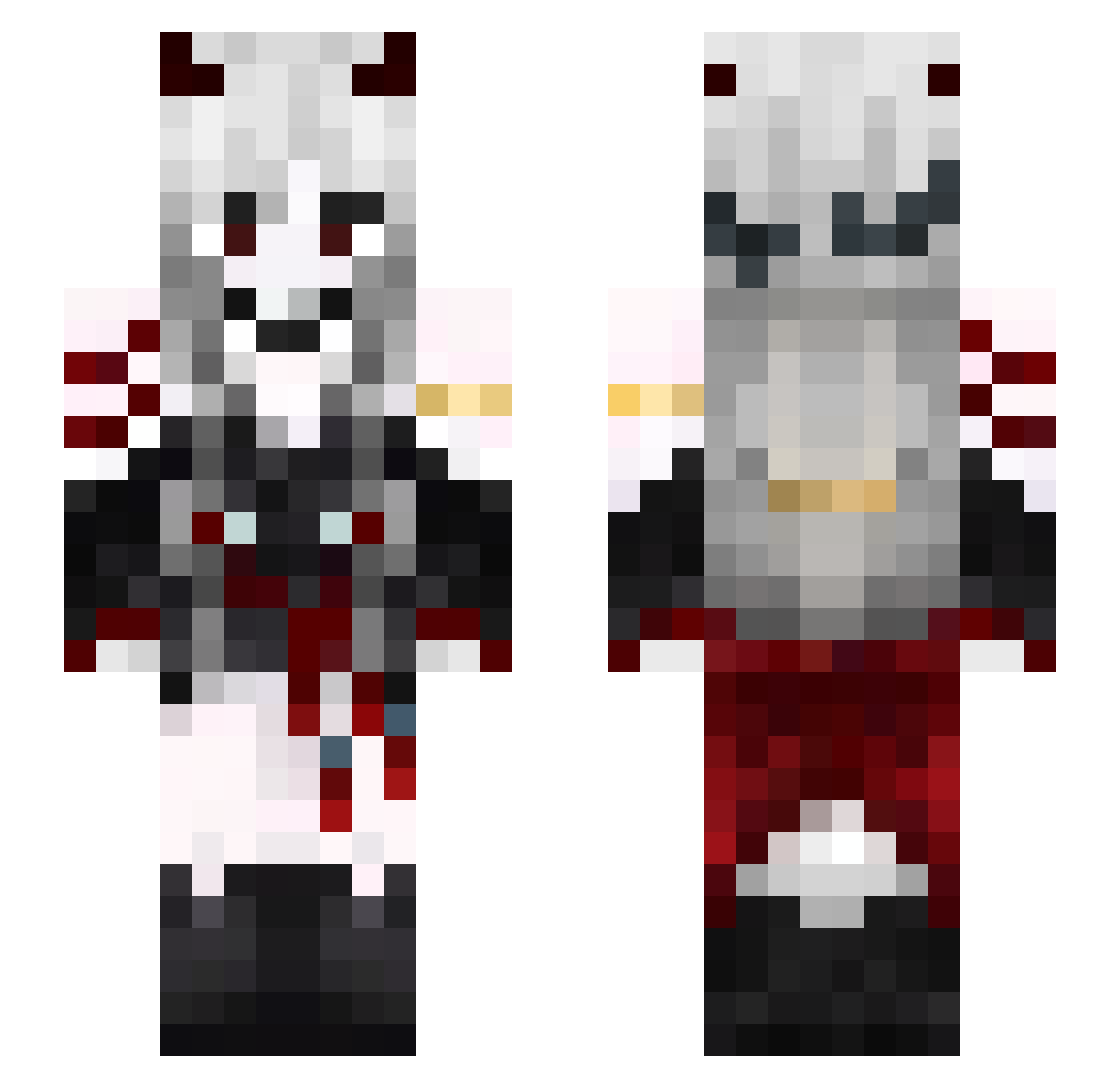
Current Minecraft skin of the player ain333168, loaded from the official Mojang API. Rotate the 3D model with your mouse or finger, then download the skin as a PNG file and use it in Minecraft: Bedrock Edition or Java Edition for free. When ain333168 changes their skin, this page updates automatically and the old skin stays in the history below.
Other players with this skin (602)
ain333168 was the 595th player we have seen with this skin, first spotted on 08.11.2026. The same skin was seen on these players. Open a nickname to see their current skin and skin history.
 BWBZ kimhaaaa blue_spider64 _Kattaru_ osmanthus95 UnholyRock Howimetbri Celi56 Soczula Amerigo_999 Faze_Kese Nekros_King weeo0 andres010a DroguiLoli Yasmim17 kiuyhj Ikiigaii Zumoto_kun liangqianpeng_kk zEngell JesieniaraBMW Savin03 Valtria0 J_O_T_A_ Hye0104Ryang Die_Schlagsahne Gearwing _akyna ubicat1 magx23 cjx093 Serafim_Juger bara_baja _zNemesis_ yu_nii Fercho45 LR02X SlipperyKoala J4d3_ Fay_C Kkkarol Nyxhalo2892 JTwan Emilu311 Wi_Ver_Na akamiya666 Vikii6453 AnimeLover8528 JSW12120 locked7675 alpagumikail HM_master sernz___ deltadylan515 DianaMiko iLoveRamenSoMuch MariusOscarDK SSomChai3269 Takanashi_Hotaru
More Demon Minecraft skins
How to install the ain333168 skin
- Press the Download button above to save the skin as a PNG file.
- Minecraft: Bedrock Edition (PE): open the Dressing Room from the main menu (or tap your character → Edit Character), go to Classic Skins → Owned, press the + (new skin) button, choose the downloaded PNG and pick the Slim (Alex) model. Works on PC and mobile; consoles cannot import custom skins.
- Minecraft: Java Edition: open the Minecraft Launcher, go to the Skins tab, click New Skin, load the PNG, pick the Slim (Alex) model and press Save & Use. You can also upload it at minecraft.net → Profile → Change Skin.
The skin does not show up after import - what should I do?
Restart Minecraft and open the Dressing Room again - imported skins sometimes appear only after a restart. Also make sure you selected the imported skin and picked the Slim (Alex) model.
Which model should I choose, Classic or Slim?
This skin is designed for the Slim (Alex) model. If you pick the wrong model, the arms of the skin will look stretched or squeezed.
Is the skin of ain333168 free to download?
Yes. Press Download, save the PNG file and use it in Minecraft: Bedrock Edition or Java Edition - no payment or registration needed. The skin also works on multiplayer servers and Realms.
More skins
Looking for more? Go back to all Minecraft skins and check the top skins of the week, month and all time, or find any player's skin by nickname.