
aightville - Minecraft Skins & Skin History
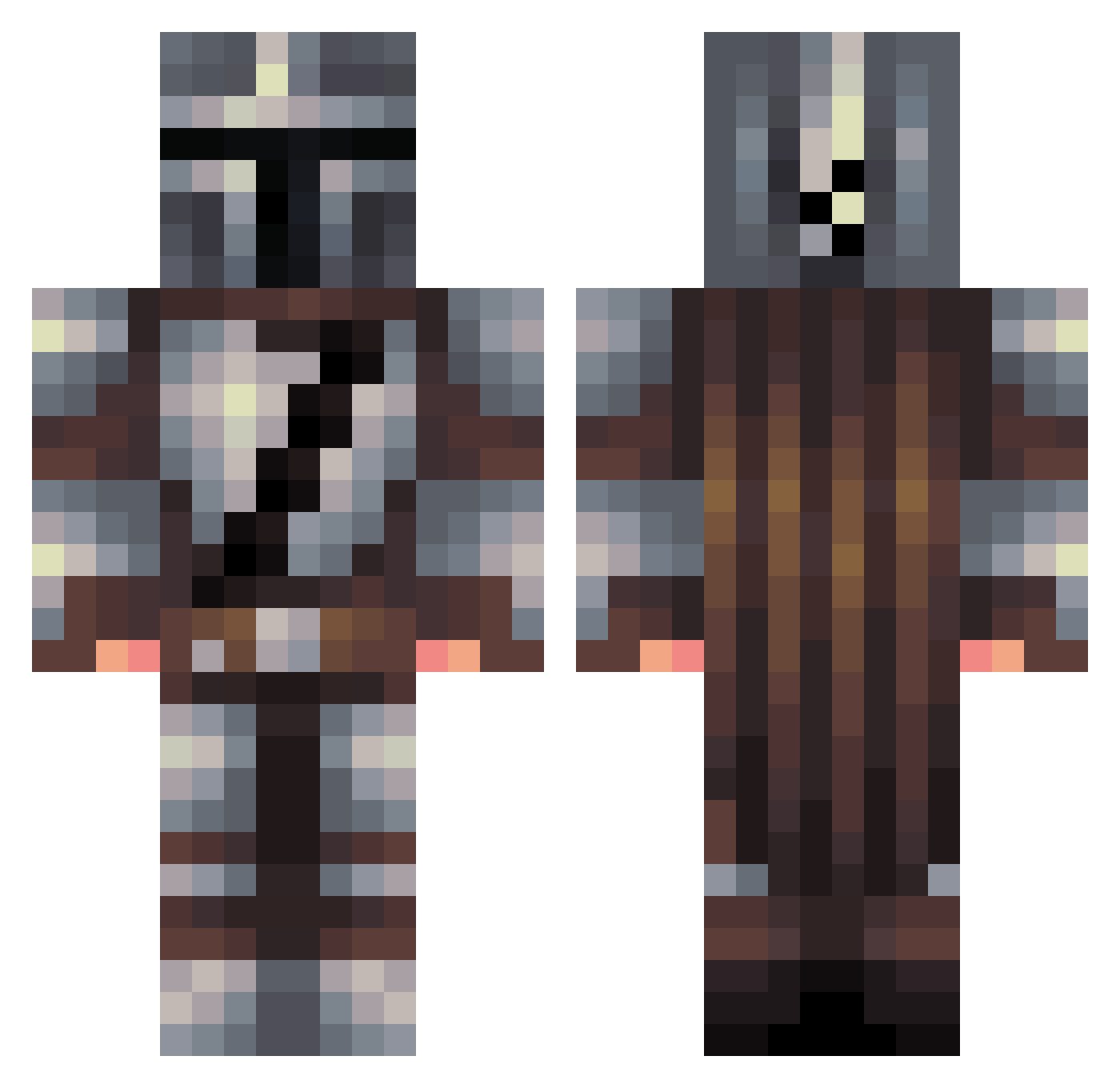
Current Minecraft skin of the player aightville, loaded from the official Mojang API. Rotate the 3D model with your mouse or finger, then download the skin as a PNG file and use it in Minecraft: Bedrock Edition or Java Edition for free. When aightville changes their skin, this page updates automatically and the old skin stays in the history below.
Other players with this skin (456)
aightville was the 358th player we have seen with this skin, first spotted on 16.10.2026. The same skin was seen on these players. Open a nickname to see their current skin and skin history.
 DusterHogan infinite_elite RahmKota3 neTsurt Pocket_titan EcstaticVale VazeDE Waltra30 Rootb33r NomadActual_ HappyOxy KCoutoVA flyingpig1031 Kendixo BluePhoenix_91 Zoljiin WilburRoo101 zaku33 Remagui Cheesemonkey91 jrs3000 Bubzadore magicjohnson1 PabloNaranjo37 saulo12 rjcarlin TimmyTechTV STH798 Wolf2203_ Beidlklatscha ladriages Saltyjunt Acicles robba024 Bbarela DefiantGent Jock_503 TheTurtleHermit Blueshot Andy_Bar187 Qeldro Arkeyn rockysarra Try_again_ pizzabox53 ForeignComrade Minimorc rojjan smileitsmiles Fenrir_72 TedwardBroseph SMG512 thedbu4 JixReborn xBRELAND sea_picklee _Scxxby_ Mzrtol Silesias SOMERANDOMBODY
More The Mandalorian Minecraft skins
See all 591 The Mandalorian skins
How to install the aightville skin
- Press the Download button above to save the skin as a PNG file.
- Minecraft: Bedrock Edition (PE): open the Dressing Room from the main menu (or tap your character → Edit Character), go to Classic Skins → Owned, press the + (new skin) button, choose the downloaded PNG and pick the Classic (Steve) model. Works on PC and mobile; consoles cannot import custom skins.
- Minecraft: Java Edition: open the Minecraft Launcher, go to the Skins tab, click New Skin, load the PNG, pick the Classic (Steve) model and press Save & Use. You can also upload it at minecraft.net → Profile → Change Skin.
The skin does not show up after import - what should I do?
Restart Minecraft and open the Dressing Room again - imported skins sometimes appear only after a restart. Also make sure you selected the imported skin and picked the Classic (Steve) model.
Which model should I choose, Classic or Slim?
This skin is designed for the Classic (Steve) model. If you pick the wrong model, the arms of the skin will look stretched or squeezed.
Is the skin of aightville free to download?
Yes. Press Download, save the PNG file and use it in Minecraft: Bedrock Edition or Java Edition - no payment or registration needed. The skin also works on multiplayer servers and Realms.
More skins
Looking for more? Go back to all Minecraft skins and check the top skins of the week, month and all time, or find any player's skin by nickname.