
aidynxoo - Minecraft Skins & Skin History
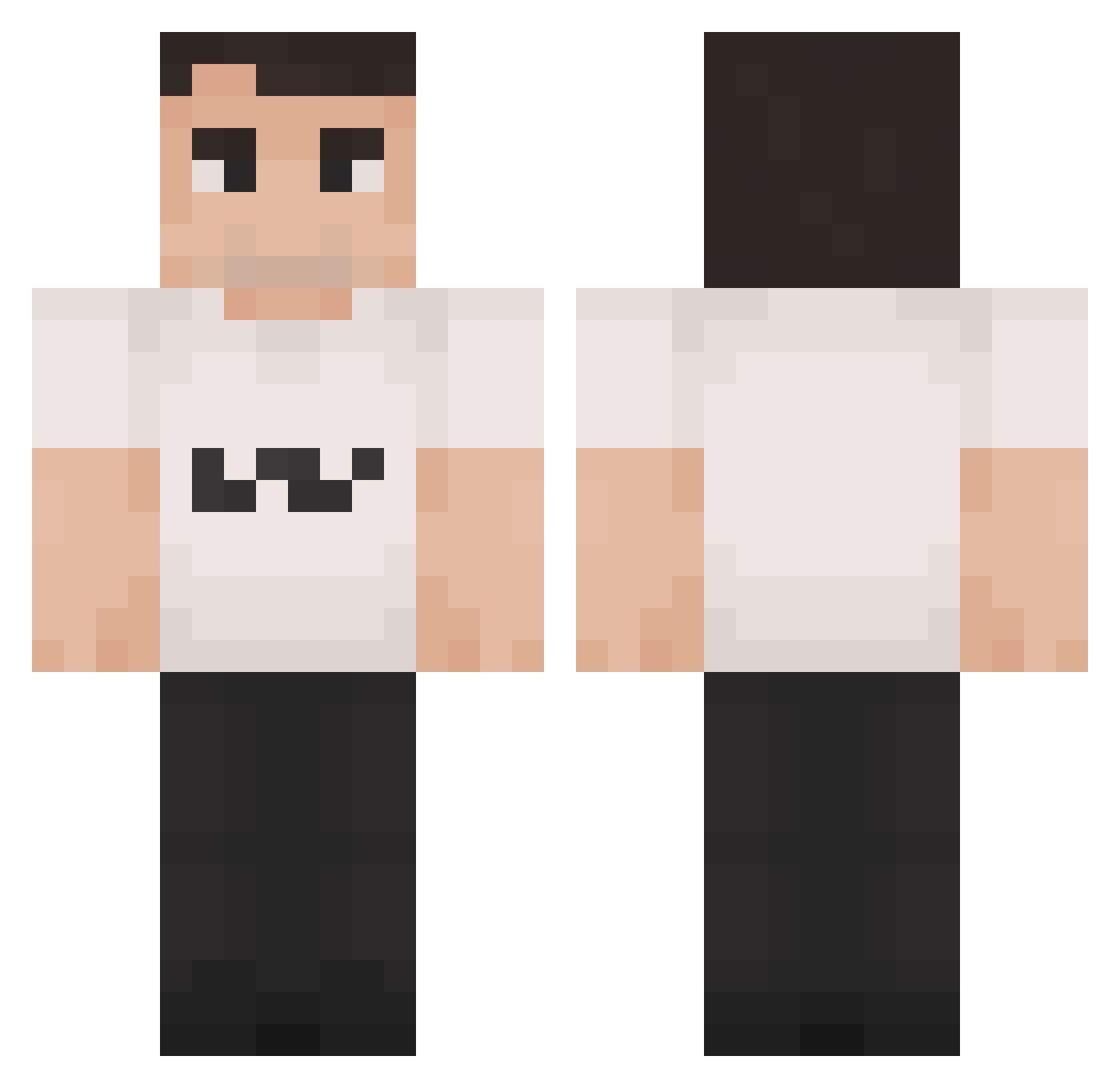
Current Minecraft skin of the player aidynxoo, loaded from the official Mojang API. Rotate the 3D model with your mouse or finger, then download the skin as a PNG file and use it in Minecraft: Bedrock Edition or Java Edition for free. When aidynxoo changes their skin, this page updates automatically and the old skin stays in the history below.
Other players with this skin (1421)
aidynxoo was the 501st player we have seen with this skin, first spotted on 30.08.2026. The same skin was seen on these players. Open a nickname to see their current skin and skin history.
 minimonstri Robiz_m DestroyerLXT Mcfastt 2ATK4 Axcry OhEsc rmndo1 Gazrekt Kekuusi Evil_Ryan_Jessop Fynnn09
 Sleep_City moemoney00 CurtisFlowers shrogger Str0k TheAnti_Chaka fafattv polletogod Juatma555 Epic_gamer475 sinnerrrrrr
 Wasmus9969 ToLdT Weeeebster CharlieKirk8 PrepArcher4094 Gr1zzly_07 StinkySteve11 Orichi1692 Julius6061 Sir_Fred_ Skaffatar050 TOTOX797 thanato0s espasti CharlieKirkr34 GirthQuake06 AitoDani landw1 Ilovemarsvin Quubeq ReviveCharliKirk poopeewilly 6ougy bruhbreadloaf AYUSOQUESITO
 _Wytrych_ d1omc23 JustaFlooke Shokolatino Sweepyy Chleboslawa CaptainAuto DiGmeBB BalesDot Charlie_Kirk67 PillowNaut Sheriffskin
More Schlatt Minecraft skins
How to install the aidynxoo skin
- Press the Download button above to save the skin as a PNG file.
- Minecraft: Bedrock Edition (PE): open the Dressing Room from the main menu (or tap your character → Edit Character), go to Classic Skins → Owned, press the + (new skin) button, choose the downloaded PNG and pick the Classic (Steve) model. Works on PC and mobile; consoles cannot import custom skins.
- Minecraft: Java Edition: open the Minecraft Launcher, go to the Skins tab, click New Skin, load the PNG, pick the Classic (Steve) model and press Save & Use. You can also upload it at minecraft.net → Profile → Change Skin.
The skin does not show up after import - what should I do?
Restart Minecraft and open the Dressing Room again - imported skins sometimes appear only after a restart. Also make sure you selected the imported skin and picked the Classic (Steve) model.
Which model should I choose, Classic or Slim?
This skin is designed for the Classic (Steve) model. If you pick the wrong model, the arms of the skin will look stretched or squeezed.
Is the skin of aidynxoo free to download?
Yes. Press Download, save the PNG file and use it in Minecraft: Bedrock Edition or Java Edition - no payment or registration needed. The skin also works on multiplayer servers and Realms.
More skins
Looking for more? Go back to all Minecraft skins and check the top skins of the week, month and all time, or find any player's skin by nickname.