
aidenash07 - Minecraft Skins & Skin History
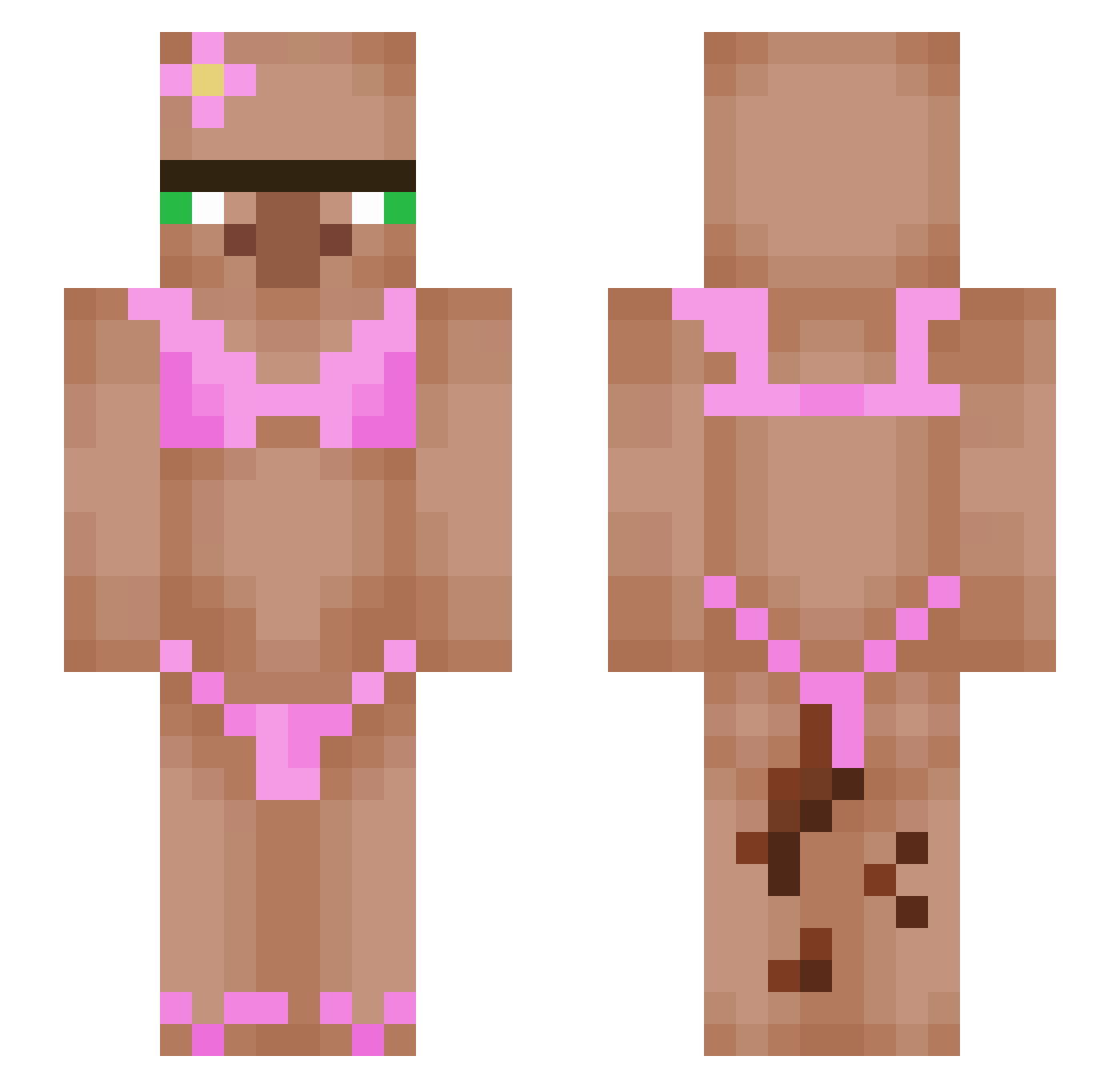
Current Minecraft skin of the player aidenash07, loaded from the official Mojang API. Rotate the 3D model with your mouse or finger, then download the skin as a PNG file and use it in Minecraft: Bedrock Edition or Java Edition for free. When aidenash07 changes their skin, this page updates automatically and the old skin stays in the history below.
Other players with this skin (553)
aidenash07 was the 397th player we have seen with this skin, first spotted on 10.10.2026. The same skin was seen on these players. Open a nickname to see their current skin and skin history.
 SANTIAGO1221 636ivan LikingAnimal5 samfarm Mr26mm KryptoRC whatsupoz Matzku36 JaxsonGods Alphas04 Bigdog1000 b4rron KyrxV AirBuns MEGA_MIND4 mowwyy Martino4 LaTable3556 Noodless1 Skullz1134 Beni141 SpooneySoda9613 VeloxGg jamal6800 smellynoodles40 mazin9321 Mr_Tree64 compost1234 afjiop KermitDaFrogie thefiredragon15 boxernop Nimbus381 Nateoliver11 WUDIBO landon20914 atjacques ItsPsyk Fourwheel2010 yu7852 amirkai Mycheng Alpha_sniper338 PeelPop KenshiiroKC emyrstg s4ndw1ch123 BurgerTransfer lovemuffin765 cristideges Just_a_taco_ blockedANDcocked BukLau69 chunkychongrr spacehood joannaaaa SirBillyBobJoe fingerman3 ElDokka _MrPumpernickle_
More Bikini Minecraft skins
How to install the aidenash07 skin
- Press the Download button above to save the skin as a PNG file.
- Minecraft: Bedrock Edition (PE): open the Dressing Room from the main menu (or tap your character → Edit Character), go to Classic Skins → Owned, press the + (new skin) button, choose the downloaded PNG and pick the Slim (Alex) model. Works on PC and mobile; consoles cannot import custom skins.
- Minecraft: Java Edition: open the Minecraft Launcher, go to the Skins tab, click New Skin, load the PNG, pick the Slim (Alex) model and press Save & Use. You can also upload it at minecraft.net → Profile → Change Skin.
The skin does not show up after import - what should I do?
Restart Minecraft and open the Dressing Room again - imported skins sometimes appear only after a restart. Also make sure you selected the imported skin and picked the Slim (Alex) model.
Which model should I choose, Classic or Slim?
This skin is designed for the Slim (Alex) model. If you pick the wrong model, the arms of the skin will look stretched or squeezed.
Is the skin of aidenash07 free to download?
Yes. Press Download, save the PNG file and use it in Minecraft: Bedrock Edition or Java Edition - no payment or registration needed. The skin also works on multiplayer servers and Realms.
More skins
Looking for more? Go back to all Minecraft skins and check the top skins of the week, month and all time, or find any player's skin by nickname.