
af8257 - Minecraft Skins & Skin History
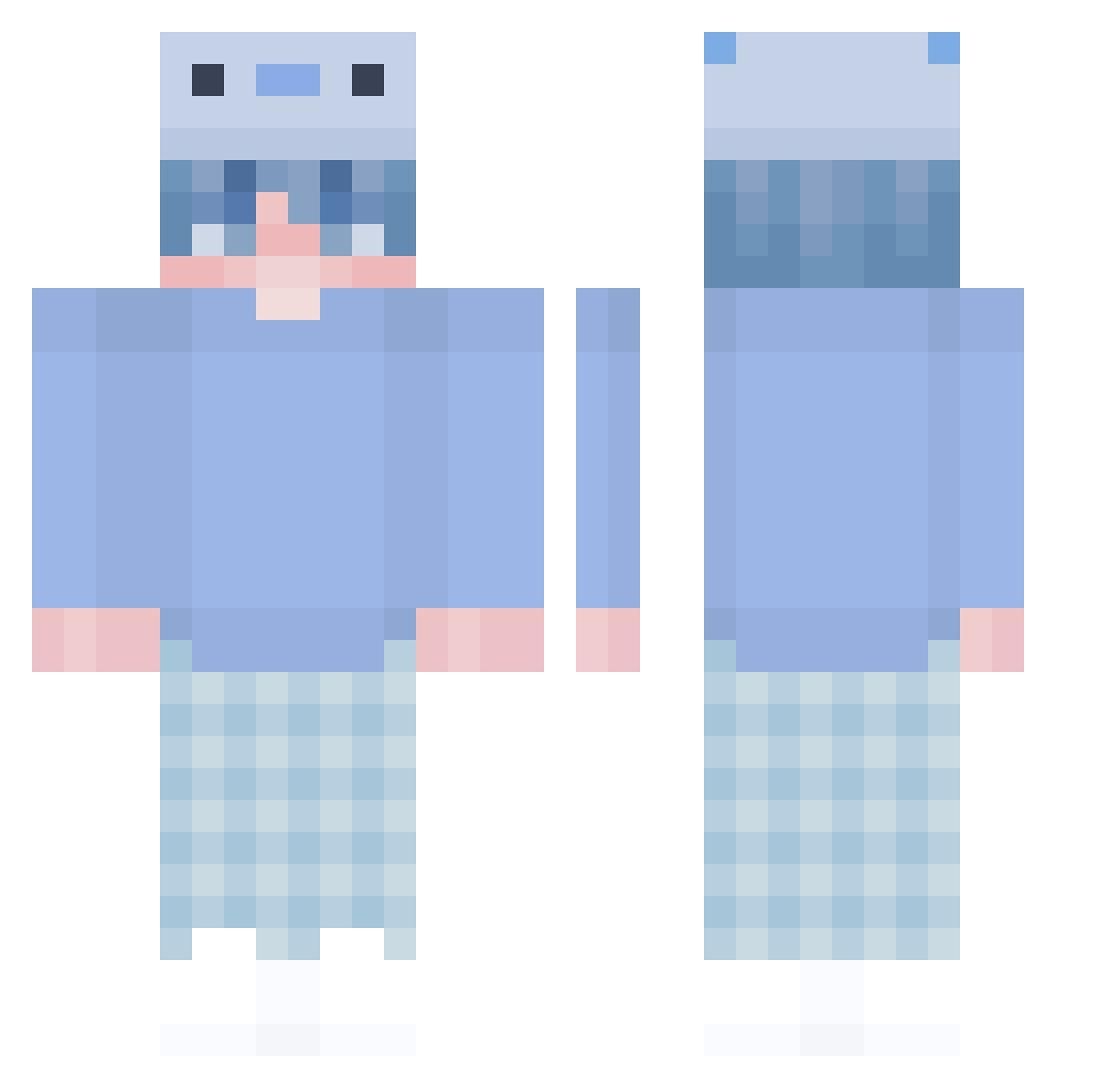
Current Minecraft skin of the player af8257, loaded from the official Mojang API. Rotate the 3D model with your mouse or finger, then download the skin as a PNG file and use it in Minecraft: Bedrock Edition or Java Edition for free. When af8257 changes their skin, this page updates automatically and the old skin stays in the history below.
Other players with this skin (448)
af8257 was the 217th player we have seen with this skin, first spotted on 19.09.2026. The same skin was seen on these players. Open a nickname to see their current skin and skin history.
 Lamithecutie zsozso8802 AetherOrion PESMY_12 icebicky HoldTing angus930805 gabe_artschool iGuGu_ ParenaLMAO NOTDADDYJ LOMANOM Pantalex33 Fleming_Maple Daimie mindolee1 Cherry06080 Henman9871 deDash Flare22 piRATeeeee Arvisco AzarroXD ZityYs Beatst Si_Lin phoenix86222 General_Levo TheKingArgos somuyang Keven4848 ev1lsinister36 Hqma00y Re_BEN2 KALE_sky Juan_v Azyma_ TimEng10 andresfalcon Itz_Devid kkoni gamer0710 KirbyNyan omar_mss ChaoPeach qfLAYR shiro0710 Wickeds0 andiissocoollike DK_ExXe JeuAllen QuackmireVI MrSampsa11 rakaci03 Kitmo6017 RoMasumi LoulouXor bbbrainz Ratzu 2_32
More Axolotl Hat Minecraft skins
How to install the af8257 skin
- Press the Download button above to save the skin as a PNG file.
- Minecraft: Bedrock Edition (PE): open the Dressing Room from the main menu (or tap your character → Edit Character), go to Classic Skins → Owned, press the + (new skin) button, choose the downloaded PNG and pick the Classic (Steve) model. Works on PC and mobile; consoles cannot import custom skins.
- Minecraft: Java Edition: open the Minecraft Launcher, go to the Skins tab, click New Skin, load the PNG, pick the Classic (Steve) model and press Save & Use. You can also upload it at minecraft.net → Profile → Change Skin.
The skin does not show up after import - what should I do?
Restart Minecraft and open the Dressing Room again - imported skins sometimes appear only after a restart. Also make sure you selected the imported skin and picked the Classic (Steve) model.
Which model should I choose, Classic or Slim?
This skin is designed for the Classic (Steve) model. If you pick the wrong model, the arms of the skin will look stretched or squeezed.
Is the skin of af8257 free to download?
Yes. Press Download, save the PNG file and use it in Minecraft: Bedrock Edition or Java Edition - no payment or registration needed. The skin also works on multiplayer servers and Realms.
More skins
Looking for more? Go back to all Minecraft skins and check the top skins of the week, month and all time, or find any player's skin by nickname.