
adriannieto29 - Minecraft Skins & Skin History
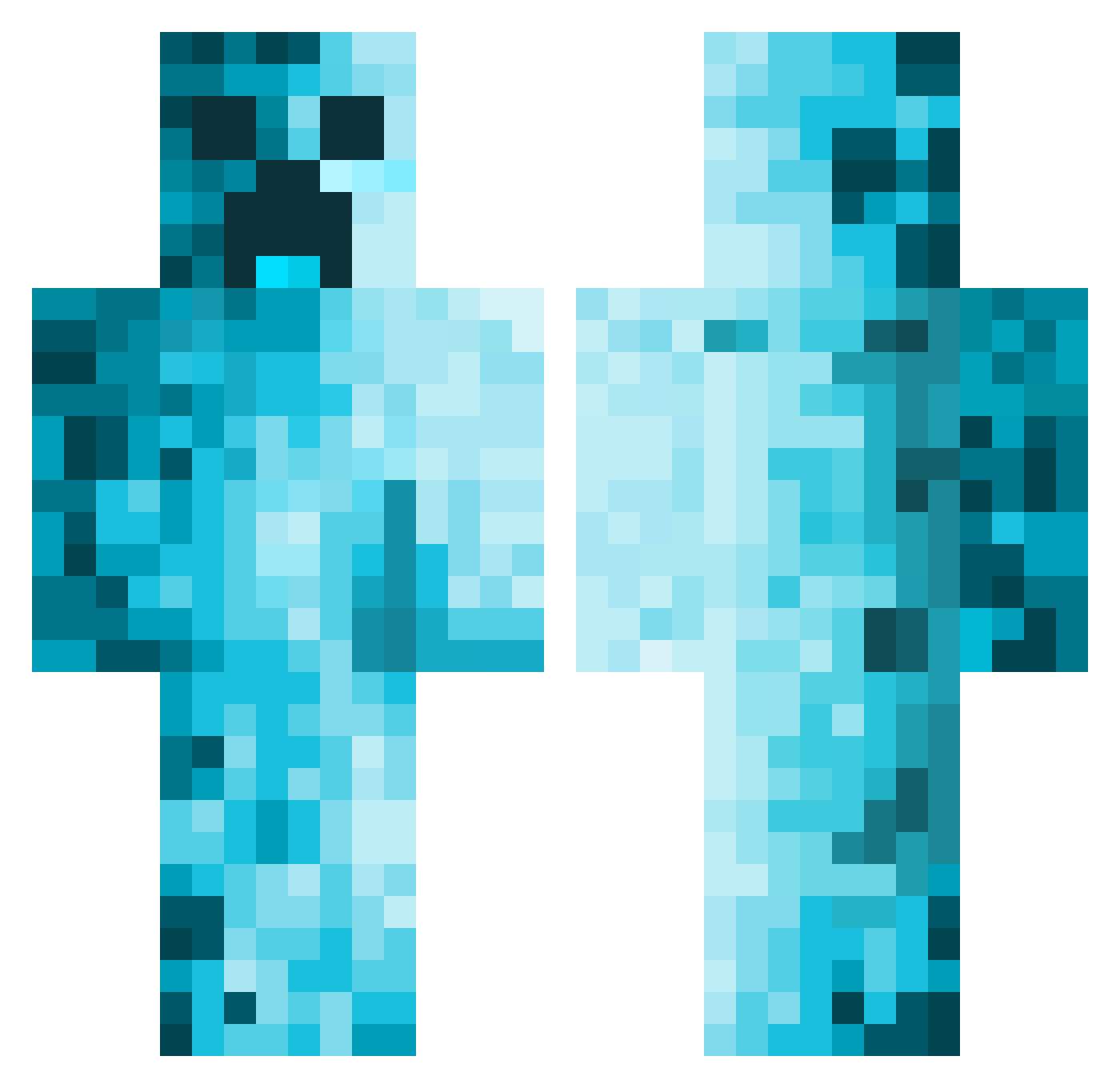
Current Minecraft skin of the player adriannieto29, loaded from the official Mojang API. Rotate the 3D model with your mouse or finger, then download the skin as a PNG file and use it in Minecraft: Bedrock Edition or Java Edition for free. When adriannieto29 changes their skin, this page updates automatically and the old skin stays in the history below.
Other players with this skin (611)
adriannieto29 was the 88th player we have seen with this skin, first spotted on 10.08.2026. The same skin was seen on these players. Open a nickname to see their current skin and skin history.
 MustardMars7312 LukeCgames RaptoriaL_ Sumit_ Jerrrrrm Mercuric_ YunifY1 Santa_Inger Killolantern1 ApexTheGreat0124 Mr_BoQ MarifetliMorty Dmuns_ TheFilzmax maniek1201 Be_the_log LEM_TINTIN_34 Ureal745 Max1906_ Skippybogaulnuts Gulir TrickyRicky89YT DragonDaniel13 QueLocoNo2021 _Ricola_ CrazeCHUNGUS lutvis Mancap4 Danielo_E warpedchi LizCHatch KingPapi_ ezbeast6 javijam69 InEffabless jackous22 hypericon ilove3393 Zolomons oliwer_gold CheetahLord14 YumYumGetYaSum Chopls Retsch06 Ajayt10 Tkuwei BabyYoda424 KrReichy Matix2877 Itiseasy KhalArro Karuzi1991 Itztherealme ok8o_ Koko6773 Pix985 Hillbilly_Jo flowa_powa ELEL888GAMER happywobot
More Creeper Minecraft skins
How to install the adriannieto29 skin
- Press the Download button above to save the skin as a PNG file.
- Minecraft: Bedrock Edition (PE): open the Dressing Room from the main menu (or tap your character → Edit Character), go to Classic Skins → Owned, press the + (new skin) button, choose the downloaded PNG and pick the Classic (Steve) model. Works on PC and mobile; consoles cannot import custom skins.
- Minecraft: Java Edition: open the Minecraft Launcher, go to the Skins tab, click New Skin, load the PNG, pick the Classic (Steve) model and press Save & Use. You can also upload it at minecraft.net → Profile → Change Skin.
The skin does not show up after import - what should I do?
Restart Minecraft and open the Dressing Room again - imported skins sometimes appear only after a restart. Also make sure you selected the imported skin and picked the Classic (Steve) model.
Which model should I choose, Classic or Slim?
This skin is designed for the Classic (Steve) model. If you pick the wrong model, the arms of the skin will look stretched or squeezed.
Is the skin of adriannieto29 free to download?
Yes. Press Download, save the PNG file and use it in Minecraft: Bedrock Edition or Java Edition - no payment or registration needed. The skin also works on multiplayer servers and Realms.
More skins
Looking for more? Go back to all Minecraft skins and check the top skins of the week, month and all time, or find any player's skin by nickname.