
adobomuncher900 - Minecraft Skins & Skin History
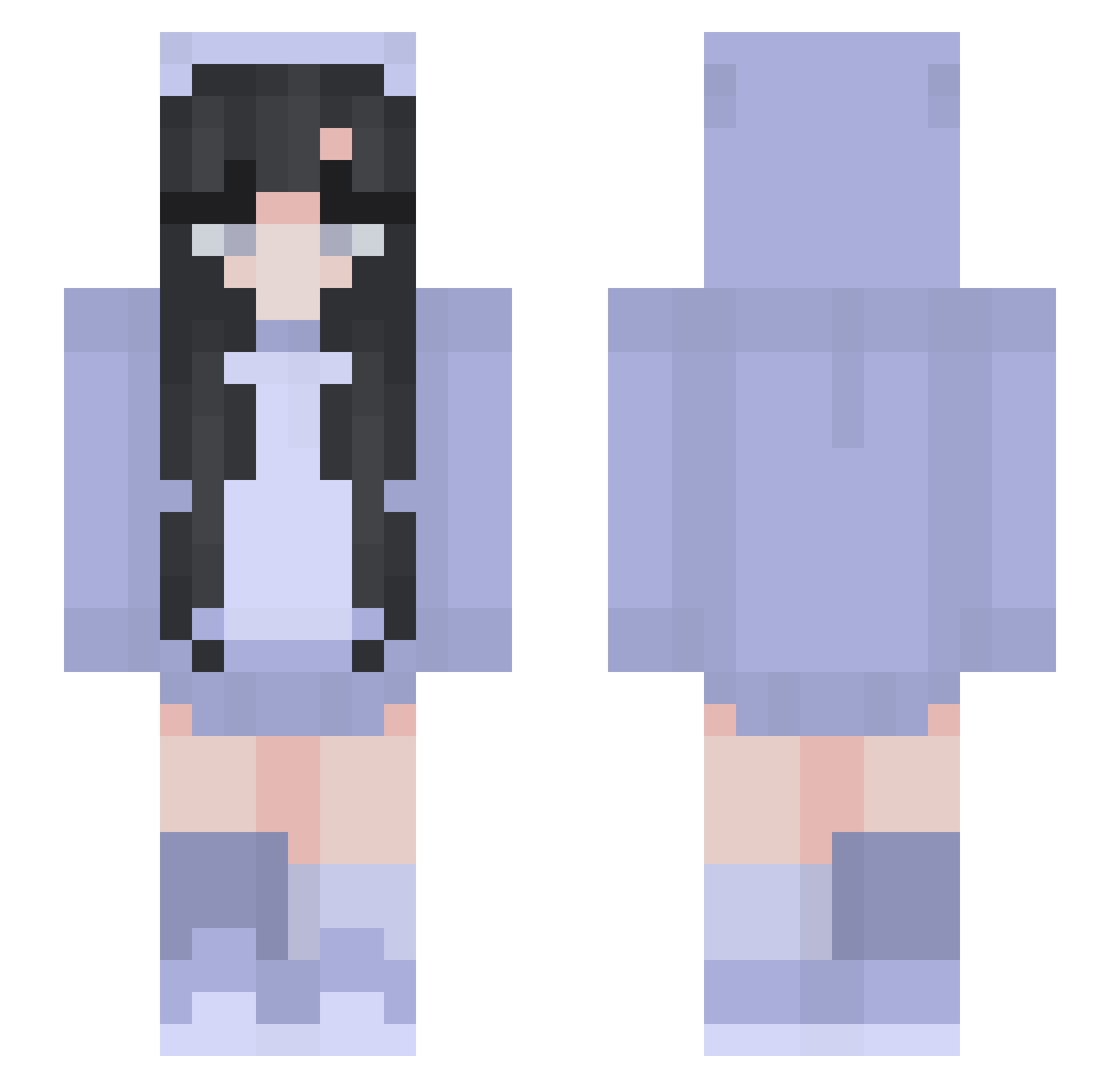
Current Minecraft skin of the player adobomuncher900, loaded from the official Mojang API. Rotate the 3D model with your mouse or finger, then download the skin as a PNG file and use it in Minecraft: Bedrock Edition or Java Edition for free. When adobomuncher900 changes their skin, this page updates automatically and the old skin stays in the history below.
Other players with this skin (265)
adobomuncher900 was the 122nd player we have seen with this skin, first spotted on 10.09.2026. The same skin was seen on these players. Open a nickname to see their current skin and skin history.
 snow8607 laupoup PooPooGirlForevr Larance_ Chihya_72 marionzzy justnobodyhere _Ronze ange_ie Jsie TF_L Daisuuu_ew ALAREchan Lela7828 TylerrAnimeBanFC tamitaHD Katinna odisseu2003 pys0331 kitsooon _promokashka_ zscally same_hir Rapid199 Anemone71 Babycr0c peanuts115 ilyamellka deabezte Reeemoh KOJOVI20 beascannavini Lizzie7777 yys04 PRZEPOTUHCAotf99 osnapsitzlex ma2ya Natalicik Act_Anemone floralfruity Meidinchina Ruber_9 R03ER74 Nisseya kookiemy olivegarden000 NewtIsCute iiCloudyangel phoenix31298 mukuro0804 Miss_oreo_Pika NOASV Josshhhhh DR1PT00HARD allyasalways Siegnora SixthLearner994 Brooklyn_08 SexHyungbeen Slyrehia
More Pastel Minecraft skins
How to install the adobomuncher900 skin
- Press the Download button above to save the skin as a PNG file.
- Minecraft: Bedrock Edition (PE): open the Dressing Room from the main menu (or tap your character → Edit Character), go to Classic Skins → Owned, press the + (new skin) button, choose the downloaded PNG and pick the Slim (Alex) model. Works on PC and mobile; consoles cannot import custom skins.
- Minecraft: Java Edition: open the Minecraft Launcher, go to the Skins tab, click New Skin, load the PNG, pick the Slim (Alex) model and press Save & Use. You can also upload it at minecraft.net → Profile → Change Skin.
The skin does not show up after import - what should I do?
Restart Minecraft and open the Dressing Room again - imported skins sometimes appear only after a restart. Also make sure you selected the imported skin and picked the Slim (Alex) model.
Which model should I choose, Classic or Slim?
This skin is designed for the Slim (Alex) model. If you pick the wrong model, the arms of the skin will look stretched or squeezed.
Is the skin of adobomuncher900 free to download?
Yes. Press Download, save the PNG file and use it in Minecraft: Bedrock Edition or Java Edition - no payment or registration needed. The skin also works on multiplayer servers and Realms.
More skins
Looking for more? Go back to all Minecraft skins and check the top skins of the week, month and all time, or find any player's skin by nickname.