
SexHyungbeen - Minecraft Skins & Skin History
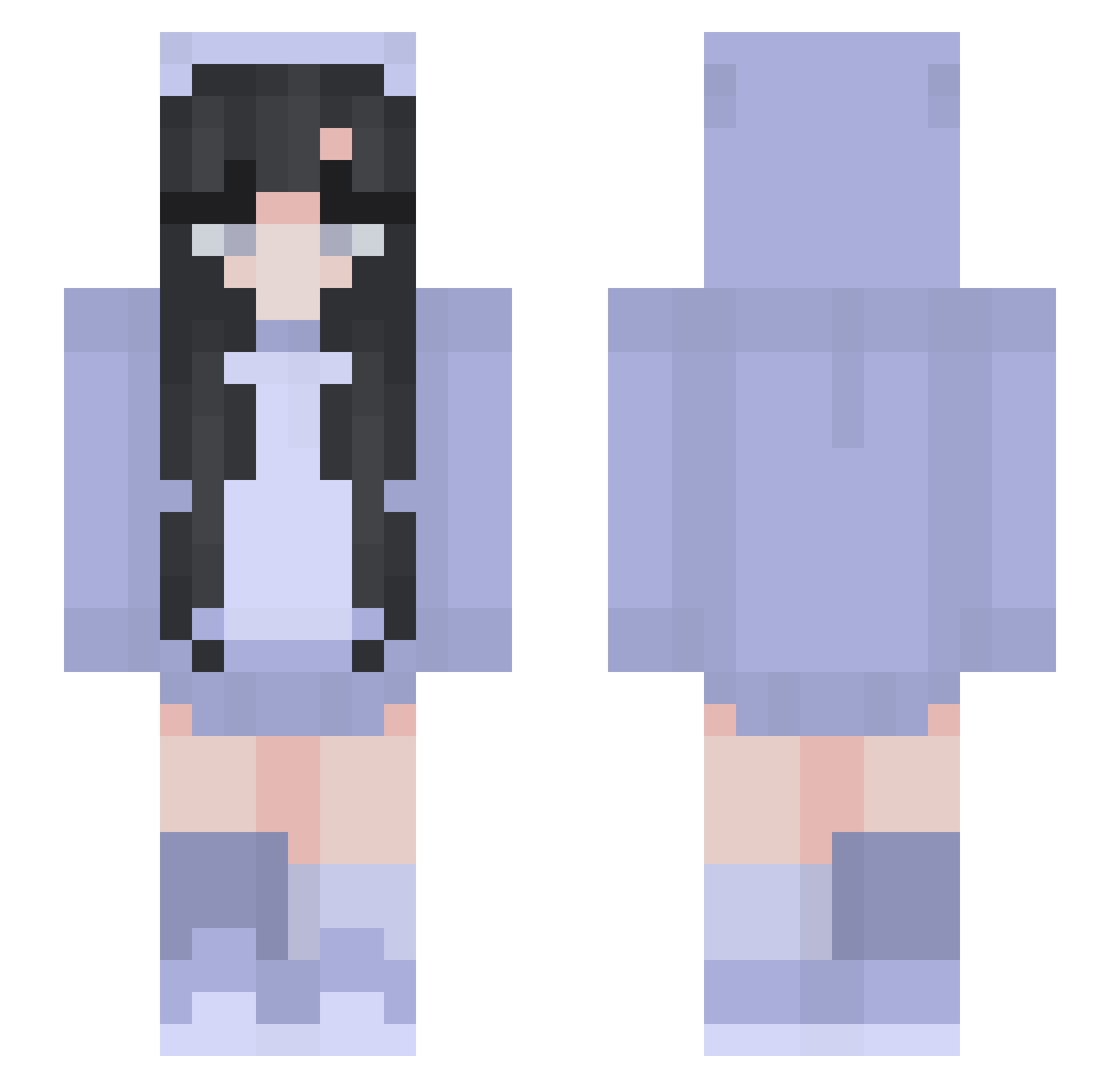
Current Minecraft skin of the player SexHyungbeen, loaded from the official Mojang API. Rotate the 3D model with your mouse or finger, then download the skin as a PNG file and use it in Minecraft: Bedrock Edition or Java Edition for free. When SexHyungbeen changes their skin, this page updates automatically and the old skin stays in the history below.
Other players with this skin (265)
SexHyungbeen was the 150th player we have seen with this skin, first spotted on 24.09.2026. The same skin was seen on these players. Open a nickname to see their current skin and skin history.
 Brooklyn_08 Slyrehia FoxFly482 NOASV macchiatooooooo Miss_oreo_Pika Potarlon500 phoenix31298 NewtIsCute Nisseya maicrookxo Nuxnx daftcarol R03ER74 Meidinchina SDW_Flashfire floralfruity Act_Anemone Natalicik Trolha_Pistolas PRZEPOTUHCAotf99 Tuex97 yys04 Q1ble Lizzie7777 beascannavini IMyiu Reeemoh emgavno2005 Anemone71 1sabellax OnesThing SavageWolf449 Setleis SunriseSunset78 Rapid199 uwu_Sofie starryuna zscally KyraBear42 Bubblebrains08 iiSxlor hjlover1027 pys0331 odisseu2003 Superdriver Glitsky tamitaHD juu_16 ZaneExplorer alphagrrr123 nephentee Daisuuu_ew TF_L nermela Jsie hulloanna Jujucs ange_ie EROSON8
More Pastel Minecraft skins
How to install the SexHyungbeen skin
- Press the Download button above to save the skin as a PNG file.
- Minecraft: Bedrock Edition (PE): open the Dressing Room from the main menu (or tap your character → Edit Character), go to Classic Skins → Owned, press the + (new skin) button, choose the downloaded PNG and pick the Slim (Alex) model. Works on PC and mobile; consoles cannot import custom skins.
- Minecraft: Java Edition: open the Minecraft Launcher, go to the Skins tab, click New Skin, load the PNG, pick the Slim (Alex) model and press Save & Use. You can also upload it at minecraft.net → Profile → Change Skin.
The skin does not show up after import - what should I do?
Restart Minecraft and open the Dressing Room again - imported skins sometimes appear only after a restart. Also make sure you selected the imported skin and picked the Slim (Alex) model.
Which model should I choose, Classic or Slim?
This skin is designed for the Slim (Alex) model. If you pick the wrong model, the arms of the skin will look stretched or squeezed.
Is the skin of SexHyungbeen free to download?
Yes. Press Download, save the PNG file and use it in Minecraft: Bedrock Edition or Java Edition - no payment or registration needed. The skin also works on multiplayer servers and Realms.
More skins
Looking for more? Go back to all Minecraft skins and check the top skins of the week, month and all time, or find any player's skin by nickname.