
a_mxcc - Minecraft Skins & Skin History
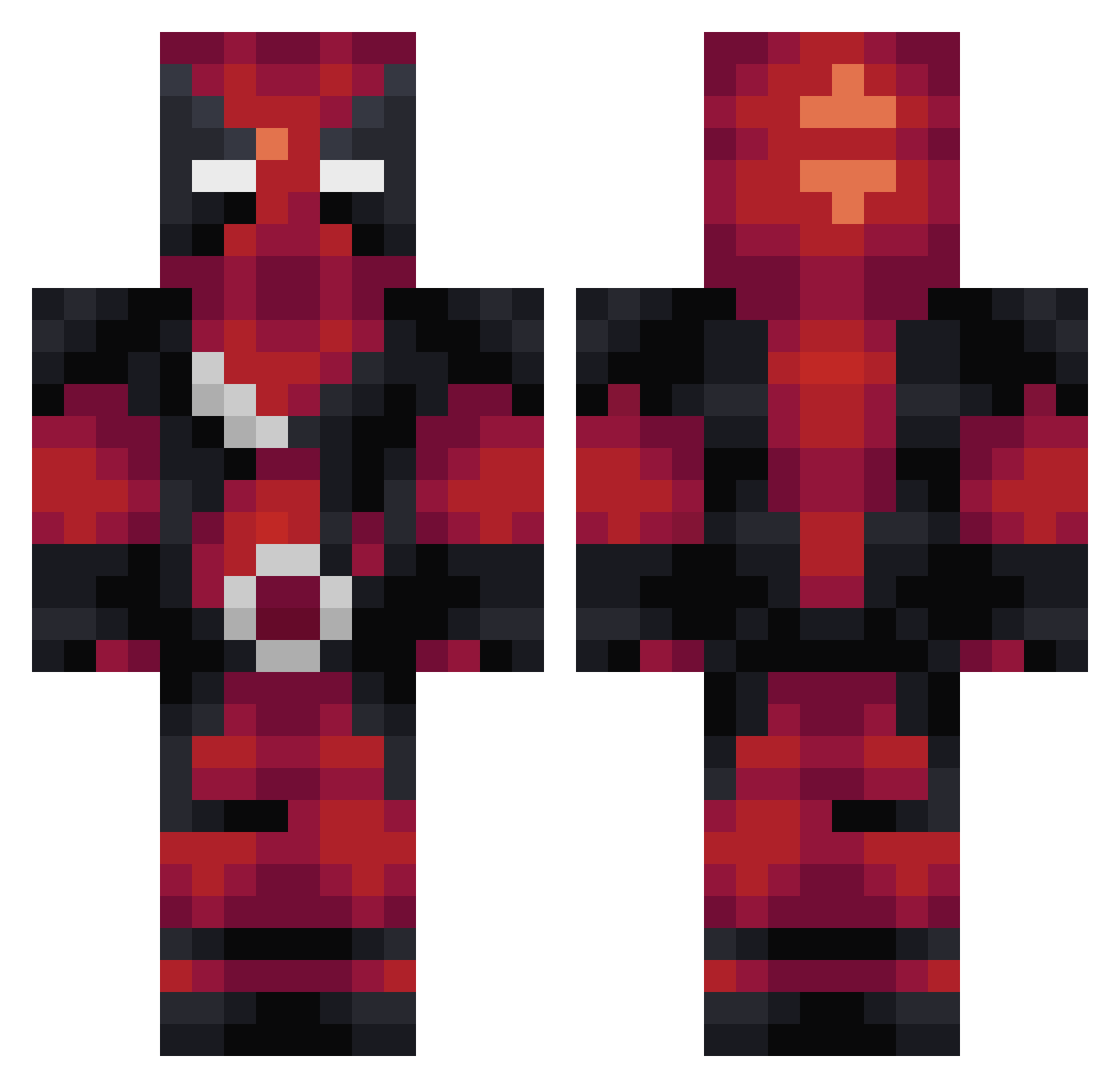
Current Minecraft skin of the player a_mxcc, loaded from the official Mojang API. Rotate the 3D model with your mouse or finger, then download the skin as a PNG file and use it in Minecraft: Bedrock Edition or Java Edition for free. When a_mxcc changes their skin, this page updates automatically and the old skin stays in the history below.
Other players with this skin (283)
a_mxcc was the 37th player we have seen with this skin, first spotted on 04.08.2026. The same skin was seen on these players. Open a nickname to see their current skin and skin history.
 Candrei SHoG4N MustafGuf Camharvey10 volkspar NoobMaster9869 faketydollasign Elpablix Shodanxerxes CaptainNem01 yueyiya Misfits010 FatedNeon kamo226 amari813 thefla61 HDaking Vonbuio Danzify EDager226 JayXXJay Loxonix Dappin Mad_Poseidon Chris76120 __Tobi_ YUTOTOMITA Dark_Jester_X FunkJDoom Crixstos Trig75 VenomLight joaco201923 serbe13 Titchi PewPlaysGames ItzzNovaaaa Milandt Yuyuyye VukovaDen NiamorEasy QuirkyOrangutan Hoady12 lorgash Skaaldi The_Thargoid
 2_helena_2 Colex18 okura104 MangoMando vHubcioo Asill1 davinabella Apollomi0_0 Racergp3 Swimmfly MarsonsRealm PhoenixFH Vaxorus Dimou06
More Deadpool Minecraft skins
How to install the a_mxcc skin
- Press the Download button above to save the skin as a PNG file.
- Minecraft: Bedrock Edition (PE): open the Dressing Room from the main menu (or tap your character → Edit Character), go to Classic Skins → Owned, press the + (new skin) button, choose the downloaded PNG and pick the Classic (Steve) model. Works on PC and mobile; consoles cannot import custom skins.
- Minecraft: Java Edition: open the Minecraft Launcher, go to the Skins tab, click New Skin, load the PNG, pick the Classic (Steve) model and press Save & Use. You can also upload it at minecraft.net → Profile → Change Skin.
The skin does not show up after import - what should I do?
Restart Minecraft and open the Dressing Room again - imported skins sometimes appear only after a restart. Also make sure you selected the imported skin and picked the Classic (Steve) model.
Which model should I choose, Classic or Slim?
This skin is designed for the Classic (Steve) model. If you pick the wrong model, the arms of the skin will look stretched or squeezed.
Is the skin of a_mxcc free to download?
Yes. Press Download, save the PNG file and use it in Minecraft: Bedrock Edition or Java Edition - no payment or registration needed. The skin also works on multiplayer servers and Realms.
More skins
Looking for more? Go back to all Minecraft skins and check the top skins of the week, month and all time, or find any player's skin by nickname.