
_spaghettiboy - Minecraft Skins & Skin History
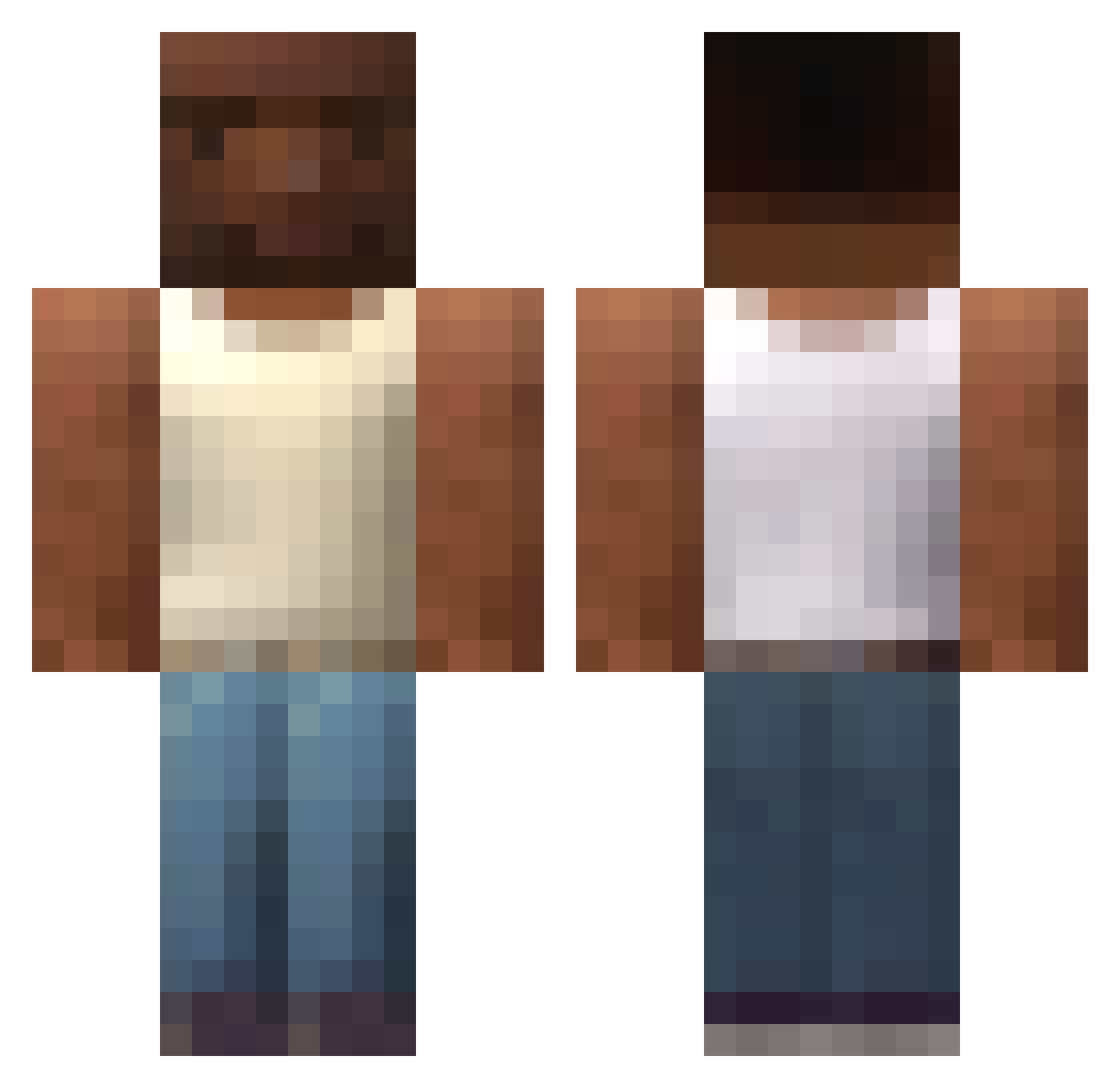
Current Minecraft skin of the player _spaghettiboy, loaded from the official Mojang API. Rotate the 3D model with your mouse or finger, then download the skin as a PNG file and use it in Minecraft: Bedrock Edition or Java Edition for free. When _spaghettiboy changes their skin, this page updates automatically and the old skin stays in the history below.
Other players with this skin (191)
_spaghettiboy was the 50th player we have seen with this skin, first spotted on 23.08.2026. The same skin was seen on these players. Open a nickname to see their current skin and skin history.
 Longy299 0_Nova pancooo StormPathus Polniec TiberiusNuss Neatleopard Jet_uwu XXXXXXXXDDDDDD intruds knukki11 bardbadr RobertAbraham420 acsbolt Gladster2005 DINODEE12 TheBIGRAGU kingkong0706 X_MarioDraghi_X javincho Berno007 FzM_Robin Maltioor Herukles NickVoag AlfaWolf12
 19023456 Mxtti07 PROTATO6 CoconutMalI Endysis Fortenn KrychaRycha AB1DU1 kubixonktw jvnpey Sunwo_o Rozmuwka_szef Kelrios RazorBlade0901 XGamer288 panzuts turipipip108 bfi_4 dondonasak Fivers rapguy7297 AlanDanchuk BabyWos end0wariat vidder KleberTomas Lamia_1126 Aapels springbonnie_420 stevejjang0305 Dicendy Tobiteau Slerba55 chikin0
How to install the _spaghettiboy skin
- Press the Download button above to save the skin as a PNG file.
- Minecraft: Bedrock Edition (PE): open the Dressing Room from the main menu (or tap your character → Edit Character), go to Classic Skins → Owned, press the + (new skin) button, choose the downloaded PNG and pick the Classic (Steve) model. Works on PC and mobile; consoles cannot import custom skins.
- Minecraft: Java Edition: open the Minecraft Launcher, go to the Skins tab, click New Skin, load the PNG, pick the Classic (Steve) model and press Save & Use. You can also upload it at minecraft.net → Profile → Change Skin.
The skin does not show up after import - what should I do?
Restart Minecraft and open the Dressing Room again - imported skins sometimes appear only after a restart. Also make sure you selected the imported skin and picked the Classic (Steve) model.
Which model should I choose, Classic or Slim?
This skin is designed for the Classic (Steve) model. If you pick the wrong model, the arms of the skin will look stretched or squeezed.
Is the skin of _spaghettiboy free to download?
Yes. Press Download, save the PNG file and use it in Minecraft: Bedrock Edition or Java Edition - no payment or registration needed. The skin also works on multiplayer servers and Realms.
More skins
Looking for more? Go back to all Minecraft skins and check the top skins of the week, month and all time, or find any player's skin by nickname.