
_sl0w - Minecraft Skins & Skin History
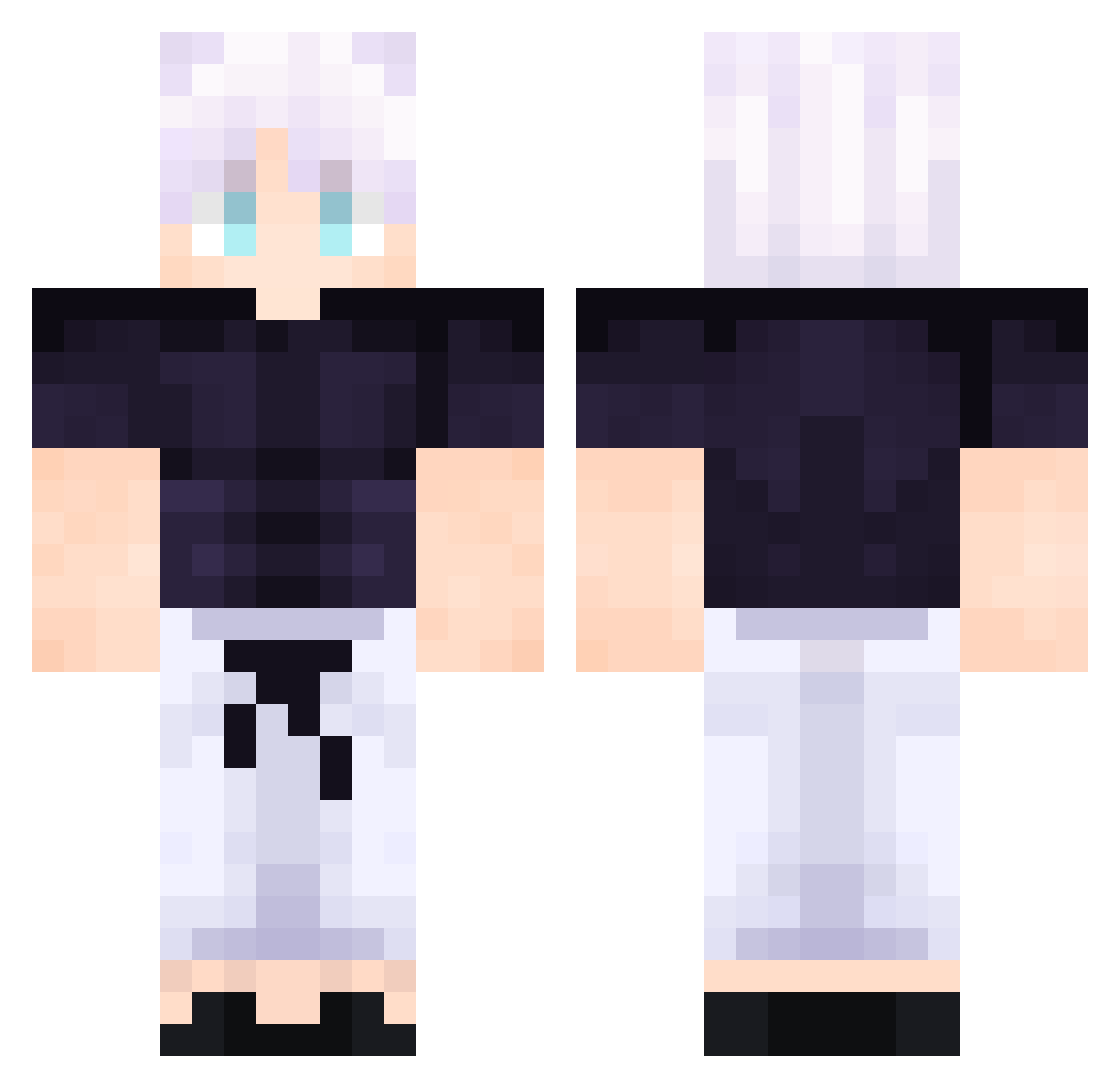
Current Minecraft skin of the player _sl0w, loaded from the official Mojang API. Rotate the 3D model with your mouse or finger, then download the skin as a PNG file and use it in Minecraft: Bedrock Edition or Java Edition for free. When _sl0w changes their skin, this page updates automatically and the old skin stays in the history below.
Other players with this skin (610)
_sl0w was the 535th player we have seen with this skin, first spotted on 06.11.2026. The same skin was seen on these players. Open a nickname to see their current skin and skin history.
 ismawww MangBloome WilleWilsson Enthermitte NixonMykro Gustavo_Br_2013 FA4TT 1CM3 cupofbot Ksdks ZodiaK_13 TasteOfBlood999 Kyrios_TV fdgdfgdf kaoru2013 _colson Amaury51_ tosheom ManoZico cl0_udyy GrimMD Apple7272 Mini_mionster hb_o547 Rodrigo0_0 Woodybone makima21 lnumaki_Toge Pie3sRad BUTTNINGCHIP48 Eclezio Autobust Ninjamaster8444 Yoshi787 killua1244 OlegCoffee VitoMLK DaLegend5633 kozyysss padinh prime_ianov Smi8thYT005 Diestylish GamingBenQC DVINE_08 DonJaro ImSundered Belllysha Andreutzu30 zer0worri3s LostFenix Lucasbot0513 rmykr minsungkim812 Antowxy Marius_19m LEXTERD Blestjester2460 Kian_Ninja Cool8968
More Satoru Gojo Minecraft skins
See all 1484 Satoru Gojo skins
How to install the _sl0w skin
- Press the Download button above to save the skin as a PNG file.
- Minecraft: Bedrock Edition (PE): open the Dressing Room from the main menu (or tap your character → Edit Character), go to Classic Skins → Owned, press the + (new skin) button, choose the downloaded PNG and pick the Classic (Steve) model. Works on PC and mobile; consoles cannot import custom skins.
- Minecraft: Java Edition: open the Minecraft Launcher, go to the Skins tab, click New Skin, load the PNG, pick the Classic (Steve) model and press Save & Use. You can also upload it at minecraft.net → Profile → Change Skin.
The skin does not show up after import - what should I do?
Restart Minecraft and open the Dressing Room again - imported skins sometimes appear only after a restart. Also make sure you selected the imported skin and picked the Classic (Steve) model.
Which model should I choose, Classic or Slim?
This skin is designed for the Classic (Steve) model. If you pick the wrong model, the arms of the skin will look stretched or squeezed.
Is the skin of _sl0w free to download?
Yes. Press Download, save the PNG file and use it in Minecraft: Bedrock Edition or Java Edition - no payment or registration needed. The skin also works on multiplayer servers and Realms.
More skins
Looking for more? Go back to all Minecraft skins and check the top skins of the week, month and all time, or find any player's skin by nickname.