
__S0RU__ - Minecraft Skins & Skin History
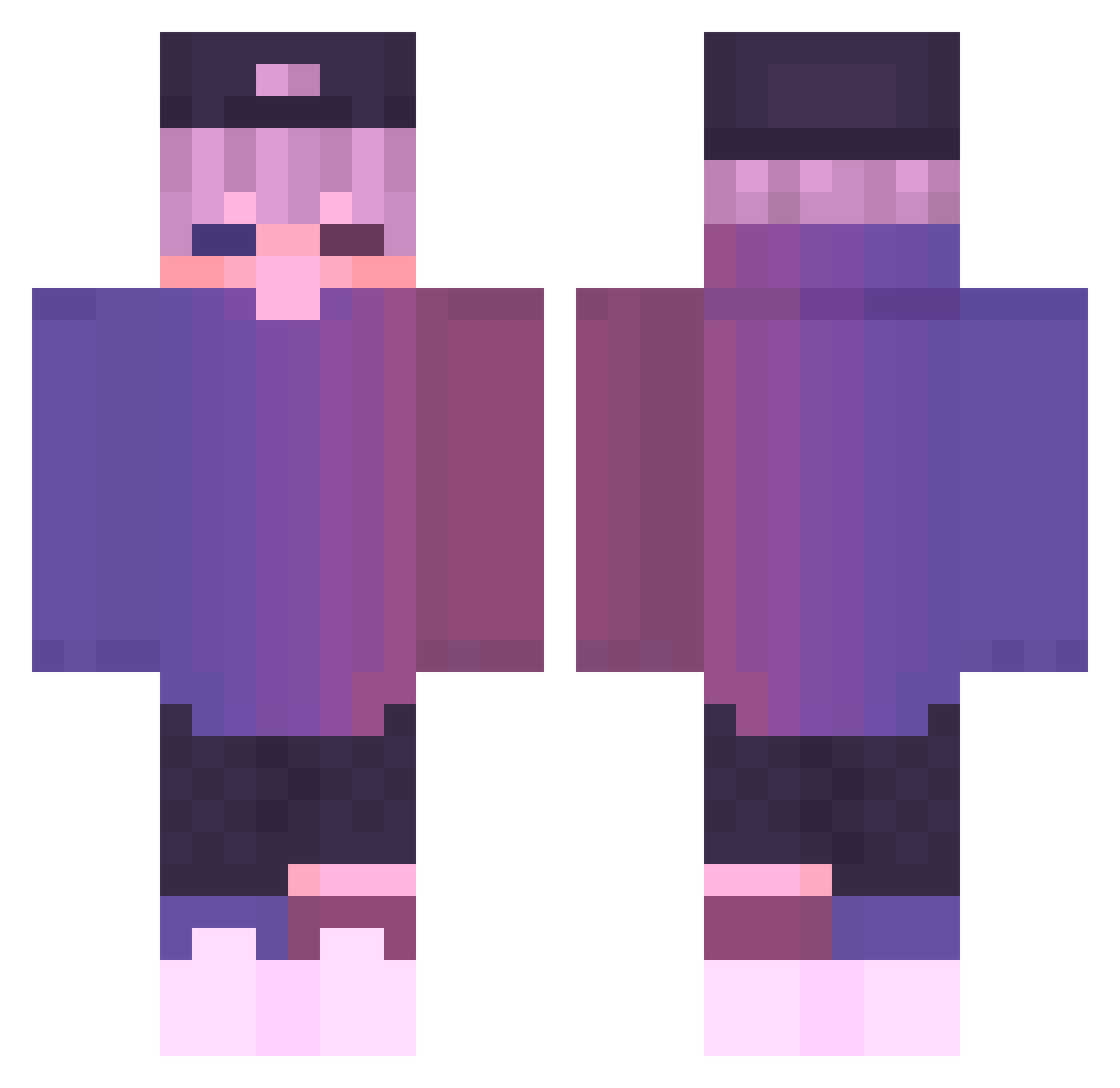
Current Minecraft skin of the player __S0RU__, loaded from the official Mojang API. Rotate the 3D model with your mouse or finger, then download the skin as a PNG file and use it in Minecraft: Bedrock Edition or Java Edition for free. When __S0RU__ changes their skin, this page updates automatically and the old skin stays in the history below.
Other players with this skin (603)
__S0RU__ was the 26th player we have seen with this skin, first spotted on 28.07.2026. The same skin was seen on these players. Open a nickname to see their current skin and skin history.
 owuu gksqlsrla ddotii Godzjlla Czajnik15 Przirembel Ronaldo1811 Adrian9494 coldfree Itz_Koragg noisyb0y_ F0cused Amtrak6908 KimTache 2creepe22 ItzXypher dulleee FatTheDestroyer Kanatatata IgnacioZan duicidkennc_mzfk danielkukis lliiiiiin iDuka Bitonto
 Alimicious Z27_ RunerboysHacker aqua_quiver F4L1PE Dedimdedim roka01 xxpl13_ DarvidaWoman69 _mea AceChaosClarke MusicsOn snackd PanKrzak Bestow_UAIakc tikiriki_ God_Ninja superbode lanvgema Ailurdie Philep Product_OP p1xelcoco Ckigip RimuruTempestAni Raenear KOSMA_LIBI GABXW yam951210 TunYeuHung Phantom1474 Tommy_2_Time wmasoniv _awesomeness Smn_Vinta2011
More Cap Minecraft skins
How to install the __S0RU__ skin
- Press the Download button above to save the skin as a PNG file.
- Minecraft: Bedrock Edition (PE): open the Dressing Room from the main menu (or tap your character → Edit Character), go to Classic Skins → Owned, press the + (new skin) button, choose the downloaded PNG and pick the Classic (Steve) model. Works on PC and mobile; consoles cannot import custom skins.
- Minecraft: Java Edition: open the Minecraft Launcher, go to the Skins tab, click New Skin, load the PNG, pick the Classic (Steve) model and press Save & Use. You can also upload it at minecraft.net → Profile → Change Skin.
The skin does not show up after import - what should I do?
Restart Minecraft and open the Dressing Room again - imported skins sometimes appear only after a restart. Also make sure you selected the imported skin and picked the Classic (Steve) model.
Which model should I choose, Classic or Slim?
This skin is designed for the Classic (Steve) model. If you pick the wrong model, the arms of the skin will look stretched or squeezed.
Is the skin of __S0RU__ free to download?
Yes. Press Download, save the PNG file and use it in Minecraft: Bedrock Edition or Java Edition - no payment or registration needed. The skin also works on multiplayer servers and Realms.
More skins
Looking for more? Go back to all Minecraft skins and check the top skins of the week, month and all time, or find any player's skin by nickname.