
_NyxIsMissing_ - Minecraft Skins & Skin History
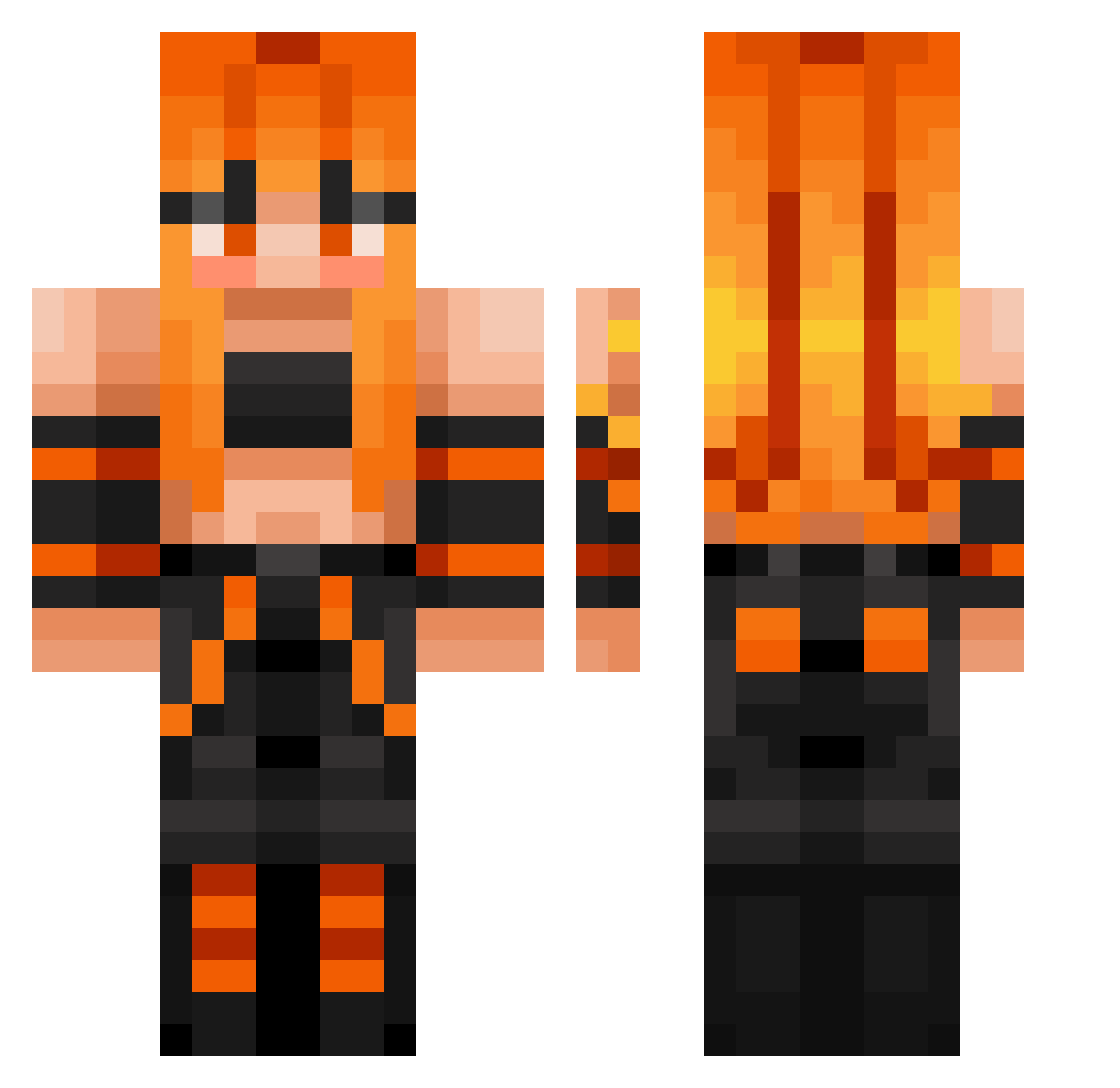
Current Minecraft skin of the player _NyxIsMissing_, loaded from the official Mojang API. Rotate the 3D model with your mouse or finger, then download the skin as a PNG file and use it in Minecraft: Bedrock Edition or Java Edition for free. When _NyxIsMissing_ changes their skin, this page updates automatically and the old skin stays in the history below.
Other players with this skin (378)
_NyxIsMissing_ was the 365th player we have seen with this skin, first spotted on 29.10.2026. The same skin was seen on these players. Open a nickname to see their current skin and skin history.
 YukiNe5640 MortesAye Junegame11 lilly573 xXkrasXx togepi0420 Liquid_Science Stegmiller h0ngx14n RQ_Kou Nipsy31 QueenEeveeGirl NuNu176 VESERT EvilCoal 665665 Miaiscoolnh Pooh_Bear76 AxelAxolotl12 HobbyJaeger dylbanis SantigiGM Drakepwdu EnesFloppa MackenzieR03 trashpanda2193 HorseGirlCass Nico3141592 jynx7105 kishinsoul MaiaHome kezu__ Dylon_D Santyplay Wcoolhorse gooner92 Q1KEW PrestoMagic5511 Mehaanik12 nikkum Cozy366508 mafiozo1 CABINET227 Espion753 MOMO_4745 kannina888 Online_gamer007 TipTrixter dellabarba13 MiguelAzevedo09 Ling_Ling_3 jackharden20111 JoelioTheGreat whitetiger0913 Marcello010 1_john_5_vs3 MRMYSZKA2010 zj216 SNXWWHITE azul97
More Girl Minecraft skins
How to install the _NyxIsMissing_ skin
- Press the Download button above to save the skin as a PNG file.
- Minecraft: Bedrock Edition (PE): open the Dressing Room from the main menu (or tap your character → Edit Character), go to Classic Skins → Owned, press the + (new skin) button, choose the downloaded PNG and pick the Classic (Steve) model. Works on PC and mobile; consoles cannot import custom skins.
- Minecraft: Java Edition: open the Minecraft Launcher, go to the Skins tab, click New Skin, load the PNG, pick the Classic (Steve) model and press Save & Use. You can also upload it at minecraft.net → Profile → Change Skin.
The skin does not show up after import - what should I do?
Restart Minecraft and open the Dressing Room again - imported skins sometimes appear only after a restart. Also make sure you selected the imported skin and picked the Classic (Steve) model.
Which model should I choose, Classic or Slim?
This skin is designed for the Classic (Steve) model. If you pick the wrong model, the arms of the skin will look stretched or squeezed.
Is the skin of _NyxIsMissing_ free to download?
Yes. Press Download, save the PNG file and use it in Minecraft: Bedrock Edition or Java Edition - no payment or registration needed. The skin also works on multiplayer servers and Realms.
More skins
Looking for more? Go back to all Minecraft skins and check the top skins of the week, month and all time, or find any player's skin by nickname.