
_NeonFex_ - Minecraft Skins & Skin History
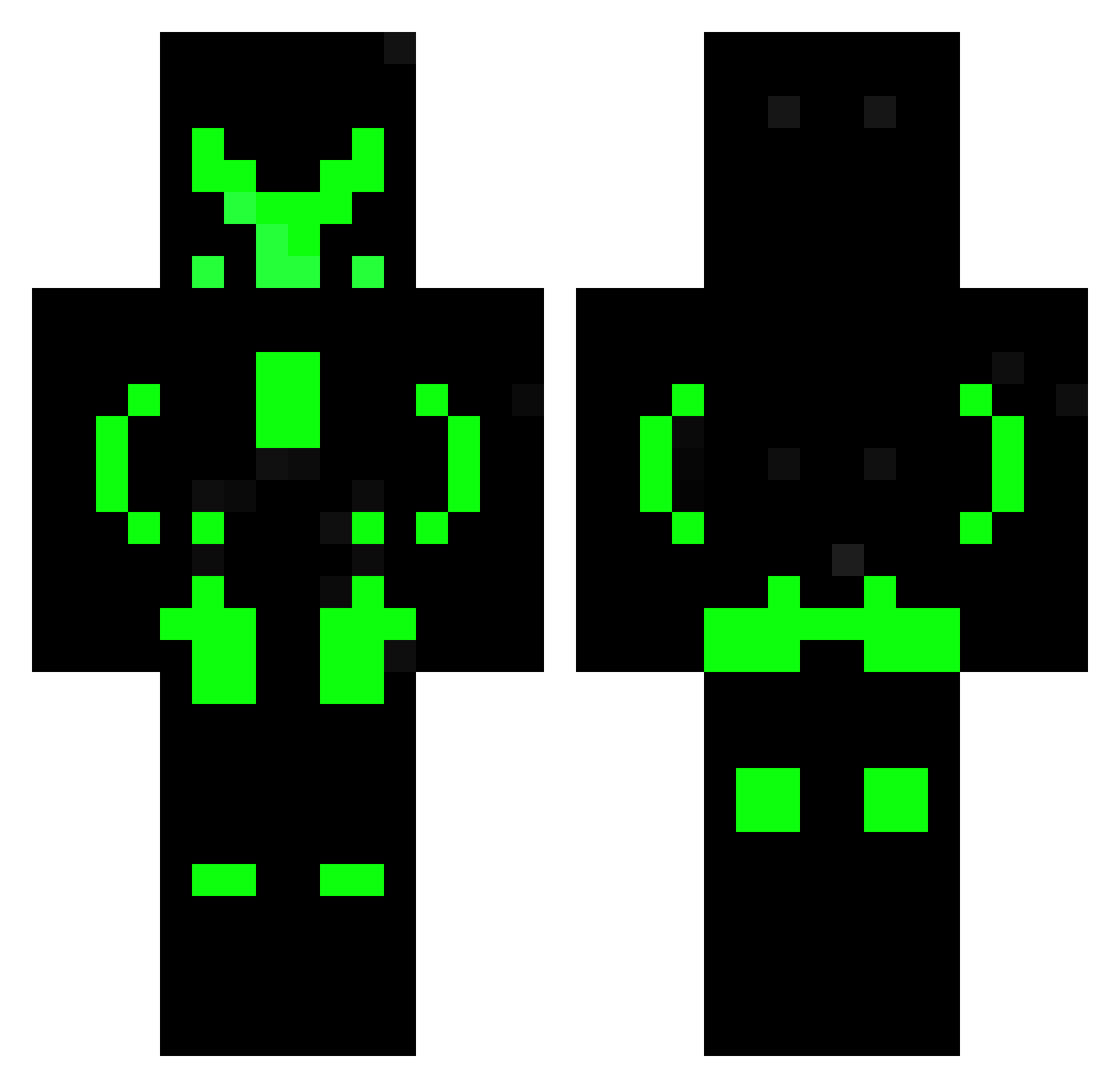
Current Minecraft skin of the player _NeonFex_, loaded from the official Mojang API. Rotate the 3D model with your mouse or finger, then download the skin as a PNG file and use it in Minecraft: Bedrock Edition or Java Edition for free. When _NeonFex_ changes their skin, this page updates automatically and the old skin stays in the history below.
Other players with this skin (609)
_NeonFex_ was the 436th player we have seen with this skin, first spotted on 12.10.2026. The same skin was seen on these players. Open a nickname to see their current skin and skin history.
 akvariekillen banhao_gigante BadBoy_666 StevenSTM97 Bence858 Sabertooth9252 Yo_donta landwalkar GenJarl 3796 BlueTurtle2302 bugi12 JetDrake LILJmastery NeoKnight02 Xevontex WilsonCole Akzon IIHeadblasterII Arlan110101 Hashed8 LoganCola SebKul07 RexHunter KOLKOL_245 RisT_CookiMan silas2107 Dasser09 CaioGV Zamarripa Sincons Adiixe MarshyEnderYT Contamusse maxiking_pro clusterfluxx MacAndChzLover FuriousWolf lollenny LOREX34 dezimu Shiroe_Chan Bibi2024 bly68 Plinder KaChIbBaMaMeN Jannski itsmefuli RAVAN_RIO Shoprok MotherFuke Lukester719 GamerPrime335 TheAlves_ KeineAhnung9970 Apewild Cyber_lizard Robihun20000 RaynardTos linkuan
More Neon Armor Minecraft skins
How to install the _NeonFex_ skin
- Press the Download button above to save the skin as a PNG file.
- Minecraft: Bedrock Edition (PE): open the Dressing Room from the main menu (or tap your character → Edit Character), go to Classic Skins → Owned, press the + (new skin) button, choose the downloaded PNG and pick the Classic (Steve) model. Works on PC and mobile; consoles cannot import custom skins.
- Minecraft: Java Edition: open the Minecraft Launcher, go to the Skins tab, click New Skin, load the PNG, pick the Classic (Steve) model and press Save & Use. You can also upload it at minecraft.net → Profile → Change Skin.
The skin does not show up after import - what should I do?
Restart Minecraft and open the Dressing Room again - imported skins sometimes appear only after a restart. Also make sure you selected the imported skin and picked the Classic (Steve) model.
Which model should I choose, Classic or Slim?
This skin is designed for the Classic (Steve) model. If you pick the wrong model, the arms of the skin will look stretched or squeezed.
Is the skin of _NeonFex_ free to download?
Yes. Press Download, save the PNG file and use it in Minecraft: Bedrock Edition or Java Edition - no payment or registration needed. The skin also works on multiplayer servers and Realms.
More skins
Looking for more? Go back to all Minecraft skins and check the top skins of the week, month and all time, or find any player's skin by nickname.