
_BlueShark - Minecraft Skins & Skin History
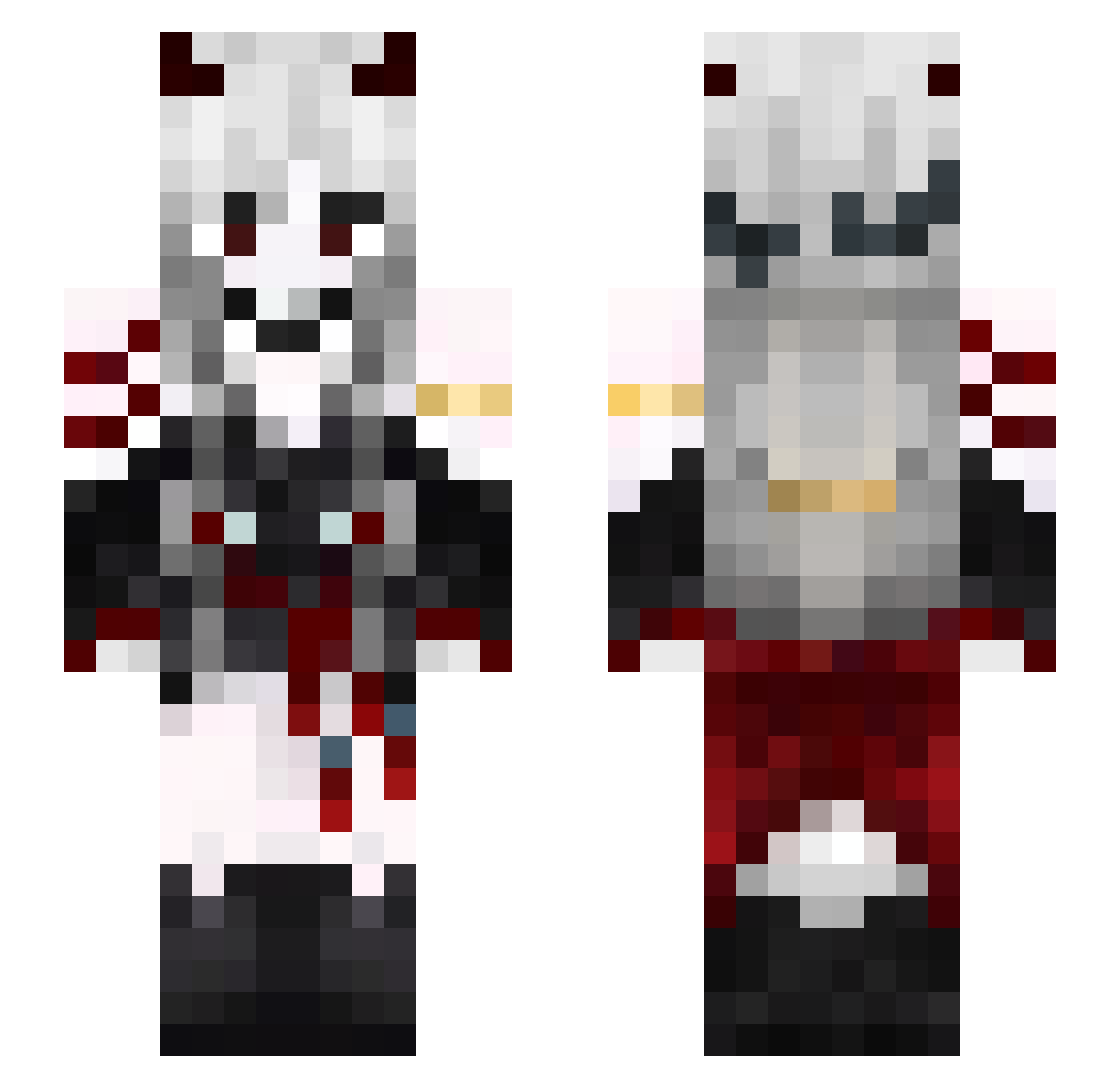
Current Minecraft skin of the player _BlueShark, loaded from the official Mojang API. Rotate the 3D model with your mouse or finger, then download the skin as a PNG file and use it in Minecraft: Bedrock Edition or Java Edition for free. When _BlueShark changes their skin, this page updates automatically and the old skin stays in the history below.
Other players with this skin (576)
_BlueShark was the 484th player we have seen with this skin, first spotted on 21.10.2026. The same skin was seen on these players. Open a nickname to see their current skin and skin history.
 maika_chan110 EleonorexAster AnaeAstral silence418 ranyue41 ZblarS xj5200 Shigo0n Solitary_Shadow_ Narul Britainnieee KillerTheGoat Wolgex xunkong1 Vishaa_ 051014 Seyen__ hakuraaa Ssuta_02 xgz666 Bakiinator DinosoldierBR xNikozx wuyi28 ToteRobbe Val133992 456ljk M1k0_o Carvill BellatrixBlackk nurzumspasshier_ Zkiyue jammine_ Fexard Kai_chan2021 sandipe MunaPiilo iu0410 _302__ twinkle52 svxwy zihhhh TheActualBoss_ Mellaraa Megumin4967 bluemyosotis Yuta_fox nyan_9 minwoodojin FIRIOUSMAN gingerella01 LillyLingYue noxlamour_ Core_Angel yananp longsure Jesus_Kistus666 4RCCIVE MrCarrotGold Karayel1525
More Demon Minecraft skins
How to install the _BlueShark skin
- Press the Download button above to save the skin as a PNG file.
- Minecraft: Bedrock Edition (PE): open the Dressing Room from the main menu (or tap your character → Edit Character), go to Classic Skins → Owned, press the + (new skin) button, choose the downloaded PNG and pick the Slim (Alex) model. Works on PC and mobile; consoles cannot import custom skins.
- Minecraft: Java Edition: open the Minecraft Launcher, go to the Skins tab, click New Skin, load the PNG, pick the Slim (Alex) model and press Save & Use. You can also upload it at minecraft.net → Profile → Change Skin.
The skin does not show up after import - what should I do?
Restart Minecraft and open the Dressing Room again - imported skins sometimes appear only after a restart. Also make sure you selected the imported skin and picked the Slim (Alex) model.
Which model should I choose, Classic or Slim?
This skin is designed for the Slim (Alex) model. If you pick the wrong model, the arms of the skin will look stretched or squeezed.
Is the skin of _BlueShark free to download?
Yes. Press Download, save the PNG file and use it in Minecraft: Bedrock Edition or Java Edition - no payment or registration needed. The skin also works on multiplayer servers and Realms.
More skins
Looking for more? Go back to all Minecraft skins and check the top skins of the week, month and all time, or find any player's skin by nickname.